Configuring a transactional event | Community
Skip to main content
April 23, 2022
Solved

Configuring a transactional event

  • April 23, 2022
  • 3 replies
  • 1009 views

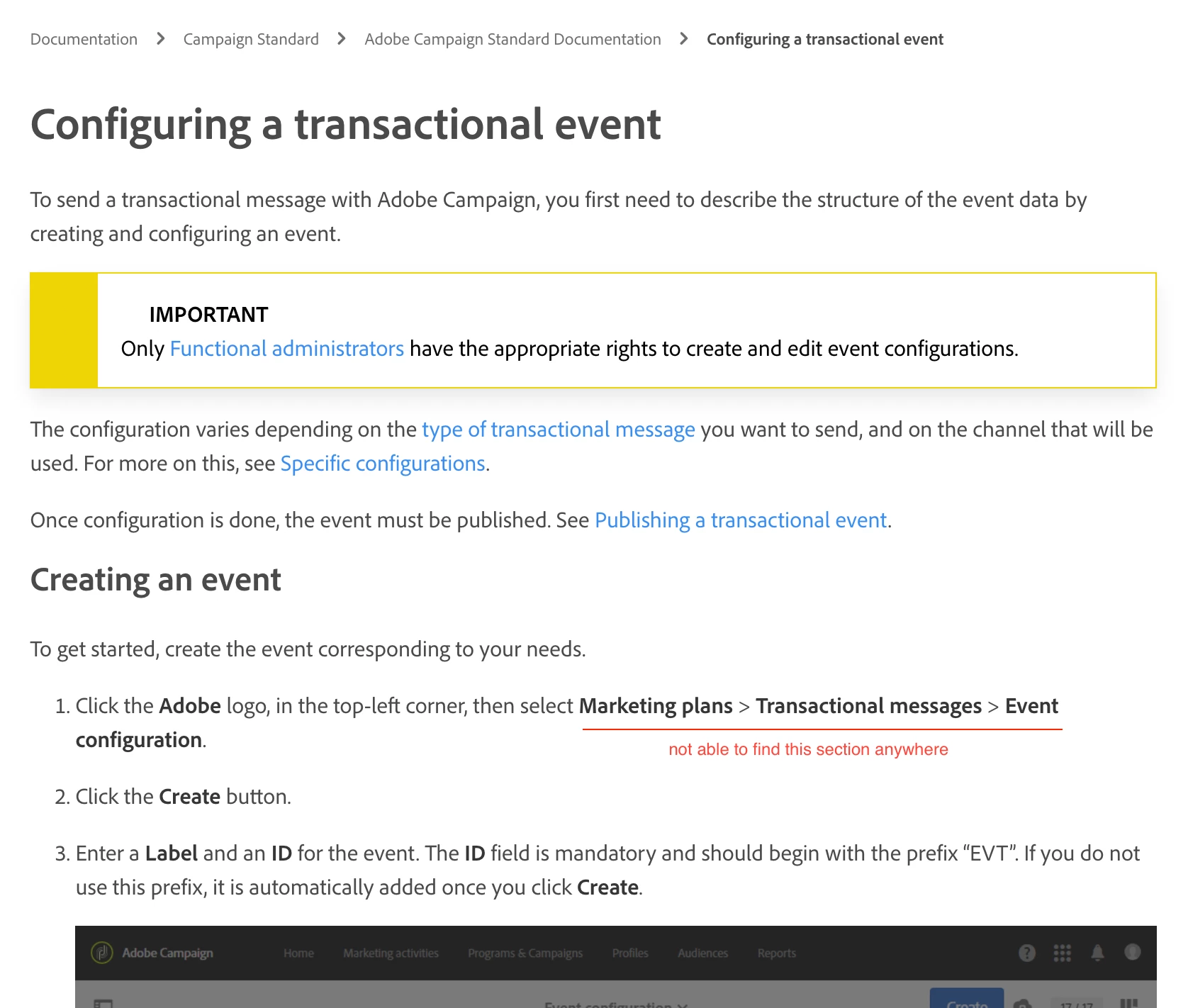
Hi, I am new to the adobe community, I just created my account a day before yesterday and trying to create events for transactional emails and standard campaigns. I am following the link to configure the events. But I am unable to see the section 'Marketing plans'. Is that something limited to a free subscription? or I am doing something wrong? I am confused if I am following the right path or not.

This post is no longer active and is closed to new replies. Need help? Start a new post to ask your question.
Best answer by SatheeskannaK

Hi @z33shan,


Probably you don't have right permissions to create transactional message. Take a look at the IMPORTANT section posted

You would need administrator access to create/publish/access transactional messages. Look at this documentation page: https://experienceleague.adobe.com/docs/campaign-standard/using/administrating/users-and-security/list-of-roles.html?lang=en


Thanks!

3 replies

SatheeskannaK
Community Advisor
SatheeskannaKCommunity AdvisorAccepted solution
Community Advisor
April 25, 2022

Hi @z33shan,


Probably you don't have right permissions to create transactional message. Take a look at the IMPORTANT section posted

You would need administrator access to create/publish/access transactional messages. Look at this documentation page: https://experienceleague.adobe.com/docs/campaign-standard/using/administrating/users-and-security/list-of-roles.html?lang=en


Thanks!

Thanks, Sathees
Level 2
April 25, 2022

Hi @z33shan,


Worth checking if you are logged onto an Adobe Campaign Standard instance first (if you have access to one via your organisation).


Marketing Plans, is part of the navigation hierarchy of that product (viewable after you click "Adobe Campaign in the top left corner in your browser)":


Thanks,
Don

Sukrity_Wadhwa
Community Manager
Community Manager
May 18, 2022

Hi @z33shan,

Were you able to resolve this query with the help of the given solutions or do you still need more help here? Do let us know.

In case the given solutions were helpful, then kindly choose the one that helped you the most as the 'Correct Reply'.
Thanks!

Sukrity Wadhwa
