Linda_Stinson
Adobe Employee
Adobe Employee
Jan 16, 2015 8:02 PM UTC

Campaign workflow won't run

Symptom

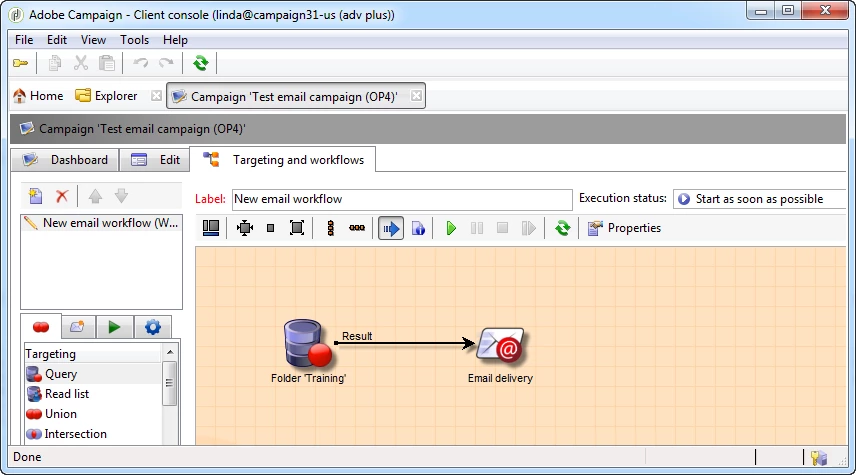
Campaign workflow is stuck in the 'Start as soon as possible' state.
Cause

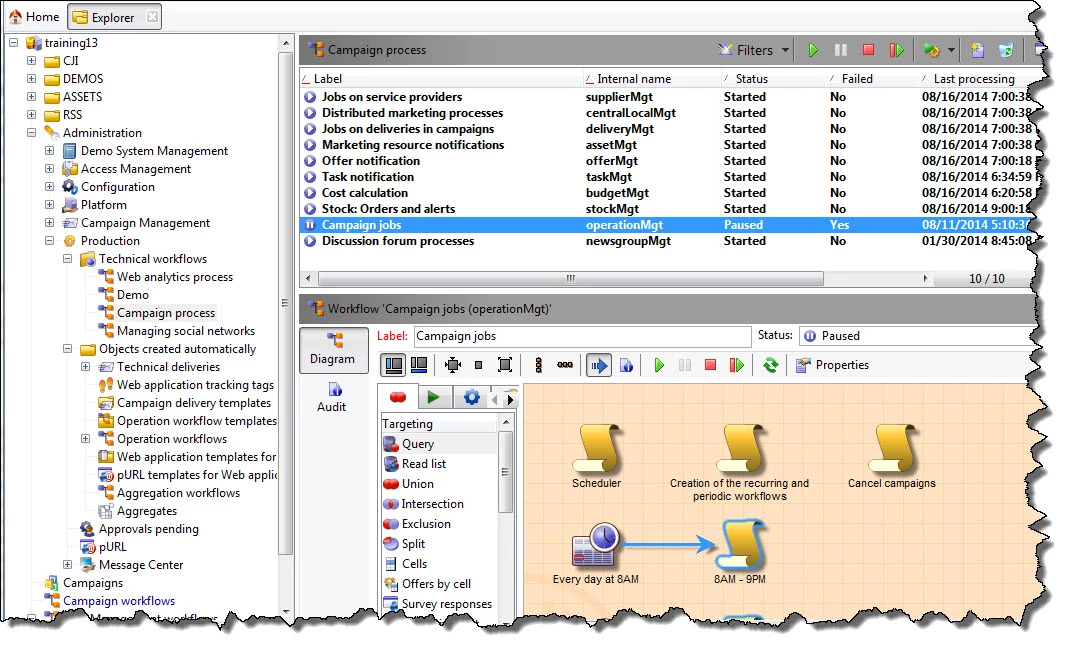
Campaign Jobs technical workflow has failed:
Fix

Restart the Campaign jobs workflow.

Preventative

Administrators can click on the Monitoring on the Home page and the Monitoring instance Dashboard shows all workflows in need of assistance. Even better, one or more Administrators should add themselves to the Workflow supervisors Operator group and they will receive notification when this workflow is suspended (fails).

This post is no longer active and is closed to new replies. Need help? Start a new post to ask your question.

4 replies

May 12, 2015 6:19 AM UTC

Hi,

I am not able to start the workflow from the campaign "workflow and targeting" tab, but if I go to Explorer view, under Administration>Production>Objects created automatically>Campaign workflow, I can select and run the workflow. Am I missing something here?

Translate
Linda_Stinson
Adobe Employee
Adobe Employee
May 12, 2015 1:41 PM UTC

Hi Manjunath,

   Can you be a little more specific about "I am not able to start the workflow"? Do you mean the execution buttons are grayed out? Or do you start the workflow and it doesn't run? Did you check if the Campaign Jobs workflow has failed as mentioned above? If so you can restart the Campaign jobs workflow.

Regards,

  Linda

Translate
May 13, 2015 7:07 AM UTC

Hi Linda,

I was referring to execution buttons which were greyed out. After restarting the Campaign jobs workflow, workflow started running.

Thanks,

Manjunath

Translate