anti-spam flags "HTML_FONT_LOW_CONTRAST" | Community
Skip to main content
Level 2
November 14, 2018
Solved

anti-spam flags "HTML_FONT_LOW_CONTRAST"

  • November 14, 2018
  • 1 reply
  • 3494 views

Hi,

I'm experiencing some difficulty with the anti-spam analysis tool.
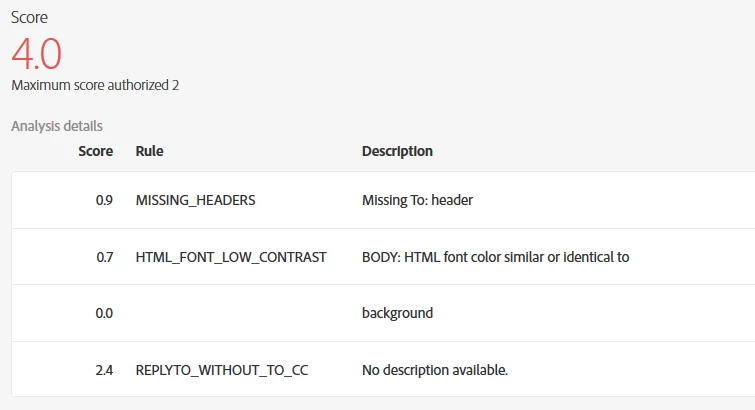
I'm not sure what HTML_FONT_LOW_CONTRAST means since the sentence isn't complete. Also there's a rule below that doesn't even have a name...

I'm fairly sure the problem is in the footer:
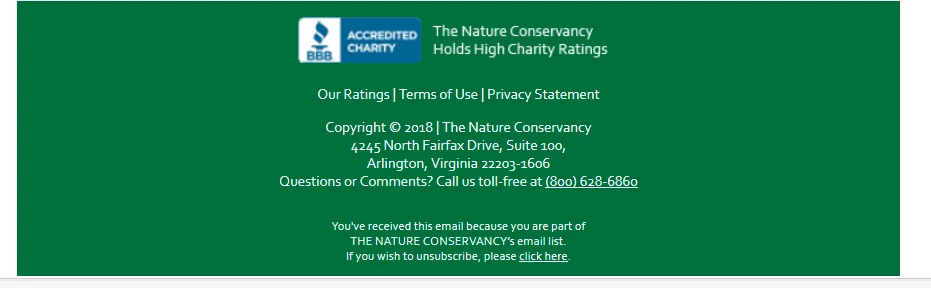
Since when I take it out both errors goes away. Although oddly enough, only when I take this footer away is a NEW spam flag raised:

I've had plenty of (small) remote images before and this flag wasn't raised. Best practice is to have ZERO remote images is my guess?*

*edit: I removed all the images (even though I uploaded all of them directly in the ACS tool) except one and that made this spam flag go away... How does one put images in an email without this happening?

Thanks for all your help on these myriad issues...

Danny Diaz

This post is no longer active and is closed to new replies. Need help? Start a new post to ask your question.
Best answer by vraghav

Hi Danny,

These rules are coming from SpamAssassin. You can understand the real meaning of them from Spam Assassin website.

Doing a quick search I found one such useful link https://wiki.apache.org/spamassassin/Rules/HTML_FONT_LOW_CONTRAST

Hope it helps.

Regards,

Vipul

1 reply

vraghav
Adobe Employee
vraghavAdobe EmployeeAccepted solution
Adobe Employee
November 14, 2018

Hi Danny,

These rules are coming from SpamAssassin. You can understand the real meaning of them from Spam Assassin website.

Doing a quick search I found one such useful link https://wiki.apache.org/spamassassin/Rules/HTML_FONT_LOW_CONTRAST

Hope it helps.

Regards,

Vipul