Adobe Campaign Standard integration with Adobe Target image no rendering in email | Community
Skip to main content
Level 4
October 7, 2021
Solved

Adobe Campaign Standard integration with Adobe Target image no rendering in email

  • October 7, 2021
  • 1 reply
  • 1437 views

Hi,

We are trying to test the Adobe Target and Adobe Campaign Standard intgration. We configure the steps required in AT and ACS.


We sent a test email and when using outlook client we are able to view the image but when using web client the image is not rendered. Here an screenshot of what happens.


Web client



Outlook Client
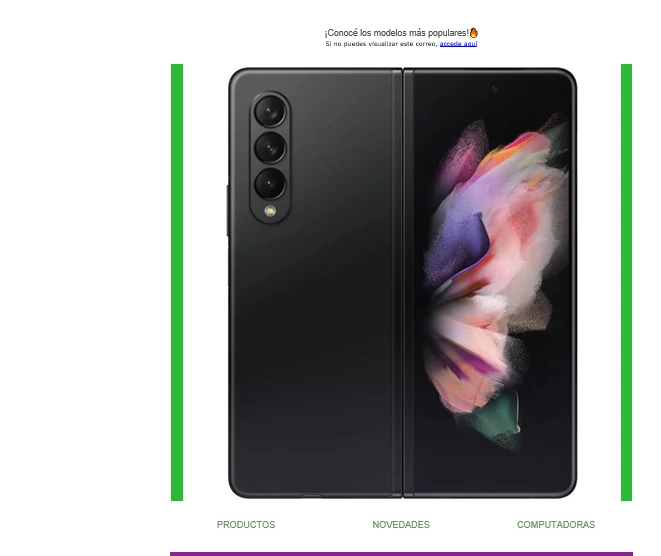
 

This is the Url of generated content 


https://grupomonge.tt.omtrdc.net/m2/grupomonge/ubox/raw?mboxXDomain=disabled&mboxXDomainCheck=true&mboxSession=18263029&mboxPC=18263029&City=barranquilla&mbox=test-campaign_click&mboxDefault=https%3A%2F%2Fres1.tarjetamonge.grupomonge.com%2Fres%2Fgrupomonge_mkt_prod1%2Ff7d6478be68bcf88ea8e118470e63eec.png&deliveryName=DM3450


and this is the message that show us when navigate to that url 

 

I hope you can help us to resolve the issue we have.

This post is no longer active and is closed to new replies. Need help? Start a new post to ask your question.
Best answer by olsalas711

We could resolve our issue. We need to request to Customer Care to enable the ubox setting. Once they enabled the feature the integration woks as expected.


I hope this could be helpful to anyone in the future.

1 reply

Craig_Thonis
Adobe Employee
Adobe Employee
October 11, 2021

Hello Olsalas,


At first glance it looks like you are running into a certificate error since attempting to click on that provided URL is showing a revoked peer certificate and the content won't load.


Regards,

Craig

Level 4
October 11, 2021

Hi Craig,


Thanks for your response. Please can you show me how i can see the error you point me out.