Adobe Campaign Standard Creative Designer Images | Community
Skip to main content
Level 4
December 2, 2018
Solved

Adobe Campaign Standard Creative Designer Images

  • December 2, 2018
  • 1 reply
  • 1700 views

While using the Creative Designer in ACS.  It provides the ability to upload images by "Drag and drop you file here, Select a file from your computer".  Is there somewhere you can go inside ACS to view the images that are stored in ACS or a place to store the images to use in the Creative Designer?

This post is no longer active and is closed to new replies. Need help? Start a new post to ask your question.
Best answer by pablo_rosero1

Hi Clarence,

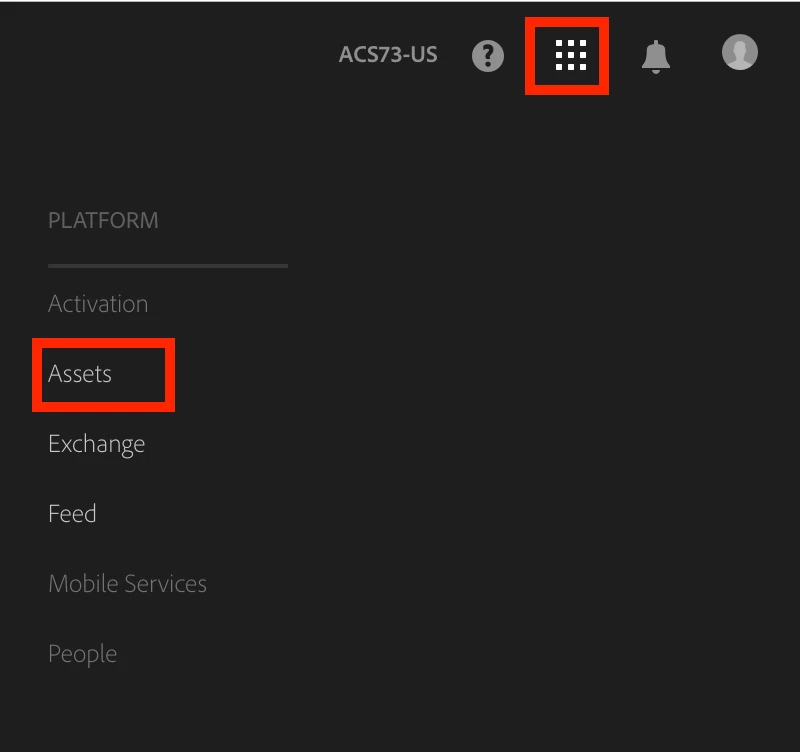
Upload of reusable assets is done though the Experience Cloud asset manager located here:

Once uploaded, insert in Campaign Standard: Adobe Campaign Help | Working with Campaign and Assets core service

Hope that helps!

All the best,

Pablo

1 reply

pablo_rosero1
pablo_rosero1Accepted solution
Level 9
December 3, 2018

Hi Clarence,

Upload of reusable assets is done though the Experience Cloud asset manager located here:

Once uploaded, insert in Campaign Standard: Adobe Campaign Help | Working with Campaign and Assets core service

Hope that helps!

All the best,

Pablo