Adobe Campaign Delivery Reporting | Community
Skip to main content
thomash82948276
Level 2
December 4, 2017
Solved

Adobe Campaign Delivery Reporting

  • December 4, 2017
  • 13 replies
  • 10008 views

I'm looking to create a simple daily overview report showing the following:

Email name

Sent

Open Rate

Click Rate

Unsub Rate

Bounce Rate

No. Spam Complaints

Password Reset

10

50%

10%

0%

0.1%

0

Welcome300025%5%0.4%0.8%2

Which template do I need to use to generate a report with these dimensions and measures.  I can’t find it from the pre-set list.
This post is no longer active and is closed to new replies. Need help? Start a new post to ask your question.
Best answer by ramakatt

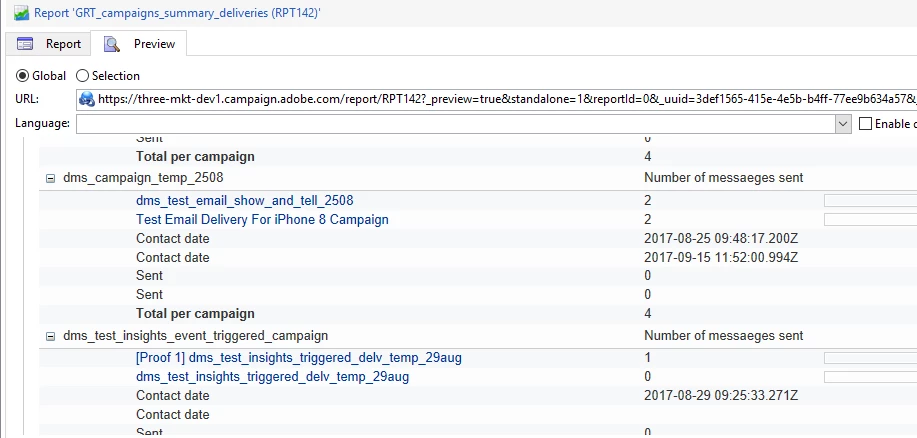
And finally the report looks like below.

13 replies

Adobe Employee
December 6, 2017

Hi,

I have created the below cube and made changes as per your requirement. Please find the below screenshots and I hope, this helps. Please let me know.

Thanks,

Rajesh

thomash82948276
Level 2
December 6, 2017

Thank you Rajesh.

Just to confirm, are these possible to build in Campaign?  Or only in Adobe Analytics?

Thanks

Tom

Adobe Employee
December 6, 2017

HI,

The cube i have generated and the screens are from Adobe campaign, only. Analytics gives a different level of reports. Example, Cart abandonment etc.,

thomash82948276
Level 2
December 6, 2017

Great, thank you.  How can I add in sent date to this report?  Also, how can I filter by date?

courtneyd578424
Level 2
December 8, 2017

I am interested in knowing the field that would give me data on the number of spam complaints too. Thanks!

thomash82948276
Level 2
December 13, 2017

Hello Rajesh, I've since found out that you can only edit Dimensions in Cube Reports in Adobe Campaign if you're also signed up to Adobe Analytics - which we're not.

I need to edit the Dimensions in this pre-loaded Cube in order to get the date to display.

Therefore, this doesn't help me unfortunately. 

I think the User Activities pre-loaded report under Administration > Configuration can give me what I want.  There are just two problems with it though:

- It only shows day, I need date.  Any ideas on how I can add that?

- It tracks Opens, Clicks and Transactions.  I don't need Transactions, I need Volume Sent instead.

Many thanks for your help

noahk68561915
December 13, 2017

Rajesh - Per our brief conversation over direct message, can you paste in the screenshot you were referencing, which will show how to identify the # of complaints or screamers by email?

Thanks!

Noah

@ramarajeshk90896120

Adobe Employee
December 13, 2017

We could certainly pull the # of complaints or screamers by email. Below is the screenshot for reference.

courtneyd578424
Level 2
December 13, 2017

Thank you. How can I pull back @screamers in a workflow query?

Adobe Employee
December 14, 2017

Hi Courtney,

Please find the screens below.

Thanks,

Rajesh