Now, I show you an example. I'm going to upload a csv file which looks like that:
---
name;firstname;email;country;birthdate
doedoe;johnn;leborgne+2345@adobetest.com;France;19/03/1986
collins;florent;leborgne@adobetest.com;Italy;17/11/1987
---
johnn doedoe will be new in the database so my workflow will create a new profile with the geounit specified in the file.
florent collins already exists in the database but with a different geounit so my workflow will update the geounit.
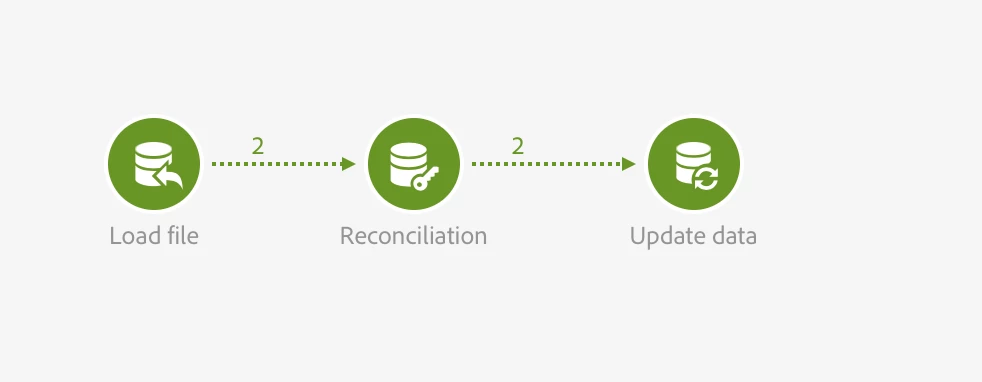
1. First I load my file (I have it on my local machine so I don't use a transfer file, but your workflow is good until the load file).
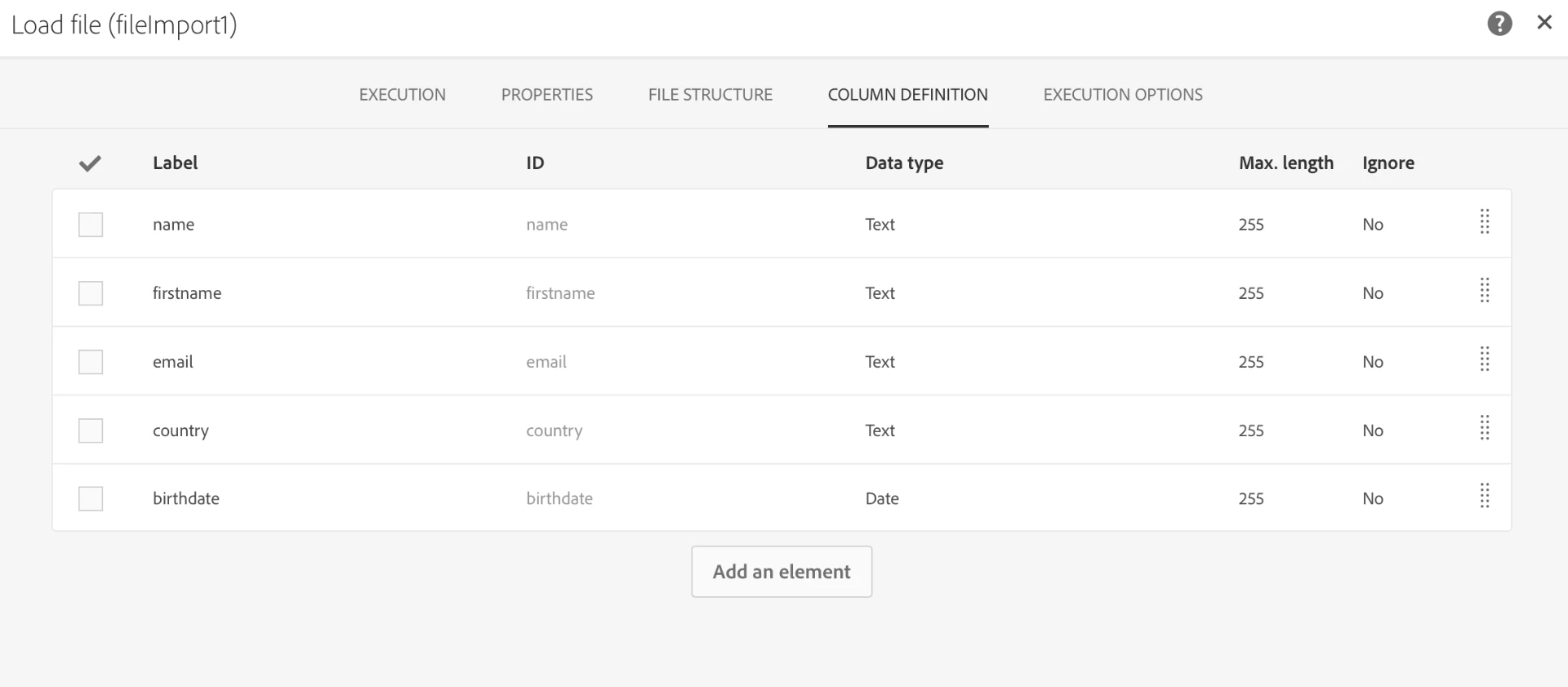
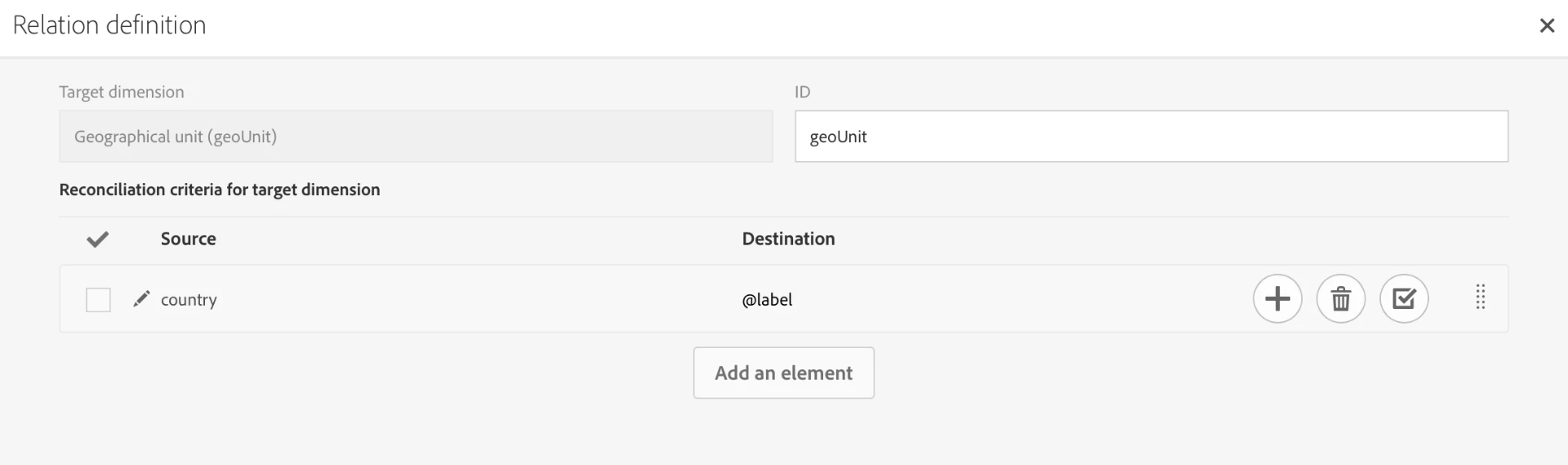
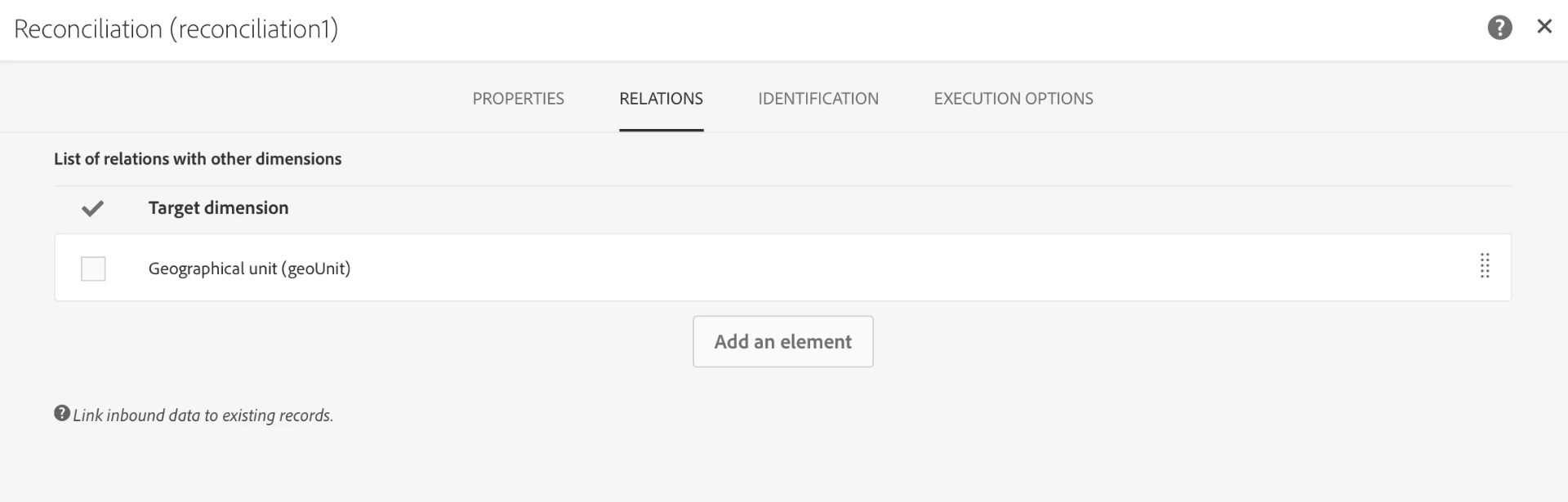
2. Then, I use a reconciliation activity. I use the "Relations" tab only to tell the system that the data I am importing from the file contains also information related to the geounit resource (using the country column of the file). In this specific example, values of the country column of my file ("France" and "Italy") correspond to the Label field of my geounit resource, so I create the link with @label.
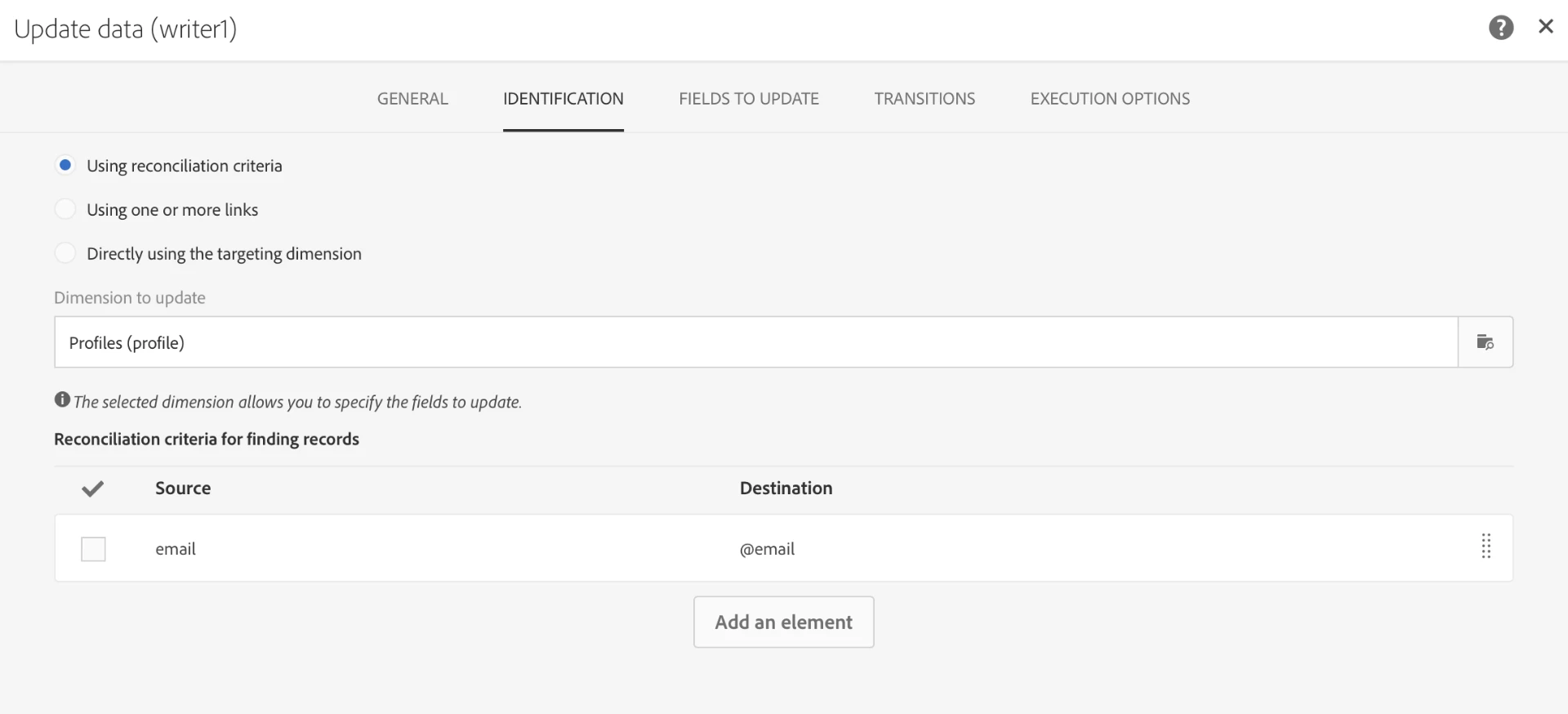
3. Now, I can add an Update data activity to my workflow. I use the operation "Insert or Update" because in my file I can have either new profiles or existing ones to update.
In the "Identification" tab, I select "Using reconciliation criteria" and keep Profiles as dimension to update. As a reconciliation key, I use the email column of my file and the email field of my database. You may use another key to match your requirements (if you use a specific field or combinations of field to identify unique records).
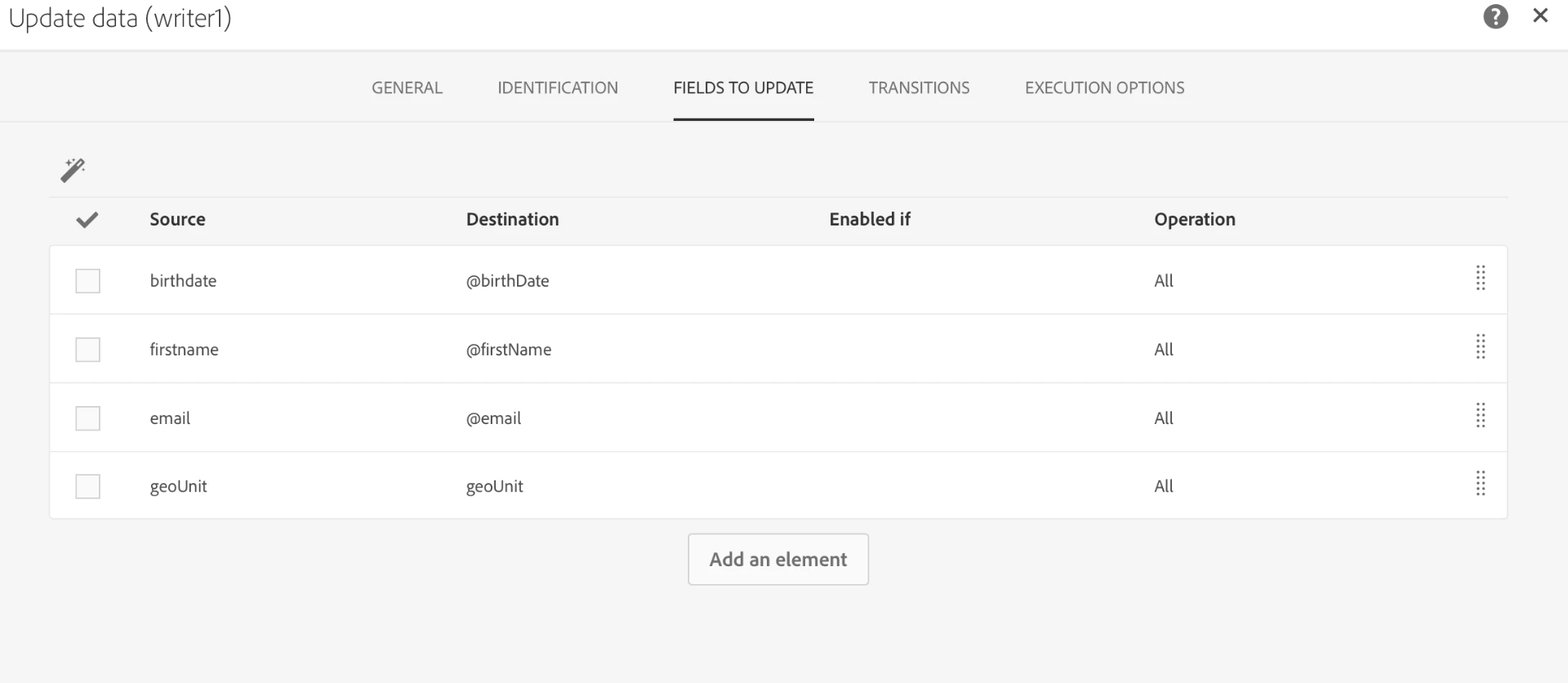
In the "Fields to Update" tab, I use the magic wand. I notice here that the system automatically added a "geounit" field to update, thanks to the link I have created in the "Relations" tab of my reconciliation activity.
I remove the "country" field detected by the magic wand because I have no interest in updating that field, I just want to use the "country" column of the file to udpate the geounit, which is already automatically done by the link I've created and mentioned just before.
4. Now I can run my workflow.
5. I go to my profiles to check:
I can find my existing profile updated:

And my new profile inserted:

Geo units have been set to what was defined in the file.
Let me know if you want help on a specific point.
Florent

.png)