Hello @himanshu-singh,
it is the basic functionality of message centre
You can access the rt event data
<ctx>
  <firstName>Marcel</firstName>
</ctx>
In transactional email template by :
<%=rtEvent.ctx.firstName%>
EDIT:
Just realized you are referring to marketing campaign. Each rt event is linked to recipient you can enrich your targeting dimension by any rt event based on query selection. For example you want last transactional message of specific type?
In query or enrichment activity click on add data under the query select data linked to the targeting dimension --> data linked to the filtering dimension
Select on add Archived events and fill up the form and set to retrieve 1 record
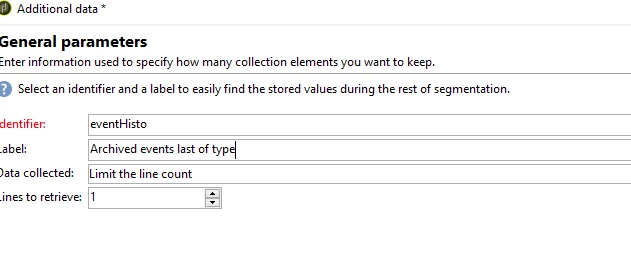
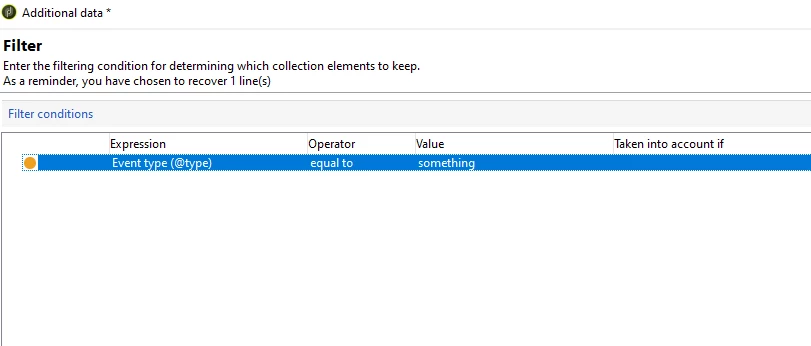
Add your criteria:
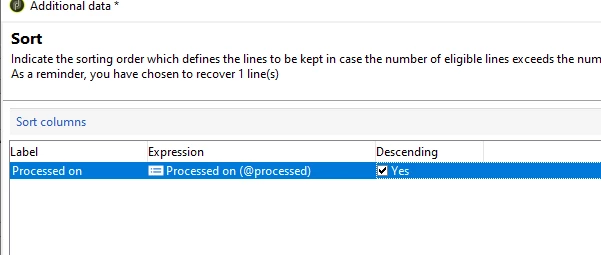
Sort by event date
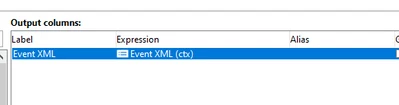
click ok pull information such as event xml that can be accessed later in email
EDIT2:
Event XML is not shown in field explorer you have to manually type ctx in the expression builder
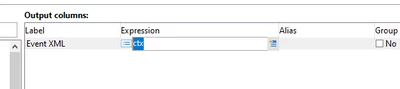
It will get recognized
Marcel
