Level 4
Aug 29, 2022 4:17 PM UTC
Solved

Update Folder properties & access rights using DB script

Hi All,


I am creating folder structure using DB script for new brands so that when new brand/product is launched admin will run the script so the default hierarchy will be created. I want to update the folder properties such as folder image icon, access rights with script, please let me know how can I achieve this?
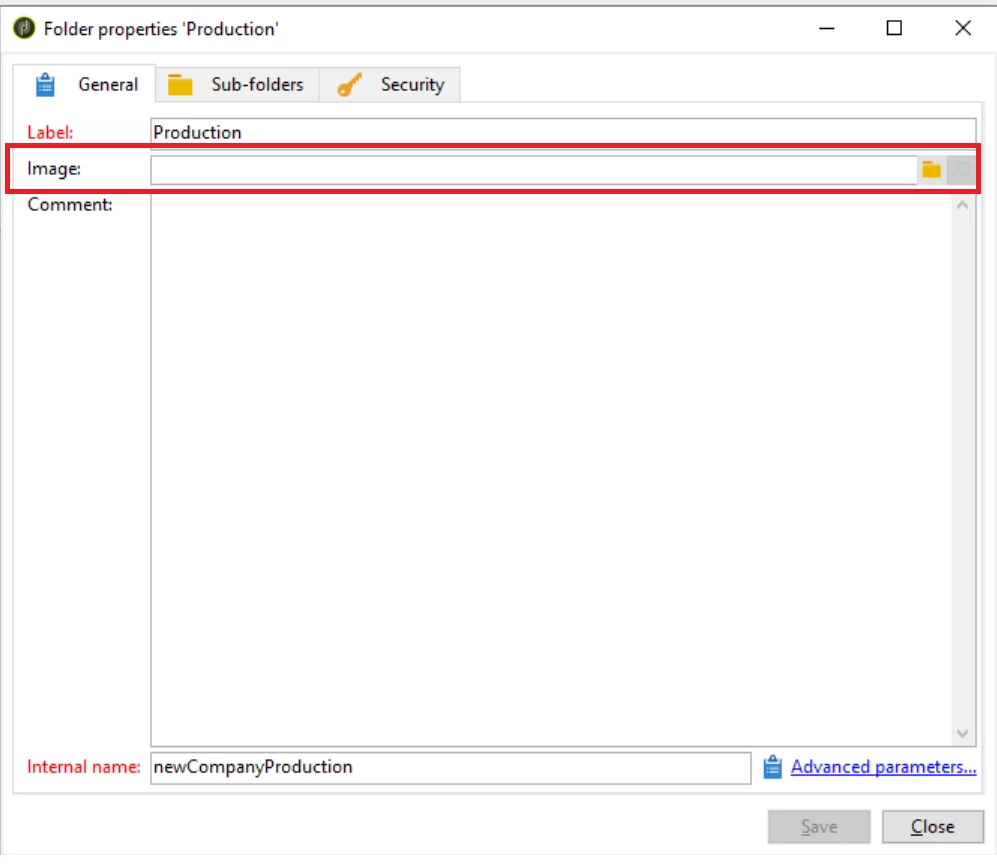
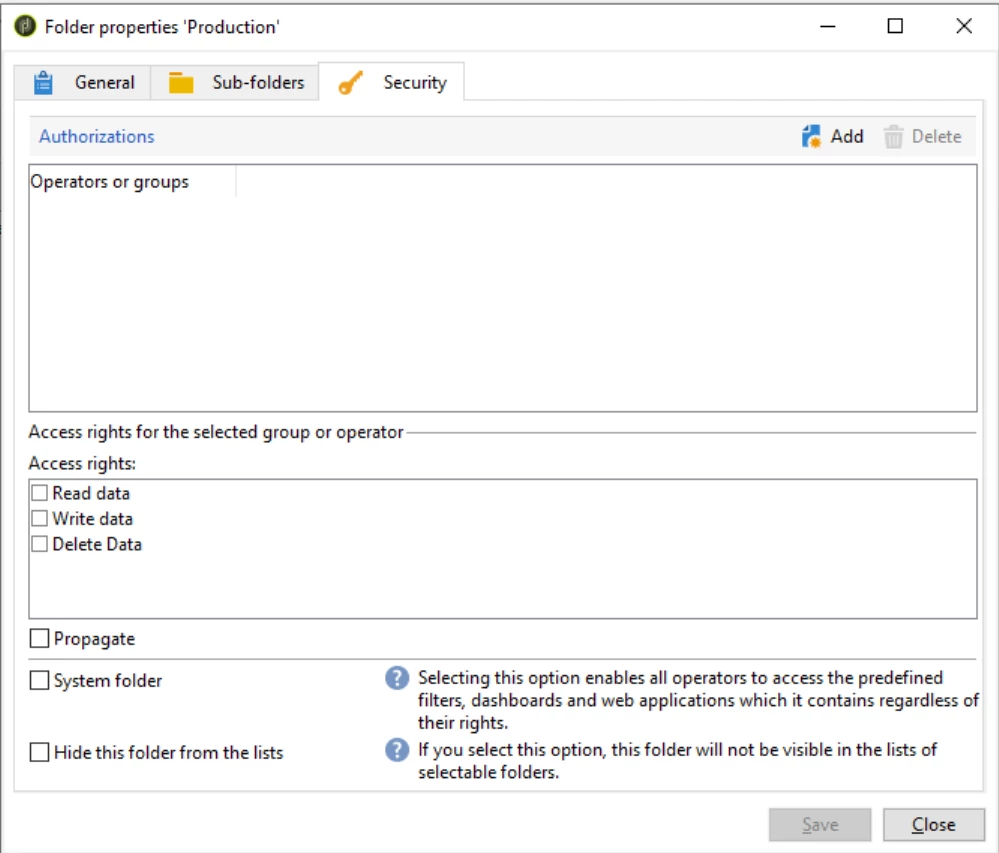


following similar kind of approach available on below post to create folder structure:

https://experienceleaguecommunities.adobe.com/t5/adobe-campaign-classic-questions/adobe-campaign-classic-folder-structure-creation-using-database/m-p/308462#M8577 

This post is no longer active and is closed to new replies. Need help? Start a new post to ask your question.
Manoj_Kumar
Manoj_KumarAccepted solution
Community Advisor
Sep 2, 2022 5:54 AM UTC

Hi @_manoj_kumar_ 


It is throwing below error hence I have added - xtkschema="xtk:folder"


 js5 XSV-350026 The entity schema is not specified starting from attribute 'xtkschema'

 js5 SOP-330011 Error while executing the method 'Write' of service 'xtk:persist|xtk:session'.


It has run without error but I don't see any change in the access rights.


Hello @parmeshwarr3905 


Try with this code.


xtk.session.Write(<rights _operation="insert" xtkschema="xtk:rights" operator-id={operatorId} folder-id={folderId} rights="write" />

Manoj  | https://themartech.pro

6 replies

Manoj_Kumar
Community Advisor
Community Advisor
Sep 1, 2022 1:09 AM UTC

Hello @parmeshwarr3905 


You can use the same code from the link you have shared and add an additional attributes (highlighted below) for an image like this:


var admin = NLWS.xtkFolder.create({x:{model: 'xtkFolder', label: 'Administration','image-name':'deliveryModel.png','image-namespace':'cus', name: prefix+'Administration', 'parent-id': root.id}});


Also, make sure the image is available under Administration >  Configuration >  Images


Now you have the folder read and should also have the primary folder key. It is time to assign the permissions to this folder by writing another javascript function like this.

xtk.session.Write(<rights _operation="insert" operator-id="PRIMARY_KEY_OF_GROUP_OR_OPERATOR" folder-id="FOLDER_PRIMARY_KEY" rights="read|write" />);


Translate
Manoj  | https://themartech.pro
Level 4
Sep 1, 2022 3:32 PM UTC

@_manoj_kumar_  I am able to update image as I had missed namespace attribute previously. Now it's working fine.


but for access rights, it's throwing an error:


JST-310000 Error while compiling script 'WKF5322/js5' line 12: invalid XML attribute value (line='xtk.session.Write(<rights _operation="insert" operator-id=7577116262 folder-id=16113886126 rights="write" />); ' token='7577116262 folder-id=16113886126 rights="write" />); ').


I have copied the function as it is and updated it with primary keys.
 pls let me know what exactly could be be the issue and how can I resolve this.


Thanks

Translate
Manoj_Kumar
Community Advisor
Community Advisor
Sep 1, 2022 11:09 PM UTC

@parmeshwarr3905 


Try this.


var operatorId=7577116262;

var folderId=16113886126;

xtk.session.Write(<rights _operation="insert" operator-id={operatorId} folder-id={folderId} rights="write" />

Translate
Manoj  | https://themartech.pro