Understanding Outbound Records for Recipients | Community
Skip to main content
Level 3
December 22, 2024
Solved

Understanding Outbound Records for Recipients

  • December 22, 2024
  • 1 reply
  • 1521 views

Hi Experts,


I have a query related to filtering dimensions and outbound records in Adobe Campaign Classic.


Case 1:


Target Dimension: Recipient


Filtering Dimension: Recipient


Condition: Delivery logs exist, where the delivery name is included in 'abc', 'xyz'.


Case 2:


Target Dimension: Recipient


Filtering Dimension: Delivery logs (Broadlog Rcp)


Condition: Delivery name is included in 'abc', 'xyz'.


Scenario:

If a customer is present in both deliveries (abc and xyz), how many outbound records will be generated in each case? Will it be only one record or two, and why?


Looking forward to your insights to understand how the filtering and target dimensions impact the result.

@parthasarathy @marcel_szimonisz @_manoj_kumar_ 


Thanks in advance!

Best answer by ParthaSarathy

Hi @parthasarathy 

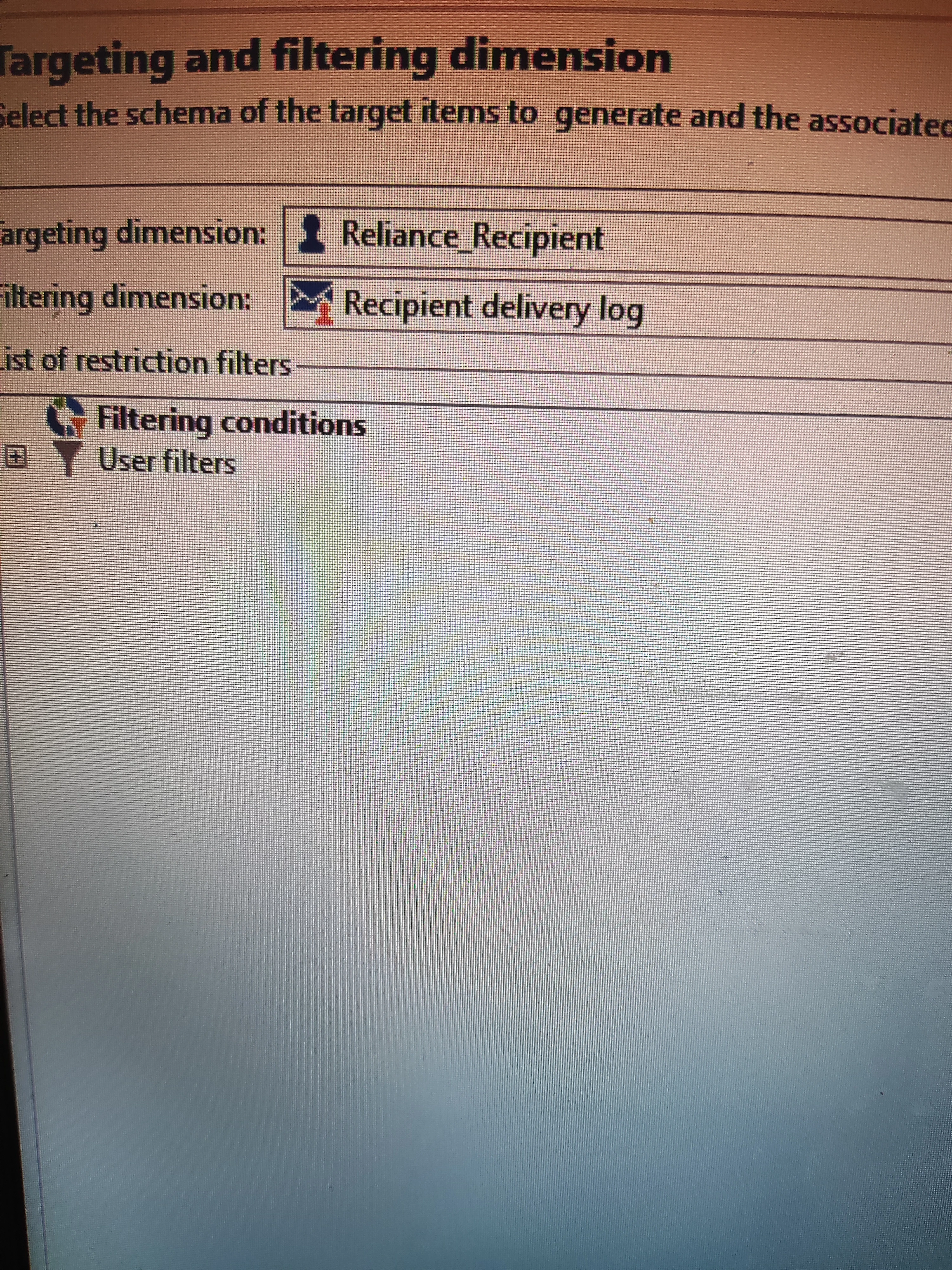
I have cross-checked again, and my configuration is as follows:

Target Dimension: Recipient

Filtering Dimension: Delivery Logs.

Kindly refer to the attached snapshot for your reference.


@kd1-1 ,

It depends on the field you select in 'Add data'.

In keeping Targeting dimension as recipient and filtering dimension as BroadLogRcp, there are 2 scenarios.

In scenario-A, if you select only 'address' and [recipient/@id] and any other fields of the recipient which has same value in the Query > Add data, the output will be 1.

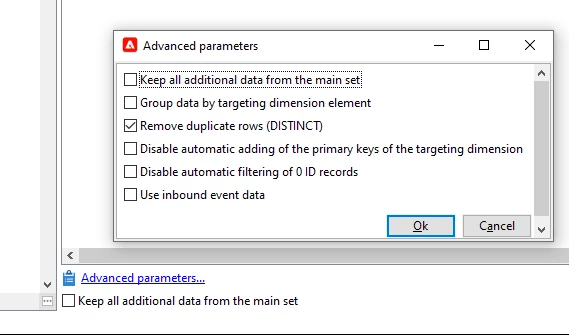
In scenario-B, if you select broadLogRcp's Primary key or Event date or delivery internal name, the output will be 2. This is an expected behavior. But why in this Scenario-A the output is 1 because by default 'Remove duplicate rows' be enabled in Advanced parameters. If you uncheck it, for the Scenario-A also the output will be 2.

In your case after Query, you can have deduplication activity and dedup based on primary key of recipient or by deduplication on email/mobile number.

1 reply

ParthaSarathy
Community Advisor
Community Advisor
December 22, 2024

Hi @kd1-1 ,

In both the configurations the output will be one record (as the Targeting dimension is recipient).

Whereas if the targeting dimension is broadLogRcp, then the output will be 2 records as per your scenario 

Filtering dimensions 

~  ParthaSarathy S~  Click here to join ADOBE CAMPAIGN USER GROUP for Quarterly In-person | Hybrid | Virtual Meetups
KD1-1Author
Level 3
December 22, 2024

Thank you for the quick reply!

I tried running both the queries and observed the following:

Case 1: I am getting 1 record.

Case 2: I am getting 2 records.


I have attached a snapshot for reference. Could you please review and advise why there is a difference in the output between the two cases?

Looking forward to your guidance!

ParthaSarathy
Community Advisor
Community Advisor
December 23, 2024

@kd1-1 ,

Share the configurations of Query-2. This might be if you had configured group-by in query's Add data with recipient I'd and any other fields from broadLog, say for example recipient I'd with broadLogRcp I'd or with event date or with delivery I'd etc

~  ParthaSarathy S~  Click here to join ADOBE CAMPAIGN USER GROUP for Quarterly In-person | Hybrid | Virtual Meetups