Unable to upload ios push certificate | Community
Skip to main content
Level 3
January 23, 2019

Unable to upload ios push certificate

  • January 23, 2019
  • 2 replies
  • 2171 views

Hi geeks,

We were trying to upload ios push certificate on hybrid environment of Adobe Campaign.
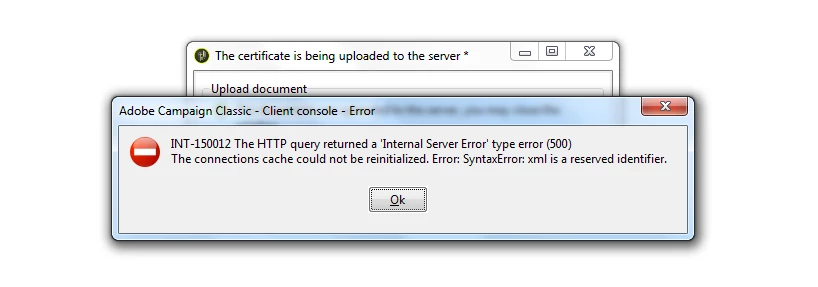
however there was some sort of error. see attachment
     I need clarification on below points

1. How exactly does this process work. Is it directly from On-premise server or from marketing server?

2. Do we need to take different approach for external account

3. and of course the error

This post is no longer active and is closed to new replies. Need help? Start a new post to ask your question.

2 replies

Jonathon_wodnicki
Community Advisor
Community Advisor
January 24, 2019

Hi,

It's a process that can take either 10-15 minutes or 6+ months, depending on your mobile app team.

The certs are Apple's certs, either dev or app store, installed by following the wizard as you've done above.

Marketing instance sends the messages via mta/mtachild and supporting ios jsp's, tracking instance is used for tracking user behavior.

The Campaign SDK's comprise tracking functionality alongside token registration, which enables direct opt-in from app to the marketing server (I have yet to see this used in practice).

Opt-outs are managed by an ootb workflow, subscribing to Apple's published opt-outs for ios.

Thanks,

-Jon

Level 3
January 25, 2019

Hi,

Thanks for clarifications.
Do you have any Idea about the error i've posted

Thanks.

Jonathon_wodnicki
Community Advisor
Community Advisor
January 25, 2019

No.