Unable to load the document identifier | Community
Skip to main content
Level 5
August 22, 2024
Question

Unable to load the document identifier

  • August 22, 2024
  • 2 replies
  • 1142 views

Hi there, 


I am attempting to update my schema structure, and when I navigate to Tools > Update Database Structure, I receive the following error. This issue occurs on the Stage instance, but everything seems to be functioning correctly on the Prod instance, where no errors are appearing. Please suggest
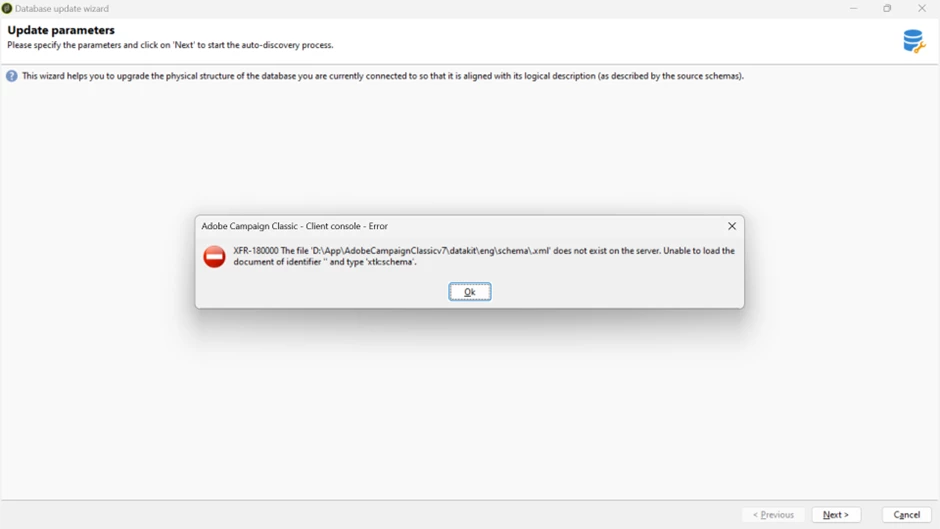
 

Thank you in advance.


This post is no longer active and is closed to new replies. Need help? Start a new post to ask your question.

2 replies

Manoj_Kumar
Community Advisor
Community Advisor
August 23, 2024

Hello @rvnth  Please share the schema code, it looks like the issue is with the schema XMl

Manoj  | https://themartech.pro
rvnthAuthor
Level 5
August 23, 2024

Hi @_manoj_kumar_ ,


Is it specific to one schema that I have modified recently or it could  be with any other schema as well?


Please suggest

MeitMedia
Level 4
August 26, 2024

Hi @rvnth ,


Since you mentioned that this error is occurring only in your Staging environment, you can try the following steps:

  1. Try clearing the local cache by navigating to File > Clear the local cache. After clearing the cache, attempt to re-execute the step for updating the DB structure.

  2. If clearing the cache doesn't resolve the issue, keep in mind that the pop-up you're seeing is a generic error message and doesn't fully specify which schema or component is causing the problem. To get a complete reference for this error, check the Web module logs in your Staging environment by navigating to Home > Monitoring > Overview > Web logs. There, you'll find detailed information about the entity causing the issue.


Best regards,

MEIT MEDIA (https://www.meitmedia.com)

Find us on LinkedIn

Contact Us: infomeitmedia@gmail.com