This post is no longer active and is closed to new replies. Need help? Start a new post to ask your question.

3 replies

CedricRey
Level 5
July 7, 2022

Hi  @smritifotedar 

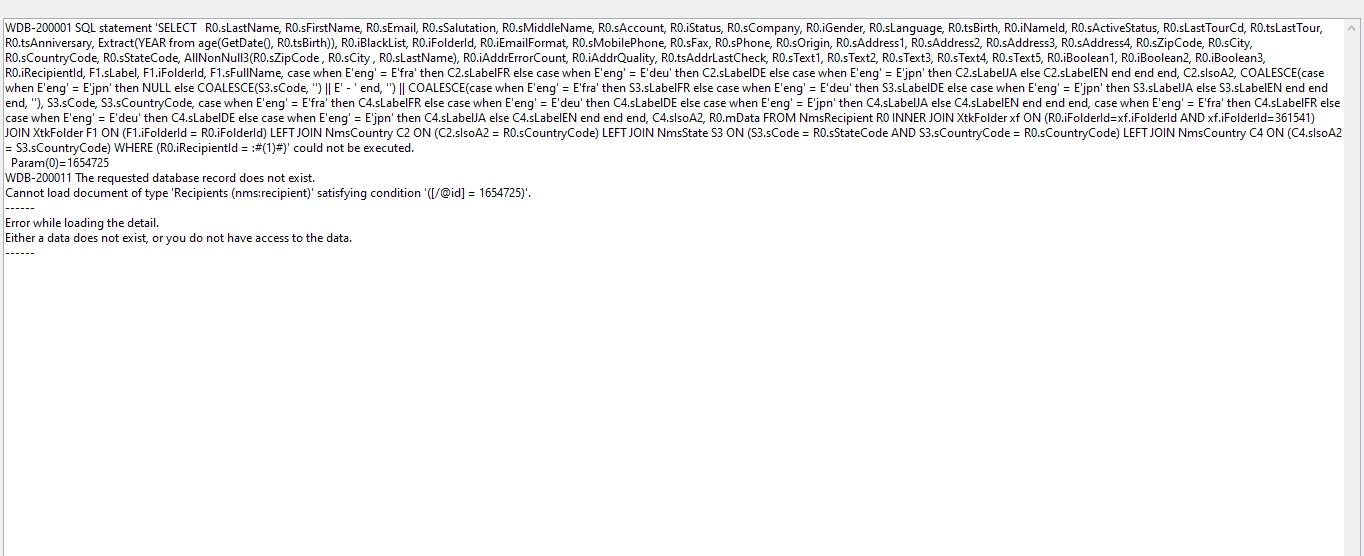
It seems the problem comes from the join conditions.

I suppose that the problem is on folder id : all the others joins are "LEFT JOIN". Those "LEFT JOIN" should not be a problem, even if there is no datas related to the recipient.

Are you trying to open the recipient from a view ? (views are folder that show everything, with colored label in blue or light green in the tree). These could explain that you can see the recipient, but maybe the folder associated have been deleted and it's impossible to open details.

You can try to select the line of these recipient in the list, right click, "Actions >" > "Update selected line" and change the @folder-id value for a existing one ?

As usual, I can be wrong 😉


Cedric

Translate
Adobe Employee
July 7, 2022

Hi cedric

I have tried updating the folder id by the same approach that you mentioned. But it is resulting in the dispersing of data from the recipient folder. Can you guide how to solve this error without affecting the data in recipient folder

Translate
Sukrity_Wadhwa
Adobe Employee
Adobe Employee
July 28, 2022

Hi @cedricrey, 

Can you please help @smritifotedar further with their query?

Thanks!

Translate
Sukrity Wadhwa