Targeting and Filtering Dimensions missing in a Query | Community
Skip to main content
harikrishnadevanabowina
Level 4
January 24, 2024
Solved

Targeting and Filtering Dimensions missing in a Query

  • January 24, 2024
  • 2 replies
  • 584 views

Hi ,


I am missing the below highlighted fields in the query - Targeting and Filtering Dimensions.
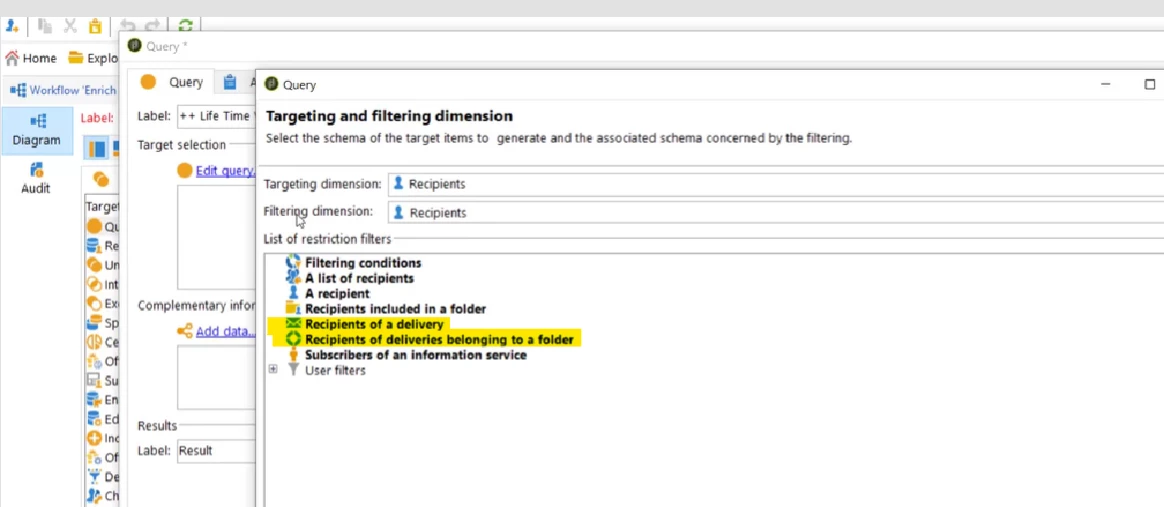
Recipients of a Delivery and Recipients of deliveries belong to a folder.


What is missing in my settings / console properties?


Thanks & Regards,

Hari Krishna D

This post is no longer active and is closed to new replies. Need help? Start a new post to ask your question.
Best answer by isahore

Hi @harikrishnadevanabowina,


There can be a few reasons explaining this:


1. Your campaign instance does not have a delivery channel (email, direct mail, telephone, etc.) installed yet. Can be true for a new instance which is still bein set up.

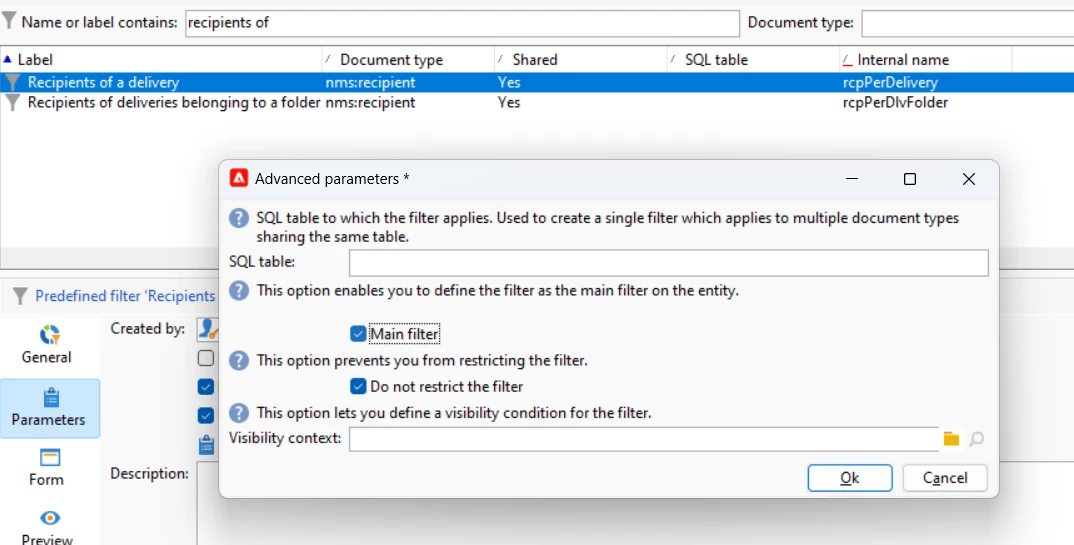
2. Search for the predefined filters, with internal names mentioned in the screenshot attached. If they do not exist on your instance, then you are not seeing them there.

3. If the filters exist on your instance, make sure the check box marking the filter as "Main filter" is checked. If not, then also these filters do not appear in the query builder.


Let me know if that helped.


BR,

Ishan

2 replies

LakshmiPravallika
Community Advisor
Community Advisor
January 25, 2024

Hi  @harikrishnadevanabowina ,


The  Targeting and Filtering Dimensionsis not required if we use the Options "Recipients of a Delivery" and "Recipients of deliveries belong to a folder", because the recipients list who should be targeted will already be present in the Delivery or in the that particular Delivery's Folder, Also we can filter the recipients based on their behaviour like who have clicked the Links in email, Recipients who have opened etc.


PFA the reference Link which might be helpful for this 


https://experienceleague.adobe.com/docs/campaign-classic/using/sending-messages/key-steps-when-creating-a-delivery/steps-defining-the-target-population.html?lang=en


Regards,

Pravallika.

isahore
Community Advisor
isahoreCommunity AdvisorAccepted solution
Community Advisor
January 25, 2024

Hi @harikrishnadevanabowina,


There can be a few reasons explaining this:


1. Your campaign instance does not have a delivery channel (email, direct mail, telephone, etc.) installed yet. Can be true for a new instance which is still bein set up.

2. Search for the predefined filters, with internal names mentioned in the screenshot attached. If they do not exist on your instance, then you are not seeing them there.

3. If the filters exist on your instance, make sure the check box marking the filter as "Main filter" is checked. If not, then also these filters do not appear in the query builder.


Let me know if that helped.


BR,

Ishan