Stop workflows finished but that have an activity paused? | Adobe Higher Education
Skip to main content
Level 6
August 9, 2024
Risolto

Stop workflows finished but that have an activity paused?

  • August 9, 2024
  • 1 risposta
  • 842 visualizzazioni

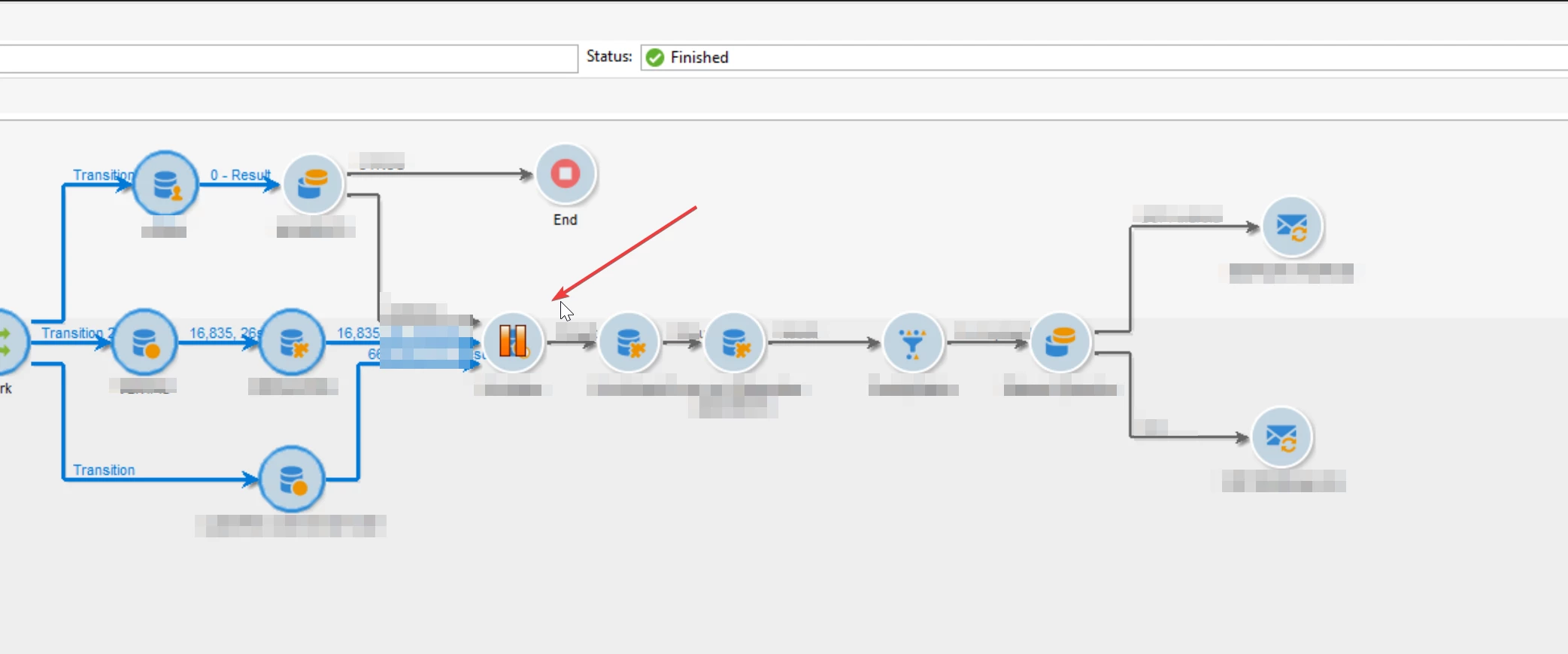
Some users pause activities inside the workflow. 

Since the status says "finished", I thought they have ended and that paused activity meant nothing. However, I've been told by Adobe Support that those workflows are consuming resources.

What would be an efficient way to stop all of them? How can I filter those workflows with an activity in pause state and stop them?



Questo argomento è stato chiuso alle risposte.
Migliore risposta di ParthaSarathy

Hi @god_prophet ,

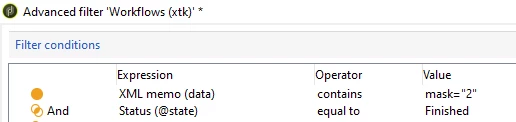
Go to xtk:workflow schema's data tab > Advance filter... > apply the below condition,


data contains mask="2"

AND

@state equals to Finished


The above will list out all the workflows which are in finished state but has a activity in 'Enable but do not execute' mode.

1 risposta

ParthaSarathy
Community Advisor
Community Advisor
August 11, 2024

Hi @god_prophet ,

Go to xtk:workflow schema's data tab > Advance filter... > apply the below condition,


data contains mask="2"

AND

@state equals to Finished


The above will list out all the workflows which are in finished state but has a activity in 'Enable but do not execute' mode.

~  ParthaSarathy S~  Click here to join ADOBE CAMPAIGN USER GROUP for Quarterly In-person | Hybrid | Virtual Meetups
Level 6
August 11, 2024

Hi @parthasarathy , any documentation on what  mask="2" means? Maybe there is mask 1,3,4 etc.

Doing "Unconditional stop" doesn't change the paused activity to other state. There are more than 200 workflows with a paused activity. 

Is there any action I can do as a "Mass updated of selected lines" ???

ParthaSarathy
Community Advisor
Community Advisor
August 12, 2024

@god_prophet , Not sure about the documentation, but below are the values and its meaning,

mask="1" > Do not enable
mask="2" > Enable but do not execute
mask="0" > Normal Execution (Default)

And there is no option to remove 'Enable but do not execute' using 'Mass updated of selected lines', so have to manually modify it.

~  ParthaSarathy S~  Click here to join ADOBE CAMPAIGN USER GROUP for Quarterly In-person | Hybrid | Virtual Meetups