Showing/Hiding Images on Desktop/Mobile | Community
Skip to main content
December 14, 2023
Solved

Showing/Hiding Images on Desktop/Mobile

  • December 14, 2023
  • 1 reply
  • 1502 views

Hi, in Adobe Campaign, is there a way to show or hide an image on mobile vs desktop.  Is there a CSS class that I can apply that will hide a specific image on mobile or desktop?


Thanks!

This post is no longer active and is closed to new replies. Need help? Start a new post to ask your question.
Best answer by ParthaSarathy

Hi @yippeeee25 ,

Add below style script in <head>

<style> @media screen and (max-width: 600px) { table, img { width:100%!important; } } @media screen and (max-width: 420px) { .DisplayForDesktopOnly{ display:none !important; mso-hide:all !important; visibility:hidden !important; } .DisplayForMobileOnly{ display:block !important; } } </style>

And for Desktop image, call the class class="DisplayForDesktopOnly"

and for Mobile image, call the class class="DisplayForMobileOnly" and in its style give "display:none;">

Example, 

<html> <head> <style> @media screen and (max-width: 600px) { table, img { width:100%!important; } } @media screen and (max-width: 420px) { .DisplayForDesktopOnly{ display:none !important; mso-hide:all !important; visibility:hidden !important; } .DisplayForMobileOnly{ display:block !important; } } </style> </head> <body> <table valign=”top” align="center" bgcolor="white" width="600" border="0" cellpadding="0" cellspacing="0"> <tr> <td style="padding-bottom:10px;"> Text </td> </tr> <tr> <td class="DisplayForDesktopOnly" width="200" valign="top" align="center" style=""> <img src="https://image_for_DESKTOP.jpg" width="200" height="170" border="0" style="min-width:120px; max-width: 200px;"/> </td> </tr> <tr> <td class="DisplayForMobileOnly" width="200" valign="top" align="center" style="display:none;"> <img src="https://image_for_MOBILE.jpg" width="200" height="170" border="0" style="min-width:120px; max-width: 200px;"/> </td> </tr> <tr> <td style="padding-top:10px;"> Text </td> </tr> </table> </body> </html>

So, for Desktop (more than 420 pixel) it will display desktop image
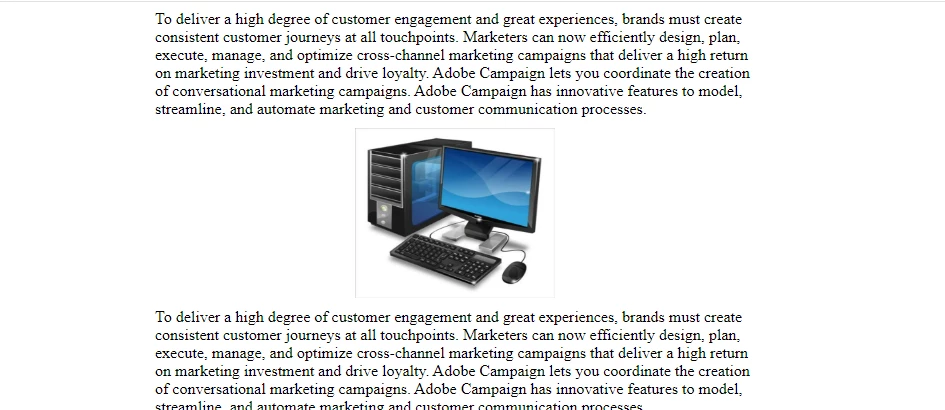
And for mobile rendering (for 420px and Less than 420 pixel), it will render mobile image.
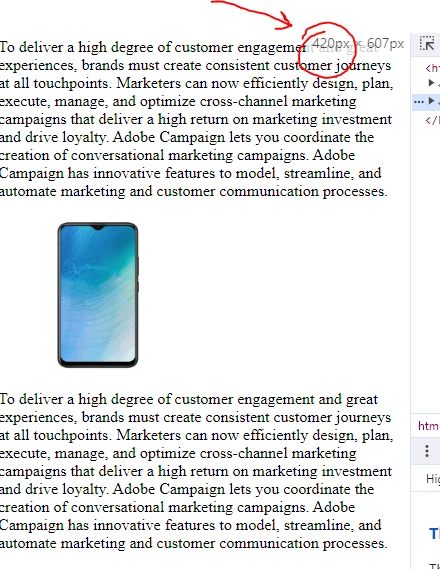
 

Modify the above script with your HTML content and logic.

1 reply

ParthaSarathy
Community Advisor
ParthaSarathyCommunity AdvisorAccepted solution
Community Advisor
December 14, 2023

Hi @yippeeee25 ,

Add below style script in <head>

<style> @media screen and (max-width: 600px) { table, img { width:100%!important; } } @media screen and (max-width: 420px) { .DisplayForDesktopOnly{ display:none !important; mso-hide:all !important; visibility:hidden !important; } .DisplayForMobileOnly{ display:block !important; } } </style>

And for Desktop image, call the class class="DisplayForDesktopOnly"

and for Mobile image, call the class class="DisplayForMobileOnly" and in its style give "display:none;">

Example, 

<html> <head> <style> @media screen and (max-width: 600px) { table, img { width:100%!important; } } @media screen and (max-width: 420px) { .DisplayForDesktopOnly{ display:none !important; mso-hide:all !important; visibility:hidden !important; } .DisplayForMobileOnly{ display:block !important; } } </style> </head> <body> <table valign=”top” align="center" bgcolor="white" width="600" border="0" cellpadding="0" cellspacing="0"> <tr> <td style="padding-bottom:10px;"> Text </td> </tr> <tr> <td class="DisplayForDesktopOnly" width="200" valign="top" align="center" style=""> <img src="https://image_for_DESKTOP.jpg" width="200" height="170" border="0" style="min-width:120px; max-width: 200px;"/> </td> </tr> <tr> <td class="DisplayForMobileOnly" width="200" valign="top" align="center" style="display:none;"> <img src="https://image_for_MOBILE.jpg" width="200" height="170" border="0" style="min-width:120px; max-width: 200px;"/> </td> </tr> <tr> <td style="padding-top:10px;"> Text </td> </tr> </table> </body> </html>

So, for Desktop (more than 420 pixel) it will display desktop image

And for mobile rendering (for 420px and Less than 420 pixel), it will render mobile image.


Modify the above script with your HTML content and logic.

~  ParthaSarathy S~  Click here to join ADOBE CAMPAIGN USER GROUP for Quarterly In-person | Hybrid | Virtual Meetups
