Send out not linked to a campaign | Community
Skip to main content
Level 4
November 14, 2023
Solved

Send out not linked to a campaign

  • November 14, 2023
  • 1 reply
  • 1582 views

Hello!

I have a problem, we see in the systemet that we have some deliveries (send-outs) that are not linked to any campaign. 

The workflow that triggers these deliveries is in a campaign and nothing seems wrong but when I look in the Delivery folder I noticed that they are not linked to any campaign:
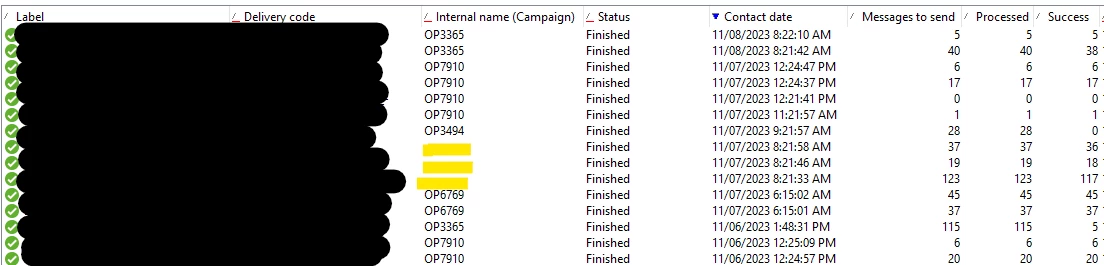
 

When I look in the Campaign dashboard those deliveries do not appear there either.

This is the delivery node:
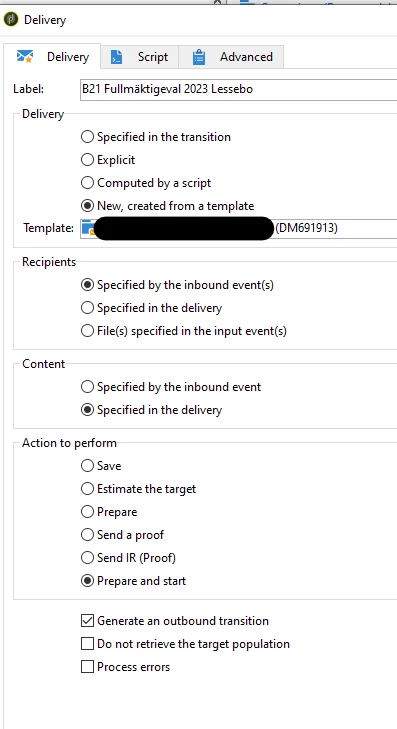
 

Execution folder and Folder of the delivery template is the same as for other deliveries. Same for the workflow, it has the same folder as the other wkfs.


This is a delivery that is showing both the campaign and target (wkf) linked to it as it should be (image taken from the Deliveries folder):
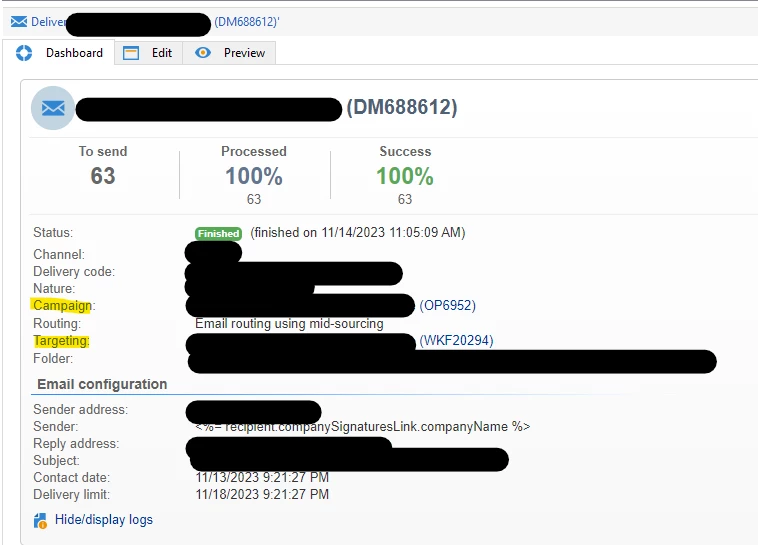
 

Here can you see the one that I am talking about and which is not showing any link:
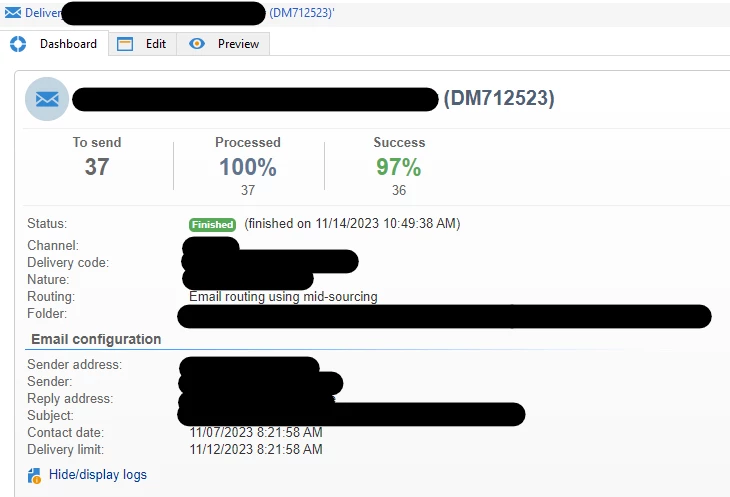
 What am i missing?



Best answer by ParthaSarathy

Hi @a_b_se ,

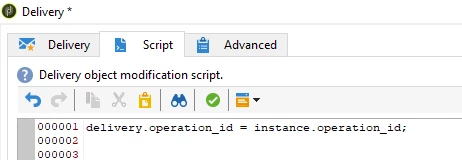
Open the delivery activity and in script tab, paste the below code and Run the campaign.


delivery.operation_id = instance.operation_id;


This delivery activity which you used, calls the delivery template and its not linked with any campaign or workflow. That is the reason, the delivery gets created in the correct execution folder mentioned in delivery property and this is an expected behavior. So, to map the delivery and campaign, the above script needs to be executed.

You can also find the same scenario when you use a continuous delivery activity and calling a delivery template in it.

1 reply

ParthaSarathy
Community Advisor
ParthaSarathyCommunity AdvisorAccepted solution
Community Advisor
November 14, 2023

Hi @a_b_se ,

Open the delivery activity and in script tab, paste the below code and Run the campaign.


delivery.operation_id = instance.operation_id;


This delivery activity which you used, calls the delivery template and its not linked with any campaign or workflow. That is the reason, the delivery gets created in the correct execution folder mentioned in delivery property and this is an expected behavior. So, to map the delivery and campaign, the above script needs to be executed.

You can also find the same scenario when you use a continuous delivery activity and calling a delivery template in it.

~  ParthaSarathy S~  Click here to join ADOBE CAMPAIGN USER GROUP for Quarterly In-person | Hybrid | Virtual Meetups
A_B_SEAuthor
Level 4
November 14, 2023

Hello,


When I look to those deliveries that have a link they do not have any code in the script tab. Why? I am using the exact same delivery node (no continuous delivery) and almost every delivery gets a link but some don't.


I'm assuming this code will solve the issue for those specific deliveries if i re-run them but I would like to know why this problem occurs and fix it without including this code in every delivery node.

ParthaSarathy
Community Advisor
Community Advisor
November 14, 2023

@a_b_se , It's an expected behavior for delivery activity under actions tab,

Deliveries under 'Deliveries tab' are automatically attached to Campaign (You cannot able to see these 'Deliveries tab' deliveries in a standalone workflow).

But deliveries under actions tab are not automatically linked as you can linked them in the technical workflows.


So if you want to use them (Action tab's delivery activity) in a campaign, then you need to use the code to link the delivery with campaign.

~  ParthaSarathy S~  Click here to join ADOBE CAMPAIGN USER GROUP for Quarterly In-person | Hybrid | Virtual Meetups