
Solved
Send an attachment delivery
How to send a delivery with a file attachment extracted from data extraction activity?
How to send a delivery with a file attachment extracted from data extraction activity?
Hello @rajansingh,
you have to save it to the Adobe Campaign file system(which is automatically and path is saved do instance variables vars.filename) and then refer to it in delivery attachment settings.
Is this one attachment for all? Or are you downloading attachments for all recipients in the workflow?
Either way you can set up attachment to be dependant on recipient profile or not, you will just provide path to it in the calculated field
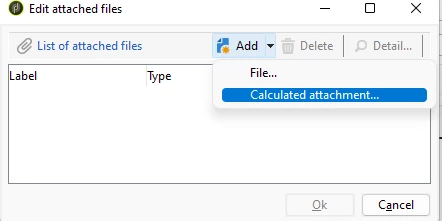
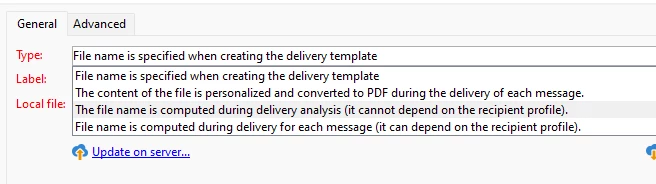
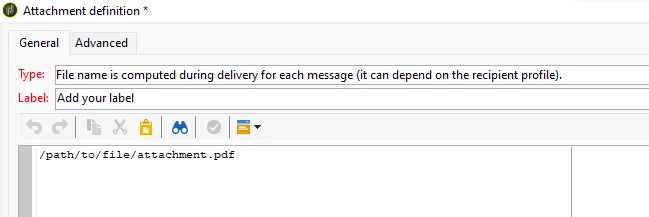
You can pass the file name as variable:
Marcel Szimonisz
MarTech Consultant
for more tips visit my blog
https://www.martechnotes.com/
Enter your E-mail address. We'll send you an e-mail with instructions to reset your password.