
Search function in Predefined filter
Hi,
I have added partId field in predefined filter but search function is not working as expected.
When I select filter name or email from list of filters its showing only those records where partId is equal to zero whereas I want all the records of partId.
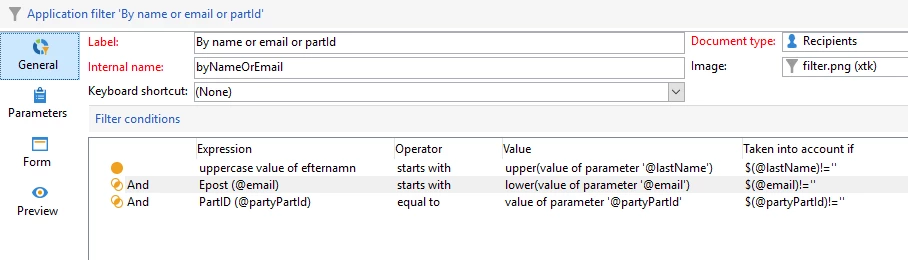
Below is the logic which I have added in the predefine filter:
Logic in general tab:
Logic in Form tab:
<form maxLabelWidth="300">
<enter>
<set value="0" xpath="@partyPartId"/>
</enter>
<container colcount="3">
<input noTransaction="true" xpath="@lastName"/>
<input noTransaction="true" xpath="@email"/>
<input label="PartId" minValue="0" noTransaction="true" type="number" xpath="@partyPartId"/>
</container>
</form>
Here how the output is coming:
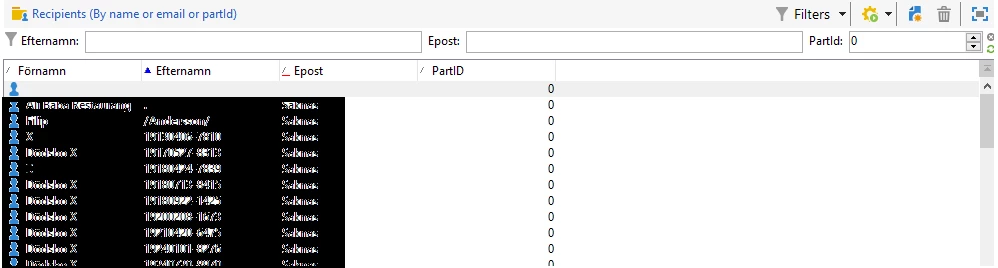
Here instead of only zero partId how the all records will come?
Please suggest me.
Thanks,