Hi @gowthamr123 ,
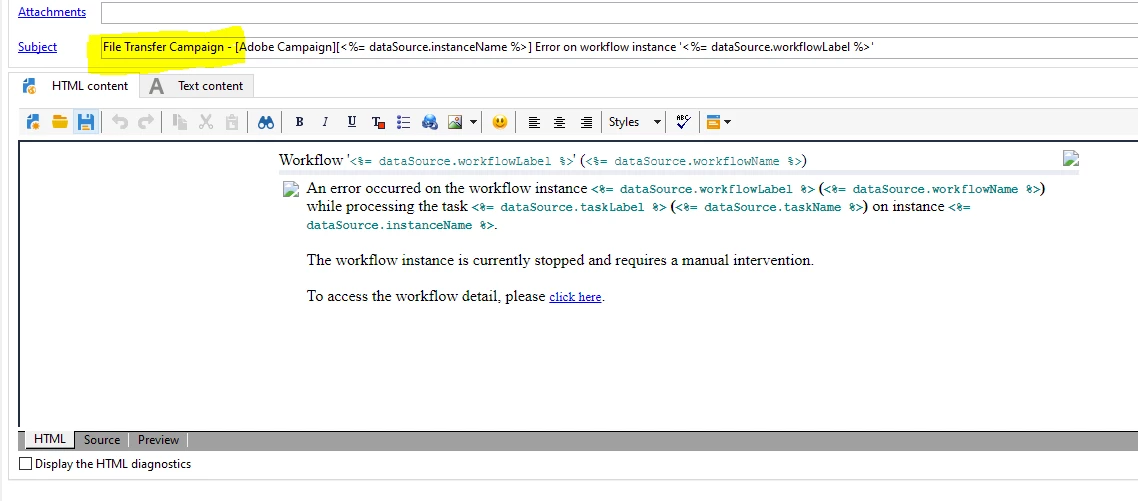
Duplicate the out of the box delivery template 'Notification of the workflow supervisor (notifySupervisor)'
And modify the subject line as 'File Transfer Campaign - [Adobe Campaign][<%= dataSource.instanceName %>] Error on workflow instance '<%= dataSource.workflowLabel %>'
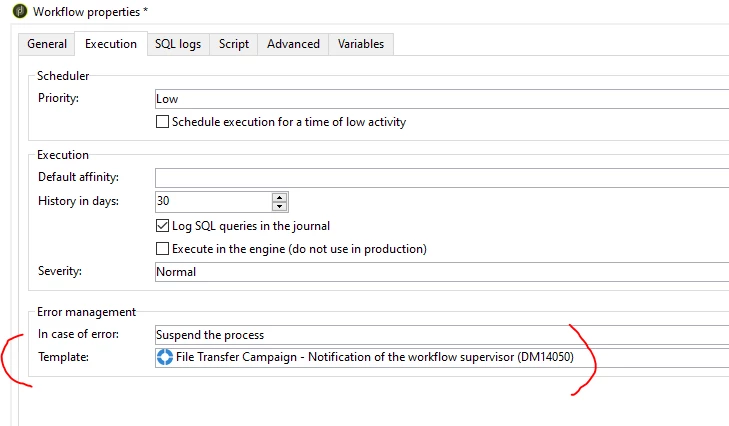
And whenever you create campaign workflow using File transfer activity, go to workflow property > execution tab > select this new delivery template in error management template
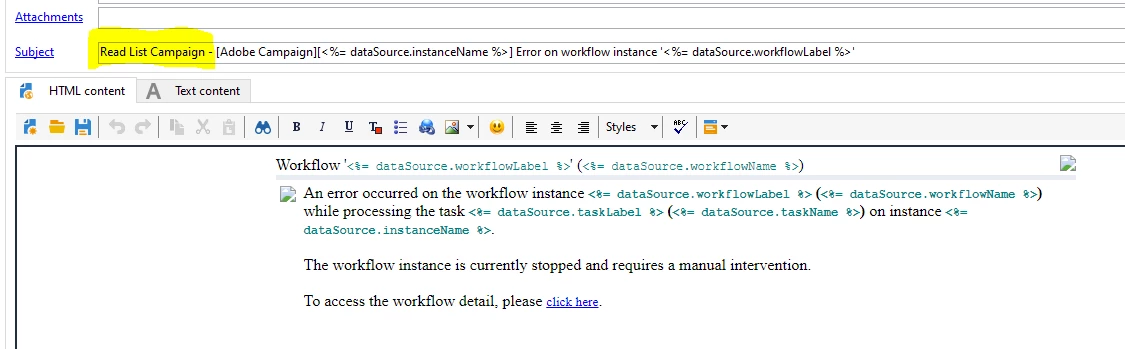
Similarly, Again Duplicate the out of the box delivery template
And modify the subject line as 'Read List Campaign - [Adobe Campaign][<%= dataSource.instanceName %>] Error on workflow instance '<%= dataSource.workflowLabel %>'
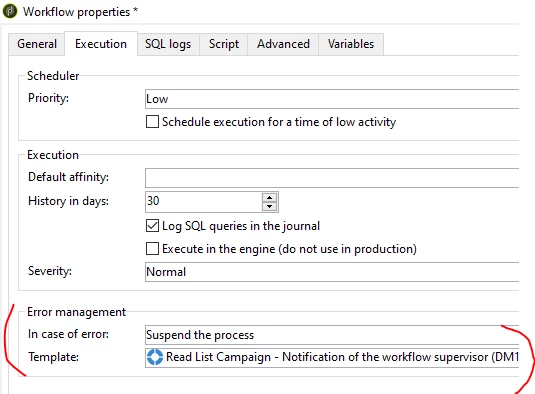
And whenever you create campaign workflow using Read List activity, go to workflow property > execution tab > select this new delivery template in error management template
In this way you will get a unique notifications in your inbox and you can search using the keyword 'Read List Campaign' or 'File Transfer Campaign'.
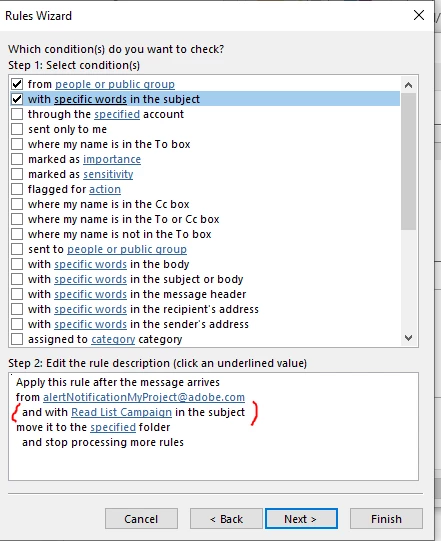
Or you can create a rule in outlook. Create a new folder in outlook, and provide the rule as below
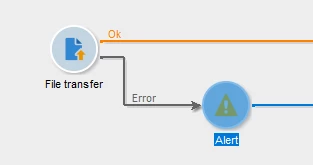
But If you want to get notification, if there is an error while processing the file in File transfer activity, you can have below configuration by enabling 'process error' and using Alert activity
~ ParthaSarathy S~ Click here to join ADOBE CAMPAIGN USER GROUP for Quarterly In-person | Hybrid | Virtual Meetups
