Resend the message who did not open the email 1st time | Community
Skip to main content
Level 2
May 26, 2020
Solved

Resend the message who did not open the email 1st time

  • May 26, 2020
  • 1 reply
  • 7463 views

Hi everyone,

I would like to get insights on the workflow on how i can resend the message to the customer who did not open my 1st email.. I don't have unique delivery code. Please suggest how i can do this?


Thank you so much for your time!


Best answer by DavidKangni

Hi,

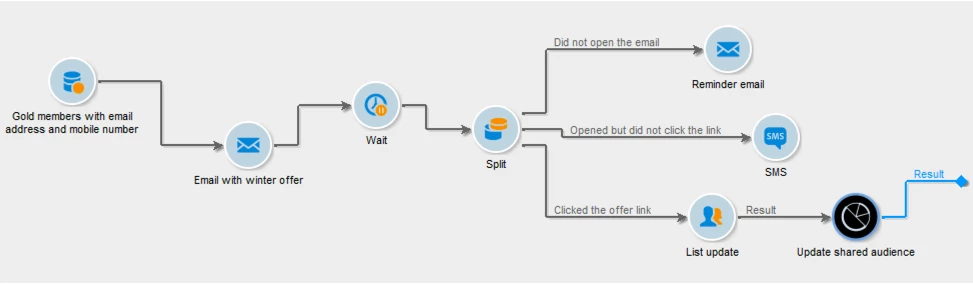
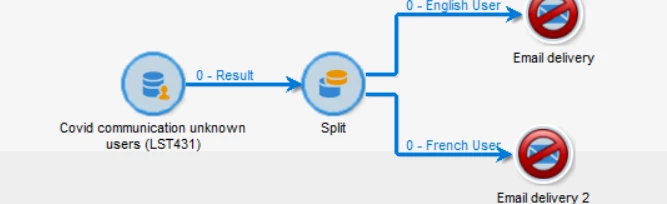
You can build something like that. 

Once your target is identified and your first delivery created, you need to segment the target into different populations using filtering conditions.

  • Add a Split activity to the workflow and open it.
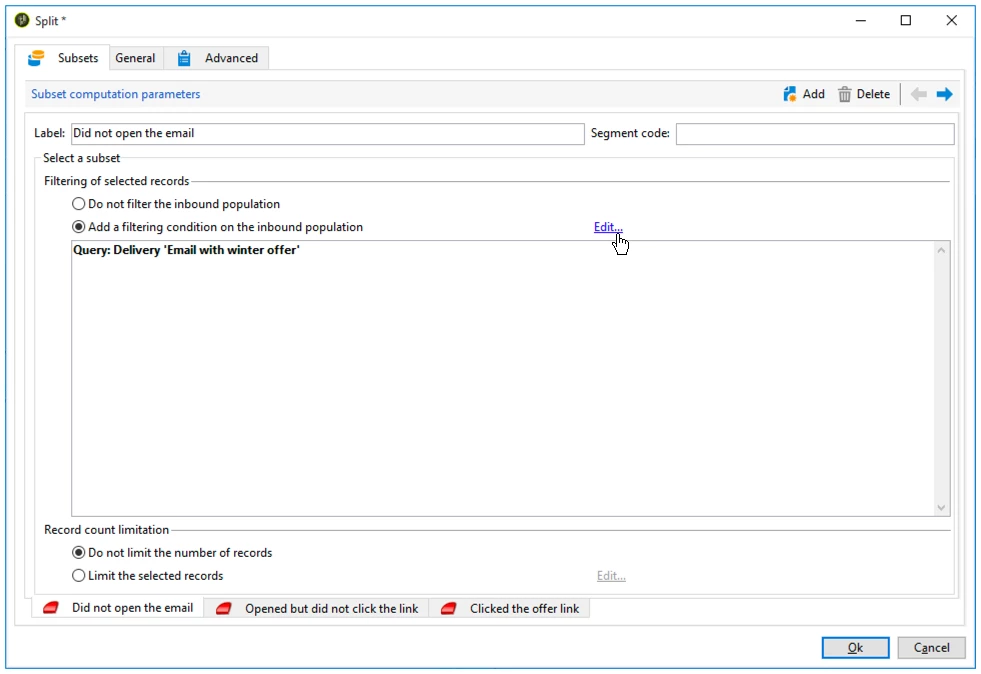
  • For the first subset, select the Add a filtering condition on the inbound population option and click Edit .
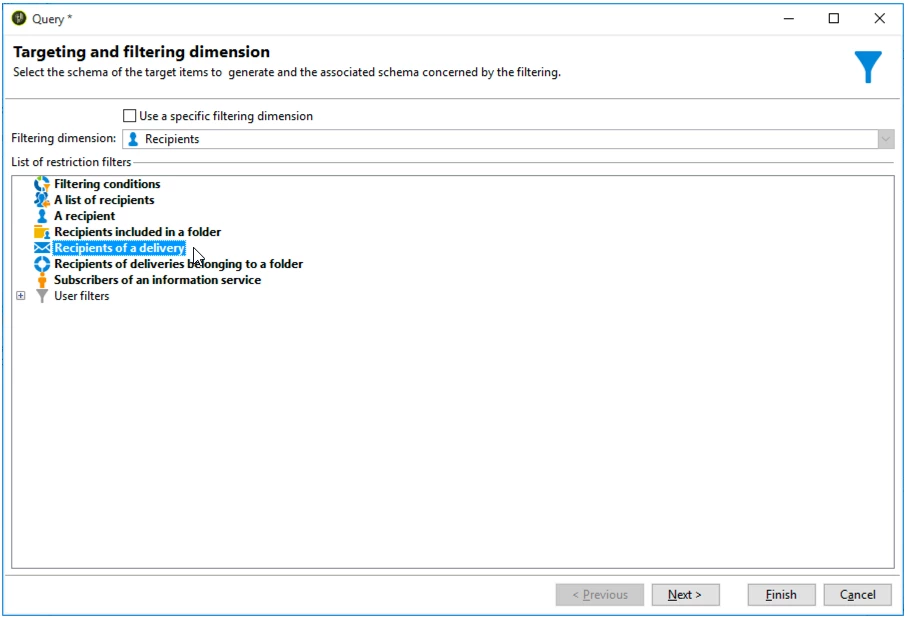
  • Select Recipients of a delivery as the restriction filter and click Next .
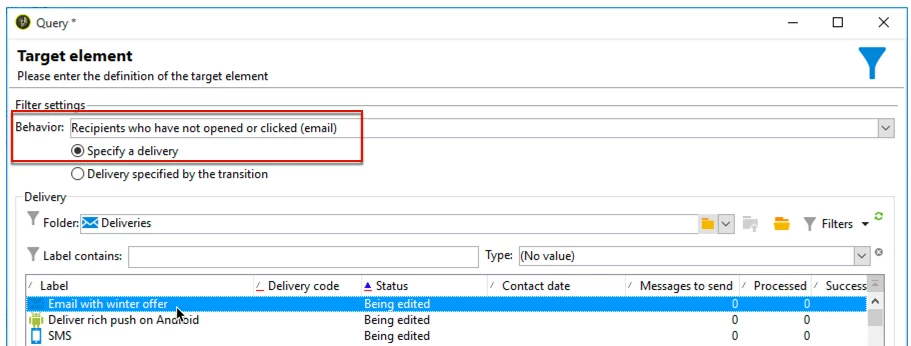
  • In the filter settings, select Recipients who have not opened or clicked (email) from the Behavior drop-down list and select the email including the offer you want to send from the delivery list. Click Finish .


Thanks

David


1 reply

DavidKangni
Community Advisor
DavidKangniCommunity AdvisorAccepted solution
Community Advisor
May 26, 2020

Hi,

You can build something like that. 

Once your target is identified and your first delivery created, you need to segment the target into different populations using filtering conditions.

  • Add a Split activity to the workflow and open it.
  • For the first subset, select the Add a filtering condition on the inbound population option and click Edit .
  • Select Recipients of a delivery as the restriction filter and click Next .
  • In the filter settings, select Recipients who have not opened or clicked (email) from the Behavior drop-down list and select the email including the offer you want to send from the delivery list. Click Finish .


Thanks

David


David Kangni
Kanwar92Author
Level 2
May 27, 2020
Hi ,