Report Suite names not populating in campaign | Community
Skip to main content
Level 3
December 7, 2022
Question

Report Suite names not populating in campaign

  • December 7, 2022
  • 2 replies
  • 948 views

Hi All,


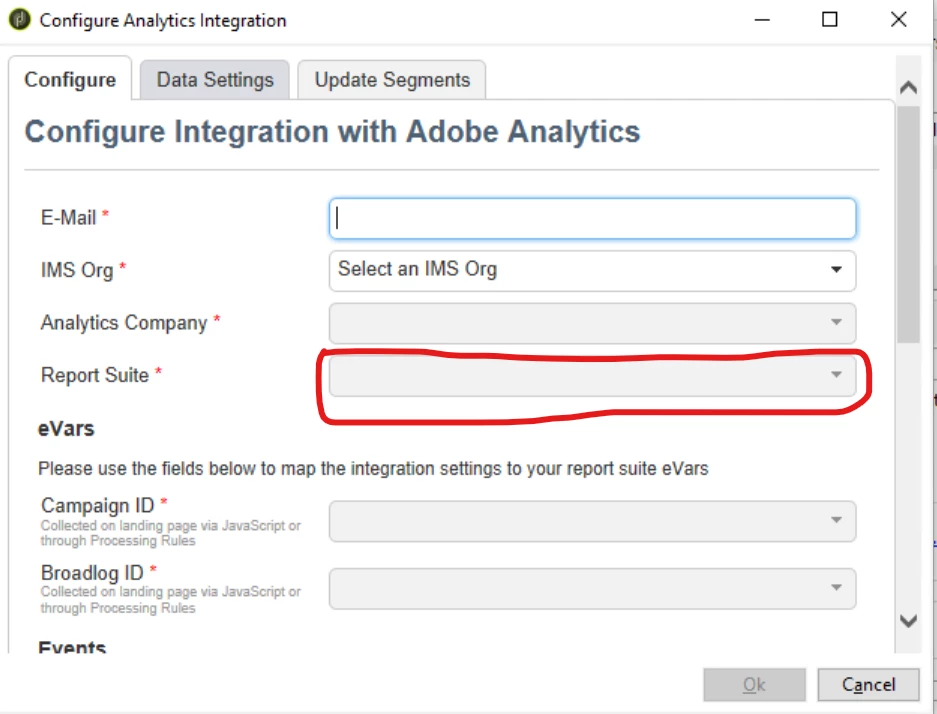
I'm using Campaign classic v7 and trying to setup external account of type Web Analytics. When I click 'configure' after selecting integration type, in 'Report Suite' field dropdown I'm getting only one report suit name. I'm not able to see other report suites even though I have campaign admin access. 


Did anyone has came across such issue and has got it resolved? please let me know the reason and action to take to resolve it.

Thank you.


This post is no longer active and is closed to new replies. Need help? Start a new post to ask your question.

2 replies

Manoj_Kumar
Community Advisor
Community Advisor
December 9, 2022

Hello @parmeshwarr3905 


Have you checked if the other report suites have been added to the Adobe Analytics product profile?


Here is a link to the documentation to check the correct permissions:

Adobe Analytics connector provisioning | Adobe Campaign

Manoj  | https://themartech.pro
Level 3
December 9, 2022

Yes other report suites are added to the product profile.

Craig_Thonis
Adobe Employee
Adobe Employee
January 5, 2023

Hi Parmeshwarr,


Did you walk through the integration instructions for both Campaign and Analytics? If the connection is working, and you only see the default suite. In that case, there is likely a configuration on the Analytics side that needs to be adjusted either at the product profile level or the Analytics permissions (Configuration).

If you are still unable to isolate the issue, I may suggest reaching out to Adobe Analytics Support to confirm that everything on the AA side is configured.