
quickly adding rows | Community
Skip to main content
Shaktiraj_D
November 21, 2024
Solved

quickly adding rows

  • November 21, 2024
  • 1 reply
  • 437 views

Hi Experts,

client version- adobe campaign v7


In Explorer, under left menu, I'm seeing the panel with earth icon. 
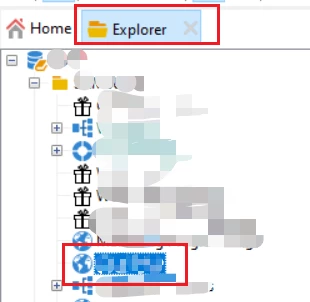

Within this panel, I need to create many entries as a part of my job. 
For Example-
Step 1: I click on this new icon.

Step 2: I fill the form and hit save. (And it adds a new row in table)


I'm not having too much experience in Adobe Campaign, but feeling sure that there should be some way maybe making a script somewhere or something to reduce the manual efforts and automatize it. anybody can pls guide me if it's possible.

Thanks and Regards,
Shaktiraj Daudra



This post is no longer active and is closed to new replies. Need help? Start a new post to ask your question.
Best answer by Manoj_Kumar

Hello @shaktiraj_d  This form is tied to a data schema.


You can bulk ingest the data via a workflow using Data loading and Update data activity or via import jobs.

Follow this tutorial:

https://experienceleague.adobe.com/en/docs/campaign-classic-learn/tutorials/profile-management/importing-profiles

1 reply

Manoj_Kumar
Community Advisor
Manoj_KumarCommunity AdvisorAccepted solution
Community Advisor
November 22, 2024

Hello @shaktiraj_d  This form is tied to a data schema.


You can bulk ingest the data via a workflow using Data loading and Update data activity or via import jobs.

Follow this tutorial:

https://experienceleague.adobe.com/en/docs/campaign-classic-learn/tutorials/profile-management/importing-profiles

Manoj  | https://themartech.pro