Query Activity in WebApp | Community
Skip to main content
Level 5
June 6, 2023
Question

Query Activity in WebApp

  • June 6, 2023
  • 3 replies
  • 1969 views

Hello All,


I am on v8 and using the Out of Box available newWebApp template to create our WebApp.

This template has a Query Activity, which we would like to use
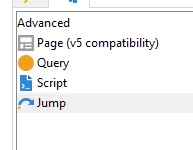
We would want to parameterize, this activity like we do for workflow, for ex in the filter clause we would like to use something like $(ctx/vars/@email).


When we use this in the activity, and later run we get the following error

XTK-170018 Parameter of query 'ctx/vars/@email' is not defined in current context.


Is parameterization, possible here ? 

Please help 


Regards,

DG


This post is no longer active and is closed to new replies. Need help? Start a new post to ask your question.

3 replies

AkshayAnand
Community Advisor
Community Advisor
June 6, 2023

Hi @dipendu_g 


You can try by defining a variable in the properties tab, then assigning the declared variable in the javascript as 

var query = xtk.queryDef.create( <queryDef schema="schemaName" operation="select"> <select> <node expr="@email"/> </select> <where> <condition expr={"[@CONTACT_ID] ='"+ ctx.schemaName.@CONTACT_ID + "'"} /> </where> </queryDef>); var res = query.ExecuteQuery(); for each (var rcp in res) { ctx.vars.varibale1 = res.@email; }

and then try calling the declared variable in activity.


Hope this helps.


Regards

A

dipendu_gAuthor
Level 5
June 6, 2023

Hi @akshayanand ,


I was unable to understand your solution. Actually the WebApp is passed with an email id, I already tried by

1. Assigning that email id to a context variable

2. Assigning that email id to a variable declared using the properties tab.


In both the above cases, when the variable was referenced back in the Query activity, it gave the error.


Regards,

DG


AkshayAnand
Community Advisor
Community Advisor
June 6, 2023

Hi @dipendu_g 


Apologies if I wasn't clear. 

I was stating that in Properties >> Variables tab, you can declare a new variable as 


After declaration of the variable, use a javascript activity and QueryDef method to assign the declared variable as shown above. After which you will be able to see that variable in the preview tab after switching to debug mode. Also you can try to log that variable and check in the logs of web@default.in the Home >> monitoring tab under Processes List.

Once you are able to see the variable flowing into the webapp workflow, trying calling it in the query activity.


Regards

A

LakshmiPravallika
Community Advisor
Community Advisor
June 9, 2023

Hi @dipendu_g ,


Please try this approach also:


In the Webapp Properties Tab , please define a variable as below:


Also in the webapp, please pull the query activity and give the filtering condition as below


Syntax: $(ctx/vars/@Email)


Please test this and let me know if you face any issues.


Regards,

Pravallika.

Level 2
June 9, 2023

Hi @lakshmipravallika ,


Tried this approach and it doesnt work


Regards,

DG

somasundaramh
July 20, 2023

Hi,

 please try below:

$([vars/email])