Problem with Setting "Scheduling" for Recurring Mails | Community
Skip to main content
StripedFox
Level 2
October 31, 2022
Solved

Problem with Setting "Scheduling" for Recurring Mails

  • October 31, 2022
  • 1 reply
  • 845 views

Hello everyone,


so I am currently learning how to use Campaign and I have encountered a problem:

I created a simple workflow in which I select one recipient which I want to send the recurring email to.
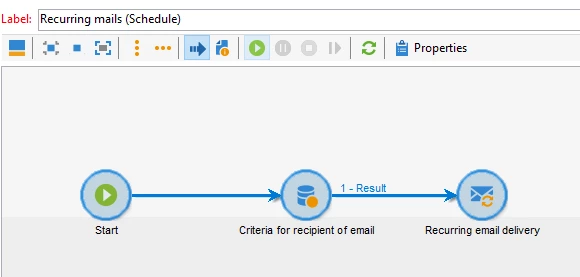
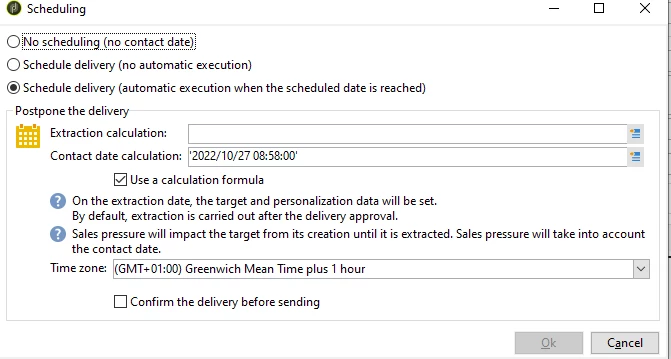
In the recurring email delivery I select a template and I want to set the delivery with the "Scheduling" option.

I then select the delivery time to be 20 minutes in the future and run the workflow.
 

The problem I face is that the workflow (after confirming the content and target) finishes and no email is delivered (even at the correct time).

I was able to send the email by executing the pending tasks manually at the correct time but that doesn't seem right.


The question is how would I correctly do this?

Thank you in advance 🙂



This post is no longer active and is closed to new replies. Need help? Start a new post to ask your question.
Best answer by ParthaSarathy

Hi @stripedfox ,

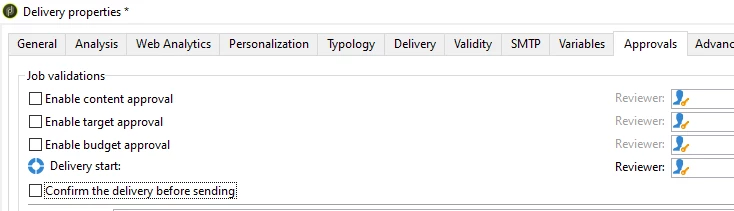
Open Recurring Delivery > Property > Approvals tab, and make sure all checkbox are unchecked. (And Make sure that you are targeting correct test recipient before starting the workflow)


1 reply

ParthaSarathy
Community Advisor
ParthaSarathyCommunity AdvisorAccepted solution
Community Advisor
October 31, 2022

Hi @stripedfox ,

Open Recurring Delivery > Property > Approvals tab, and make sure all checkbox are unchecked. (And Make sure that you are targeting correct test recipient before starting the workflow)


~  ParthaSarathy S~  Click here to join ADOBE CAMPAIGN USER GROUP for Quarterly In-person | Hybrid | Virtual Meetups
StripedFox
Level 2
November 2, 2022

Hi @parthasarathy,


thank you for your suggestion. Changing the approvals did help and everything works now.