Solved
Pipeline process not visible in Adobe campaign process list
Hi,
We tried to enable pipeline process in Adobe campaign following below steps.
Steps:
- Install pipeline package
- Install OpenSSL in server to create public/private keys
- Generate public/private keys
- Register public key in Adobe Analytics
- Encrypt Private key using pipeline encrypted workflow
- Modify pipeline tag with AppName and privatekey in serverConf.xml
- Make sure imsorg id is defined in in serverConf.xml
- Modify pipeline tag with AppName and privatekey in instance config.xml
- Restart pipeline service using command-Nlserver start pipelined@<instanceName>
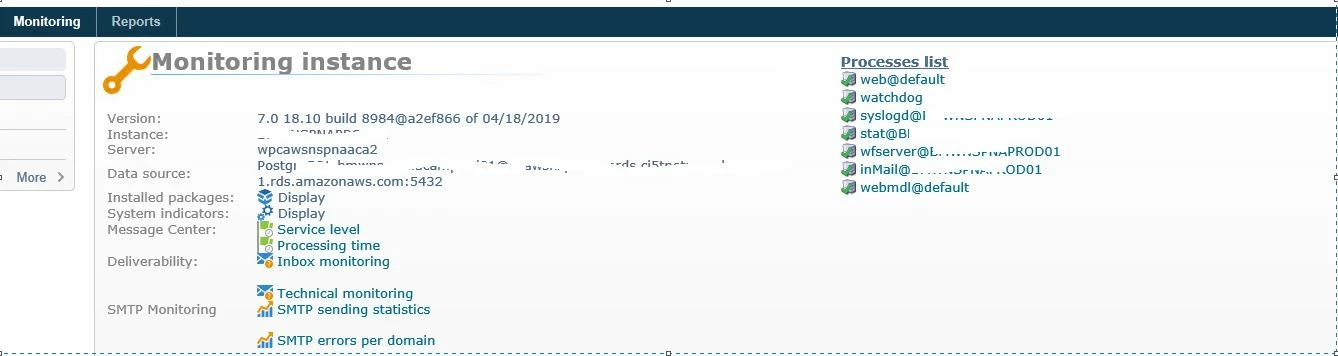
Pipeline service was running in CMD but when I logged in Adobe campaign instance I can't see pipeline process is listed in Process list . Can anybody let me know why pipeline process is not listed in Home->Monitoring->ProcessList?