Personalized hyperlinks (clickable) in a column of custom made report. | Community
Skip to main content
Level 2
April 26, 2019
Solved

Personalized hyperlinks (clickable) in a column of custom made report.

  • April 26, 2019
  • 1 reply
  • 1943 views

Hi all,

Has anyone tried or know of a way to get personalized hyper in a column (as in the URL should be personalized according to record of that row) of a custom created report in Adobe Campaign Classic. What I am doing is, passing a column that contains custom URLs that will be source of data for a column in report. When the report is displayed, I want those links to be clickable and open the link that is present in that cell itself.
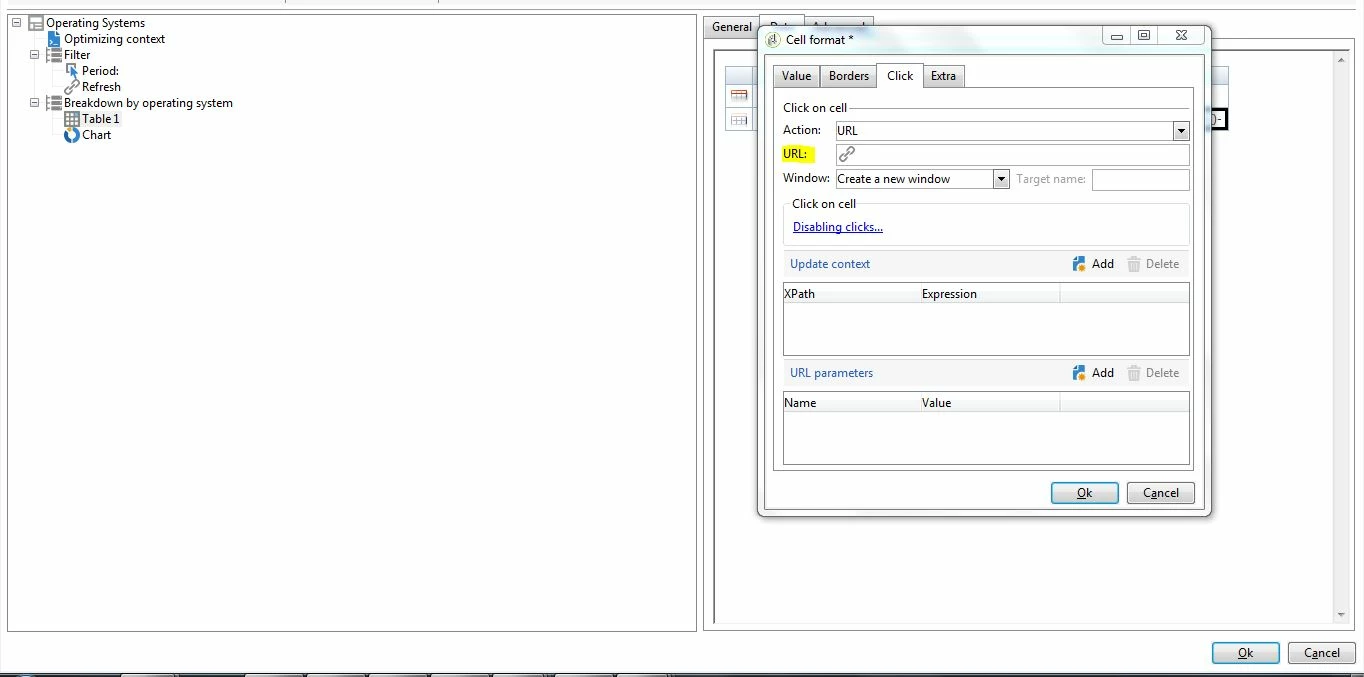
I tried this(highlighted in image) in the cell format of the cell. But that will be a static link. Any help is appreciated.

This post is no longer active and is closed to new replies. Need help? Start a new post to ask your question.
Best answer by Jean-Serge_Biro

Hi Jayeshb.jb,

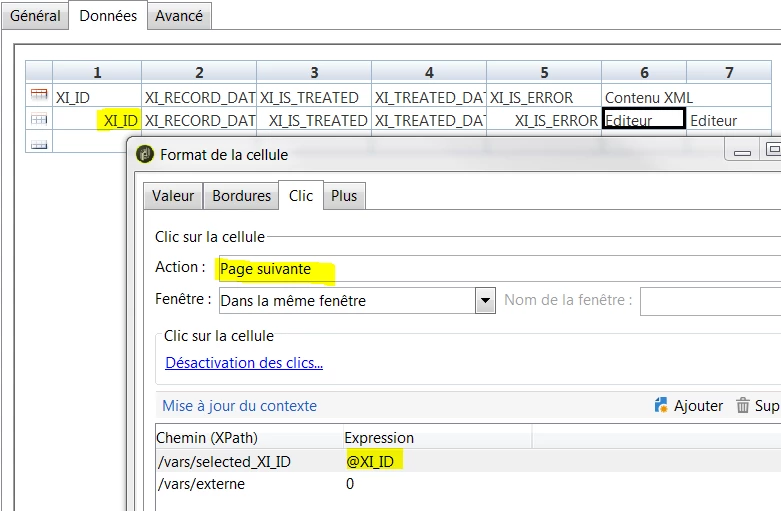
The solution is to change the Action item menu from URL (static value) to Next page item menu:

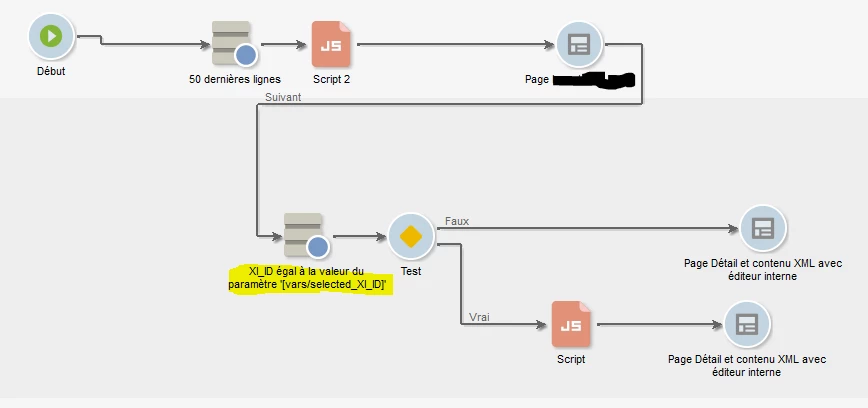
Then you manage the behavior of the CTA link(s) with a Page activity to display the link result or forwarding to an external URL as can do an End activity, or depending on your use case, manage the detailed information in a specific webApp v6 or v5 compatibility page in the Report workflow:

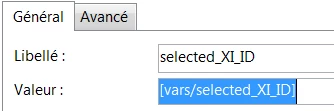
If you need to display a specific content as detailed information corresponding to the previous page master-detail list, the syntax for v5 compatibility page is:

Regards.
Jean-Serge

1 reply

Jean-Serge_Biro
Jean-Serge_BiroAccepted solution
Level 10
April 26, 2019

Hi Jayeshb.jb,

The solution is to change the Action item menu from URL (static value) to Next page item menu:

Then you manage the behavior of the CTA link(s) with a Page activity to display the link result or forwarding to an external URL as can do an End activity, or depending on your use case, manage the detailed information in a specific webApp v6 or v5 compatibility page in the Report workflow:

If you need to display a specific content as detailed information corresponding to the previous page master-detail list, the syntax for v5 compatibility page is:

Regards.
Jean-Serge