Personalisation block with example | Community
Skip to main content
This post is no longer active and is closed to new replies. Need help? Start a new post to ask your question.
Best answer by Marcel_Szimonisz

Hello @jefrii 

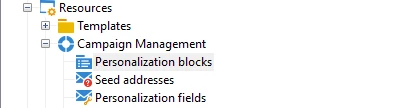
You can include any HTML code with personalization in any email. However, if there's a specific block you want to reuse or manage centrally without having to change it in every template, you can navigate to the personalization block section of Adobe Campaign. There, you can find numerous out-of-the-box personalization blocks.


Marcel


2 replies

Marcel_Szimonisz
Community Advisor
Marcel_SzimoniszCommunity AdvisorAccepted solution
Community Advisor
January 6, 2024

Hello @jefrii 

You can include any HTML code with personalization in any email. However, if there's a specific block you want to reuse or manage centrally without having to change it in every template, you can navigate to the personalization block section of Adobe Campaign. There, you can find numerous out-of-the-box personalization blocks.


Marcel


AkshayAnand
Community Advisor
Community Advisor
January 9, 2024

Hi @jefrii 


In addition to Marcel's comment, Personalization blocks are HTML blocks which can be used/included in any email delivery with the syntax "<%@ include view='internal Name of Personalization Block' %>" . These email deliveries when rendered will implement the code that is defined in the blocks. For more reference you can click HERE.


For Example :- You need a piece of code that is used in more templates, So to save time and effort you can create a personalization block and include in all those deliveries needed. Hence wise if you change something in the block, the changes will be reflected in all the templates which includes the desired personalization block.


Thanks

Akshay