NMS Delivery Form Fields Not Displaying Saved Values | Community
Skip to main content
Level 4
January 5, 2023
Solved

NMS Delivery Form Fields Not Displaying Saved Values

  • January 5, 2023
  • 3 replies
  • 912 views

Hi Team,


We have added few fields by extending nms:delivery and have used userEnum(<attribute label="Market" length="50" name="market" type="string" userEnum="market"/>) for the field values. The enumeration is System and has values.


The nms delivery form is also modified by adding the new input form fields(<input xpath="@market"/>,etc). The problem is when the values from drop down and chosen and the when the delivery is saved, the values are captured in the delivery schema,
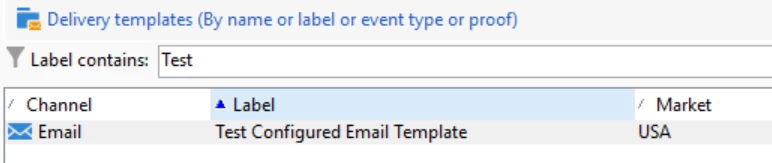
 

but when we reopen the delivery the form values display's as empty. 
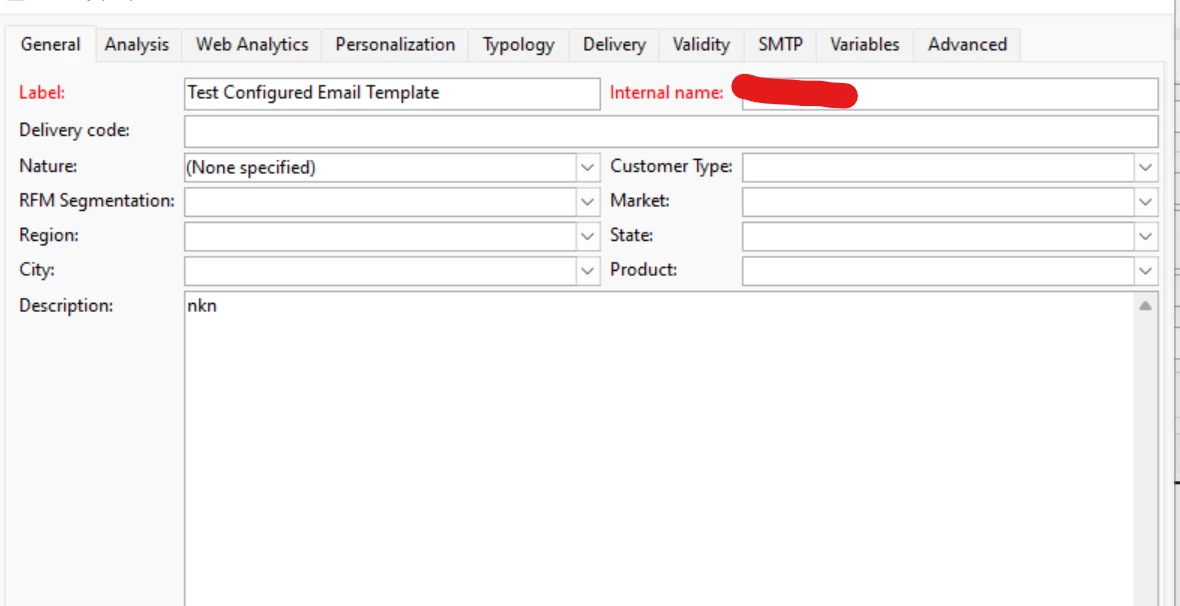


But the same is working fine for nms:operation (Campaign) where we done the same exact thing.

Please help us out.


Thanks,

Shine v.v


This post is no longer active and is closed to new replies. Need help? Start a new post to ask your question.
Best answer by ParthaSarathy

Hi @shinev_ ,

In nms:delivery input form, add your attribute in xpathsToLoad 

<form xpathsToLoad="@market,"


3 replies

Level 3
January 5, 2023

Hi @shinev_ ,
Have you tried adding the new field(market) in xpathsToLoad tag in Nms delivery form


Thanks,

Dhanesh

ParthaSarathy
Community Advisor
ParthaSarathyCommunity AdvisorAccepted solution
Community Advisor
January 5, 2023

Hi @shinev_ ,

In nms:delivery input form, add your attribute in xpathsToLoad 

<form xpathsToLoad="@market,"


~  ParthaSarathy S~  Click here to join ADOBE CAMPAIGN USER GROUP for Quarterly In-person | Hybrid | Virtual Meetups
Sukrity_Wadhwa
Community Manager
Community Manager
January 19, 2023

Hi @shinev_,

Were you able to resolve this query with the help of the given solutions or do you still need more help here? Do let us know. In case the given solutions were helpful, then kindly choose the one that helped you the most as the 'Correct Reply'.
Thanks!

Sukrity Wadhwa