Need to download only one file from s3 | Community
Skip to main content
gkbowe
May 25, 2024
Solved

Need to download only one file from s3

  • May 25, 2024
  • 1 reply
  • 809 views

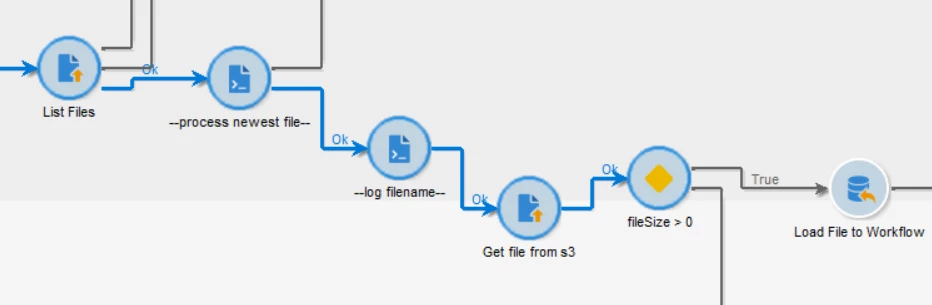
I have a process where I need to retrieve the most recent file from an s3 bucket and use it to target specific customers in a recurring delivery. However, files are written to this bucket multiple times in a day and are saved for 14 days. Campaign only has read access to this bucket, so I can't archive the delete the files.

When I run the workflow, I load not only the newest file, but the others as well, which causes multiple deliveries to be triggered.

The file transfer is set to download and the server folder is configured like this: 



 How can I load only one file or how can I filter out the other files in the workflow so multiple files dont trigger multiple deliveries?

 

This post is no longer active and is closed to new replies. Need help? Start a new post to ask your question.
Best answer by Manoj_Kumar

Hello @gkbowe 


Are you facing any issues with your current configuration? I think you are on the right path to get the latest file.


Here are the steps that I would follow:

1. list the file

2. extract the timestamp from file name

3. check which timestamp is latest

4. pick the file with latest timestamp

5. pass the filename to get file from s3 activity


1 reply

Manoj_Kumar
Community Advisor
Manoj_KumarCommunity AdvisorAccepted solution
Community Advisor
May 27, 2024

Hello @gkbowe 


Are you facing any issues with your current configuration? I think you are on the right path to get the latest file.


Here are the steps that I would follow:

1. list the file

2. extract the timestamp from file name

3. check which timestamp is latest

4. pick the file with latest timestamp

5. pass the filename to get file from s3 activity


Manoj  | https://themartech.pro