mass upload bulk of images in fileRessources in adobe classic campaign v7/8 | Community
Skip to main content
Level 2
May 12, 2023
Question

mass upload bulk of images in fileRessources in adobe classic campaign v7/8

  • May 12, 2023
  • 1 reply
  • 1002 views

Hey,

I am looking forward to mass upload images form my local disk into adobe classic campaign server to add them to fileRessources .

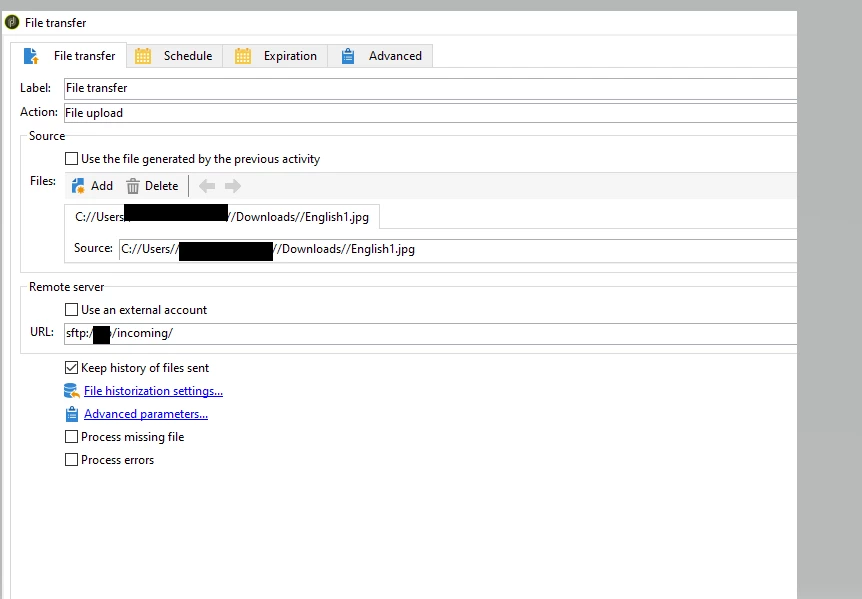
I am testing to do via a js code , the issue is the JS is running on the server hence cannot browse my local disk.I thought of using a file transfer activity to upload the images from my local disk to adobe classic ,I got blocked by this error saying that no file found to transfer, here how did I set the activity , fot the url I used sftp:/clientName/incoming/.I got this error on the log.

  • I have a fully hosted instance, and I am using the native sftp.

I am not sure this is the right way we use to upload files from local disk using the fileTransfer Activity.

I saw these solutions but I am not able to use any since the first step which is uploading from local disk to adobe classic server is still blocking me.


  1.  https://experienceleaguecommunities.adobe.com/t5/adobe-campaign-classic-questions/i-want-to-upload-images-to-public-resources-every-morning-is-it/td-p/234118


could you please share with me  how did you manage it. @debtr  @debtr  @marcel_szimonisz  @somasundaram_h @vraghav @patrickf7466449 


This post is no longer active and is closed to new replies. Need help? Start a new post to ask your question.

1 reply

Craig_Thonis
Adobe Employee
Adobe Employee
May 15, 2023

Hi Vahide,

If you want to use the File Transfer activity and grab files from an SFTP, you will need to upload your files to the SFTP server first. The easiest way to do this in bulk, and if you know the SFTP credentials is to use an SFTP program like FileZilla or WinSCP to connect and then drag and drop the files to the desired SFTP folder. From there, you can configure the File Transfer to go out to the SFTP and pull the files onto the server.

vahideAuthor
Level 2
May 15, 2023

hey @craig_thonis  , thank you , I am using the native sftp that came on adobe classic server location , so I don't have any credentials to use.