Looping through additional data inside Delivery activity | Community
Skip to main content
somasundaram_h
Community Advisor
Community Advisor
November 5, 2019

Looping through additional data inside Delivery activity

  • November 5, 2019
  • 2 replies
  • 14866 views

Hi,

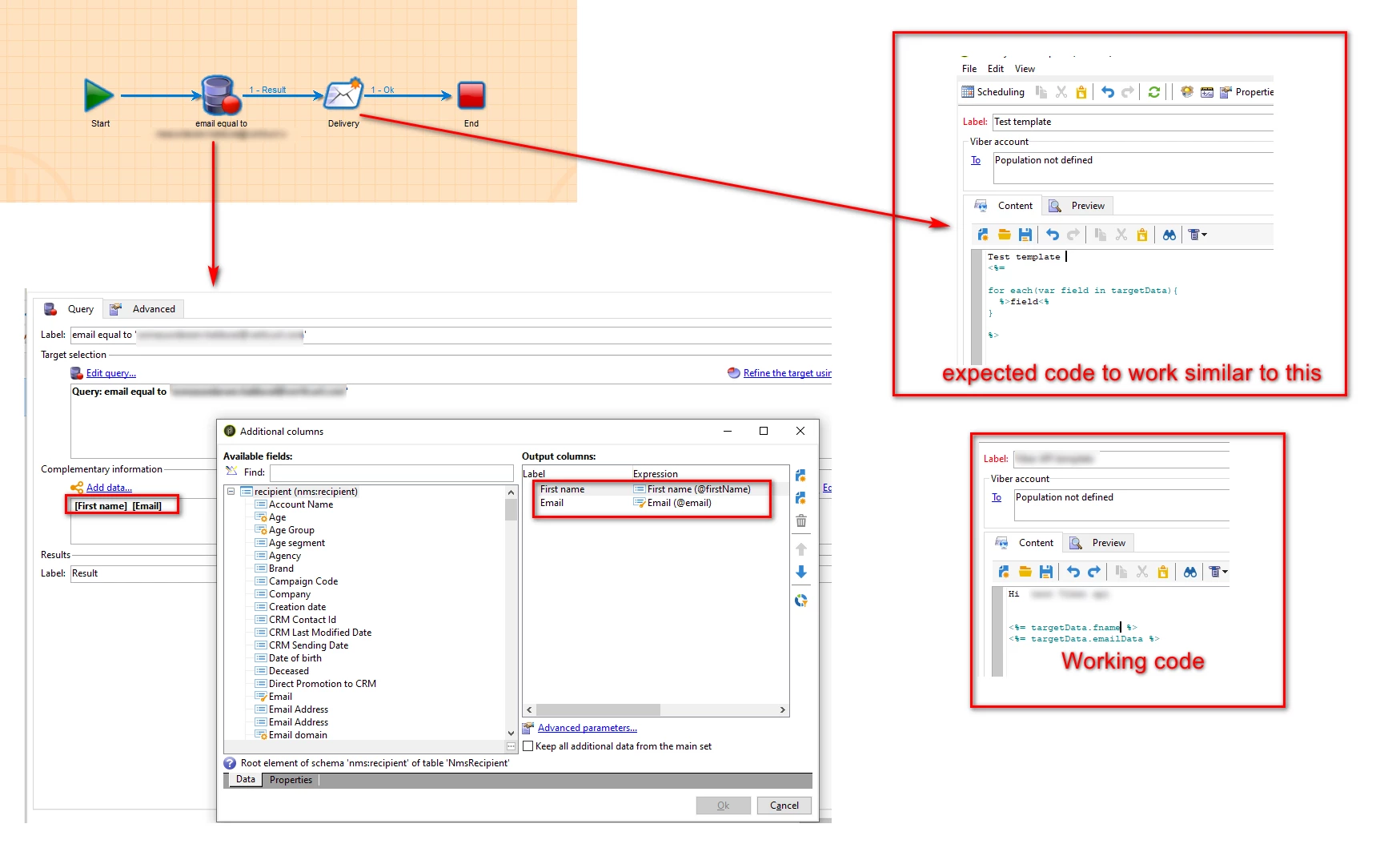
I have a situation where I want to see all additional data which is added in the query activity inside a delivery/delivery template inside a workflow.

I can get the targetData.fieldname if I already know the fieldname. The scenario is whatever the fields are added in the query as additional data, I want to get those details in a delivery template.
Thanks!

This post is no longer active and is closed to new replies. Need help? Start a new post to ask your question.

2 replies

Jonathon_wodnicki
Community Advisor
Community Advisor
November 5, 2019

Hi,

<%= targetData[field] %>. If you don't need the entity escaping you can also stay inside the jssp tag with document.write(targetData[field]).

Thanks,

-Jon

somasundaram_h
Community Advisor
Community Advisor
November 6, 2019

Hi Jon,

My concern is to check how many additional data is added inside the delivery/delivery template. I shouldn't have to manually add <%= targetData[field1] %> <%= targetData[field2] %> <%= targetData[field3] %>.

I want to loop through the targetData. For example, if 3 additional data (targetData.firstName, targetData.lastName, targetData.email) is added, I should be able to code as follows. Because I do not know how many additional data is added in the query activity.

Expected code:

<%

for each(var data in targetData) {

document.write(data + "\n")

}

%>

Expected Output:

First Name

Last Name

Email

Thanks.

Manoj_Kumar
Community Advisor
Community Advisor
November 11, 2019

Hello,

You can use a simple forloop for that.

for(var i=0;i <=targetData.length;i++){

document.write(targetData[i] + "\n")

}

Let me know if that make sense?

Manoj  | https://themartech.pro
Jyoti_Yadav
Level 8
November 6, 2019

Hi,

You can view Additional Data of your Query activity as explained below:

You can add all the parameters you had in your query activity.

Thanks.