Javascript functions in expression editor to assign a value in new variable/column | Community
Skip to main content
sharma_nik
Level 2
February 21, 2025
Question

Javascript functions in expression editor to assign a value in new variable/column

  • February 21, 2025
  • 1 reply
  • 731 views

Hello All


I am trying to dynamically assign a value in the query parameter to a new variable using an existing column value. 

For example, if the column value is 50001 then the new variable value should be 50000, if the existing column value is 600032 then the variable value should be 600000. 
   cid      =       did
20023    =      20000
30056    =      30000
1200001 = 1200000
I am able to get the required value in JS like this:
var dId = 10012;
var cId = Math.pow(10, (dId.toString().length - 2)) * parseInt(dId.toString().slice(0, 2));

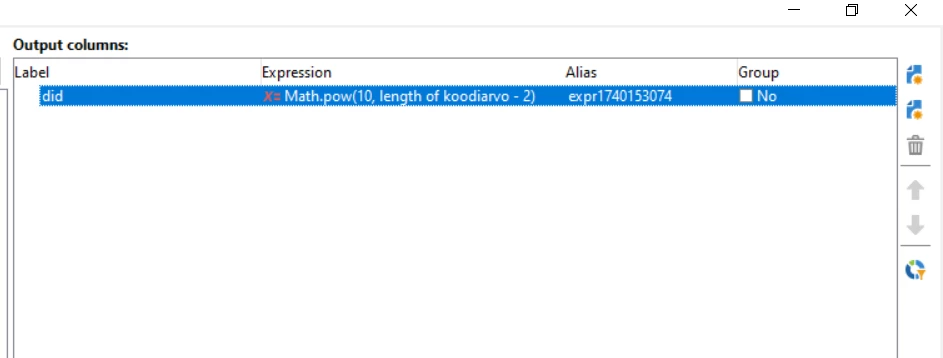
but I am not able to use this function in Query activity's expression editor with something like this
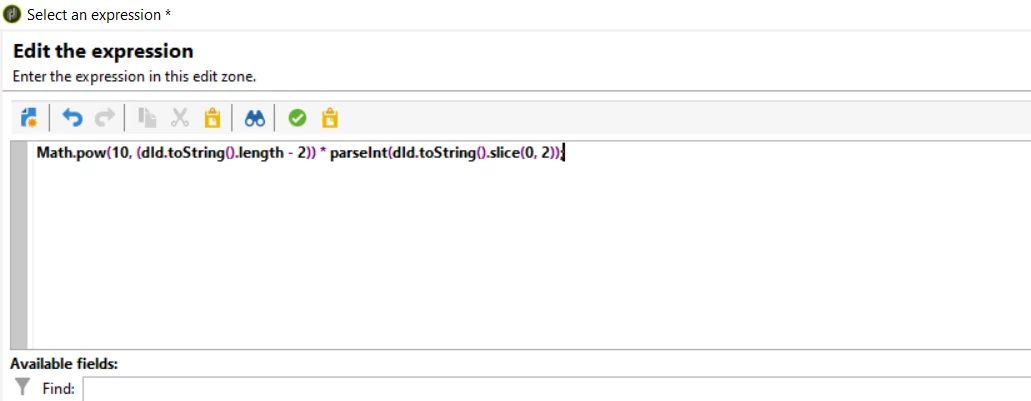

Is there any way I can acheive this??? Please help!


Thanks in advance...


This post is no longer active and is closed to new replies. Need help? Start a new post to ask your question.

1 reply

ParthaSarathy
Community Advisor
Community Advisor
February 21, 2025

Hi @sharma_nik ,

Consider you have a column @dId in the query, add an enrichment next to the Query activity and have the below expression,

POWER(10,Length(ToString(@dId))-2)*ToInteger(Substring(ToString(@dId),0,3 ))

POWER(10,Length(ToString(@dId))-2)*ToInteger(Substring(ToString(@dId),0,3 ))

~  ParthaSarathy S~  Click here to join ADOBE CAMPAIGN USER GROUP for Quarterly In-person | Hybrid | Virtual Meetups
sharma_nik
Level 2
February 25, 2025

Hi Partha

Thanks for the response. Tried your solution, but getting following error:


 XTK-170016 You are not authorized to use SQL expressions. 'POWER' cannot be processed.


ParthaSarathy
Community Advisor
Community Advisor
February 26, 2025

Open Expression editor and paste it,

Still If you face the error 'Power()' function is not available in your database function list. So ask your DB team to create it or from adobe campaign console create a power() function in /Administration/Configuration/SQL scripts/ and execute the SQL script. Disconnect and reconnect the console and paste the expression in Query editor and try it.

~  ParthaSarathy S~  Click here to join ADOBE CAMPAIGN USER GROUP for Quarterly In-person | Hybrid | Virtual Meetups