HTTP Error 404 in Workflow tab since upgrade to Build 7.3.3. 9359 | Community
Skip to main content
September 21, 2023
Solved

HTTP Error 404 in Workflow tab since upgrade to Build 7.3.3. 9359

  • September 21, 2023
  • 3 replies
  • 1147 views

Hello, we have this issue in our enviroments since we did an upgrade to the latest build (almost). This is an error that appears in HTML-preview for some and also Targeting and Workflows->Workflow tab.
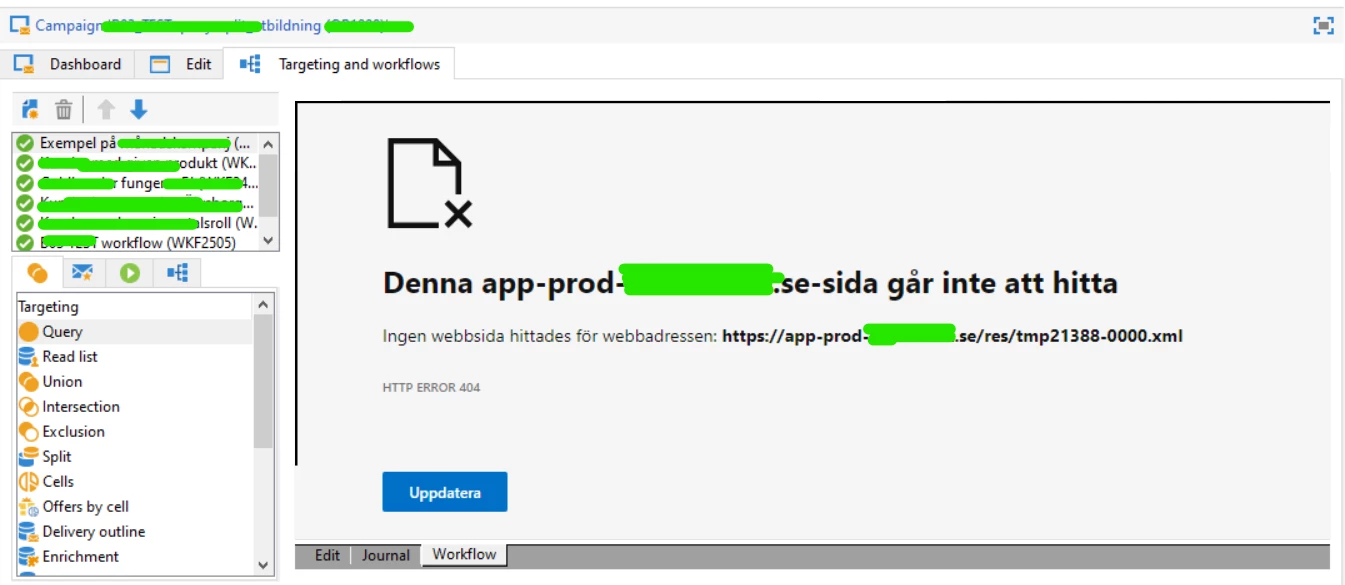
 

Translation:

This domain-site can't be found.

No webpage was found for the webbaddress: domainname/tmp21388-0000.xml.


I was told I could check the Network in the Developers tab and see if it was Offline or Slow 3G, but that is not the case.


Not really sure on how to continue, would need some help.


Best Regards,

Martin

 

This post is no longer active and is closed to new replies. Need help? Start a new post to ask your question.
Best answer by AkshayAnand

Hi @martinviking233 


I understand that the console it throwing a 404 NOT FOUND error, you can reference the link for resolution. One of the basic error fixing step is to "RESTART/REFRESH".  🙂


Regards

Akshay

3 replies

LakshmiPravallika
Community Advisor
Community Advisor
September 21, 2023

Hi @martinviking233 ,


Please check whether you have downloaded the latest version of Client Console for latest Build and Installed it in your PC and checked the same from the latest build.


Regards,

Pravallika.


September 21, 2023

Hello!


Yes, I have the latest build and client console.


LakshmiPravallika
Community Advisor
Community Advisor
September 22, 2023

Hi @martinviking233 ,


Were you able to access these Workflows in your Client console version before Upgrade? It is possible to access in Old Client console even though the Application server is Upgraded to Latest Bulid.


Could you Please try the same?


Also if you have the access to that Directory in the server where the XML is pointing in the Screenshot, you can go to that Path and check if the file exists or not. If not , it means that it was missed and you need to place it from the backup taken.


Regards,

Pravallika.


AkshayAnand
Community Advisor
AkshayAnandCommunity AdvisorAccepted solution
Community Advisor
September 25, 2023

Hi @martinviking233 


I understand that the console it throwing a 404 NOT FOUND error, you can reference the link for resolution. One of the basic error fixing step is to "RESTART/REFRESH".  🙂


Regards

Akshay

Sukrity_Wadhwa
Community Manager
Community Manager
October 31, 2023

Hi @martinviking233,

Were you able to resolve this query with the help of the given solutions or do you still need more help here? Do let us know. In case the given solutions were helpful, then kindly choose the one that helped you the most as the 'Correct Reply'.
Thanks!

Sukrity Wadhwa