how to use javascript in transactional messaging templates? | Community
Skip to main content
This post is no longer active and is closed to new replies. Need help? Start a new post to ask your question.
Best answer by AkshayAnand

Hi @debasmita17 


In transactional templates or email templates you can use the script tag to write scripts

<script type="text/javascript" ></script>

You can find fews resources here.

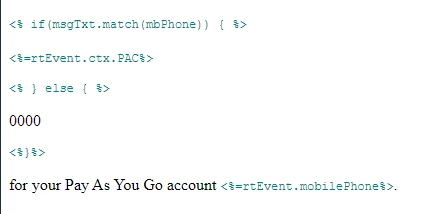
OR you can use the JSP expression tags "<% %>" for scriptings as below.


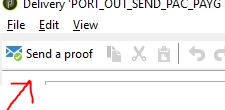
To update the data for seed addresses in transactional templates you can click on send a proof option 


A seed address get added automatically which you can edit by clicking on details 


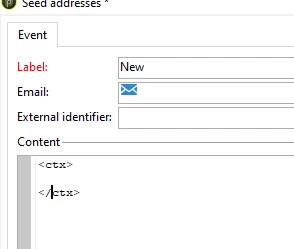
and inside the content area you can pass on your parameters inside the ctx tags.


Regards

A

1 reply

AkshayAnand
Community Advisor
AkshayAnandCommunity AdvisorAccepted solution
Community Advisor
August 21, 2023

Hi @debasmita17 


In transactional templates or email templates you can use the script tag to write scripts

<script type="text/javascript" ></script>

You can find fews resources here.

OR you can use the JSP expression tags "<% %>" for scriptings as below.


To update the data for seed addresses in transactional templates you can click on send a proof option 


A seed address get added automatically which you can edit by clicking on details 


and inside the content area you can pass on your parameters inside the ctx tags.


Regards

A