
How to Track Cookie Consent in Adobe Campaign Classic
Hello Adobe Community,
As per the GDPR guidelines, it is necessary for a brand to display the privacy statement and get consent to track cookies.
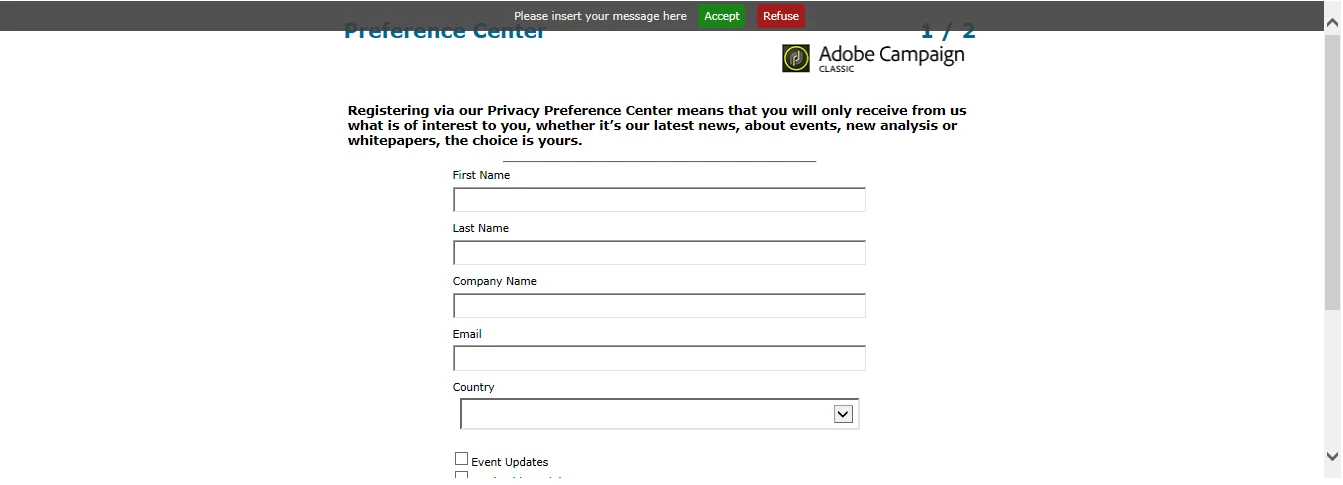
We can configure the Banner in a Web Application to display it on Landing Page and Form for the users,
But I am having a hard time in figuring out how to track the cookie consent. Is there a way to document it as a field to the recipient.
I am attaching a screen shot for your reference. How to track if the user has chosen the ACCEPT OR REFUSE..
This is the code for OptOutBanner in the sandbox
<div onClick="NL.ClientWebTracking.closeOptOutBanner(this);" id="defaultOptOutBanner">
<p>Please insert your message here
<a onClick="NL.ClientWebTracking.allow();" class="optout-accept">Accept</a>
<a onClick="NL.ClientWebTracking.forbid();" class="optout-decline">Refuse</a>
</p>
</div>
Please let me know your thoughts and suggestions.
Hope to hear from you soon. Thanks in Advance..!
Best Regards
Sai Mohan