How to keep input temporary data as it is to the outgoing transition in a custom activity
Hi All,
I am new to creating custom activities in workflow and seeking help here:
My use case is to create a custom activity that will just enable one of the transitions [either ok or not ok] based on the several conditions- this can be achieved with out of the box activities but I have to do it in a custom activity for final user simplification.
Currently based on the conditions I am able to enable one of the transitions but not able to create the outgoing temporary schema to pass to the next activity. Basically i need help in following, a sample code would be extremely helpful.
1. How to keep the incoming data as it is in the outgoing transition
2. How to filter the incoming data and create a new outgoing transition.
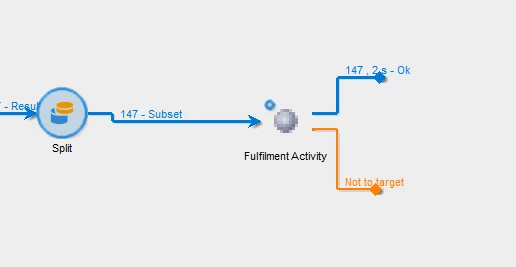
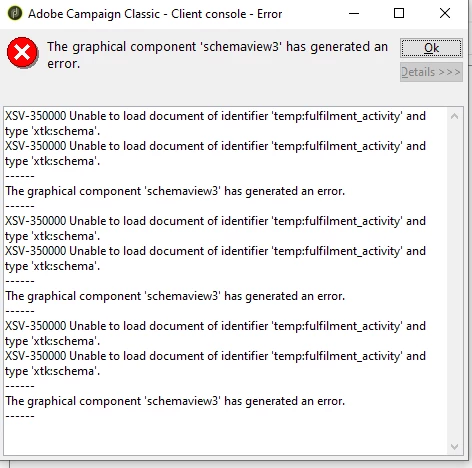
-- While opening the display target and check the output schema it is throwing below error and there is nothing under data tab[display the target > data]
I have searched the community and previously few fellow members have already achieved this but i could not resolve this based on the discussions happened there.
@plundmark : https://experienceleaguecommunities.adobe.com/t5/adobe-campaign-classic-questions/change-count-of-output-result-transition-from-custom-workflow/m-p/358002#M4472
@acs-ratul : https://experienceleaguecommunities.adobe.com/t5/adobe-campaign-classic-questions/custom-js-code-for-custom-workflow-activity-execution-acc/m-p/394082#M142
@_manoj_kumar_ : https://experienceleaguecommunities.adobe.com/t5/adobe-campaign-classic-questions/outbound-transition-for-a-custom-activity/td-p/376520
@jonathon_wodnicki @davidkangni
Any related help will also be extremely useful.
Thanks in advance!