How to create custom reports for a specific campaign using cube, workflow, etc.,? | Community
Skip to main content
Level 2
September 22, 2017
Solved

How to create custom reports for a specific campaign using cube, workflow, etc.,?

  • September 22, 2017
  • 5 replies
  • 4421 views

Hi Folks,

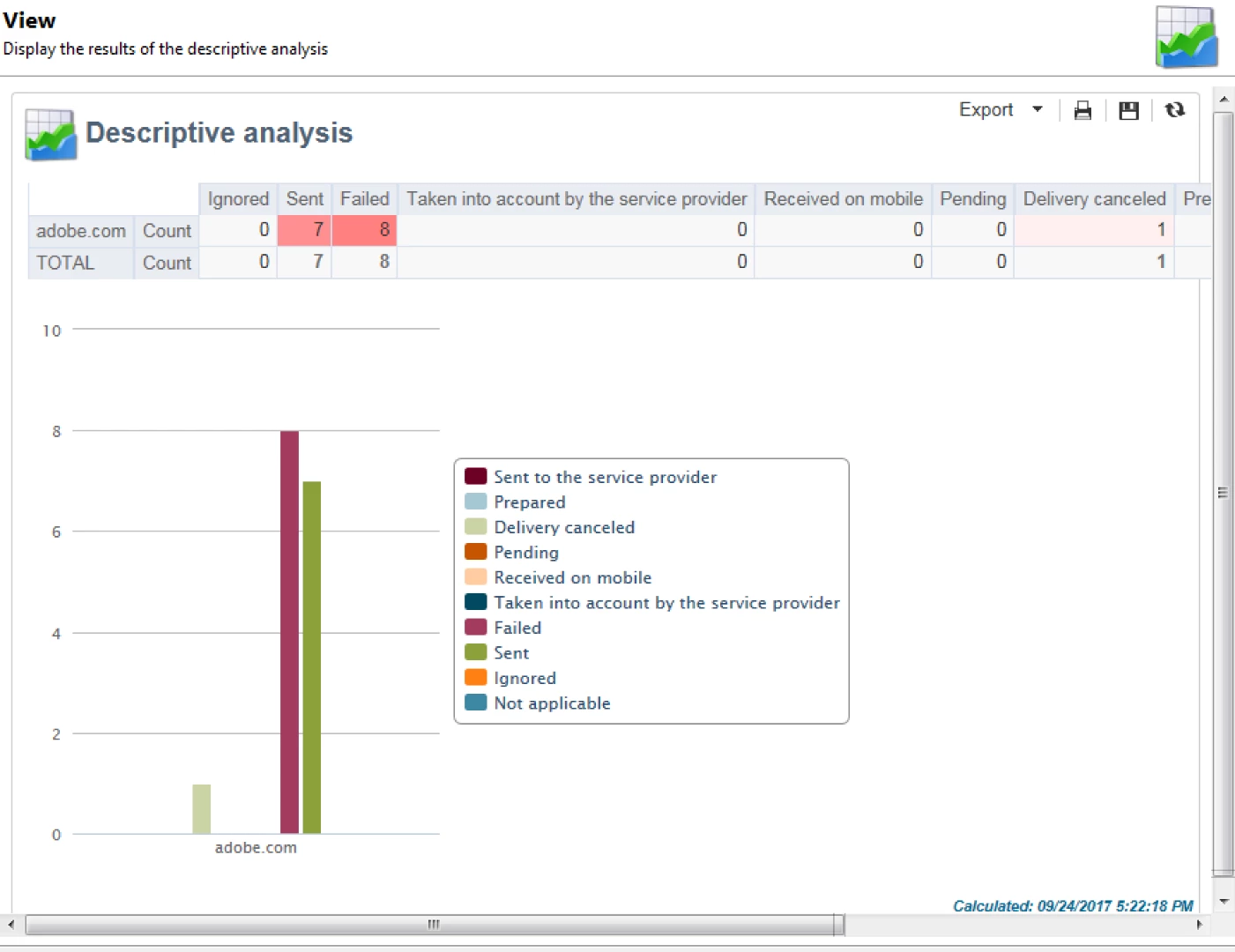
I'm new to adobe campaign and trying to generate reports in such a way that, if we select a specific campaign, the report should display a table between email domain and status of delivery.

Can anyone help me with this?

GmailyahooAoL
Sent

Ignored

Failed

This is how i want a report to be generated.
This post is no longer active and is closed to new replies. Need help? Start a new post to ask your question.
Best answer by vraghav

There is an OOTB report as Adhiyan suggested and it is called as Delivery Statistics. It gives you much more information than you need.

Still if you wish to have a report as the one you want follow these steps.

  1. Go to Tool> Descriptive Analysis...
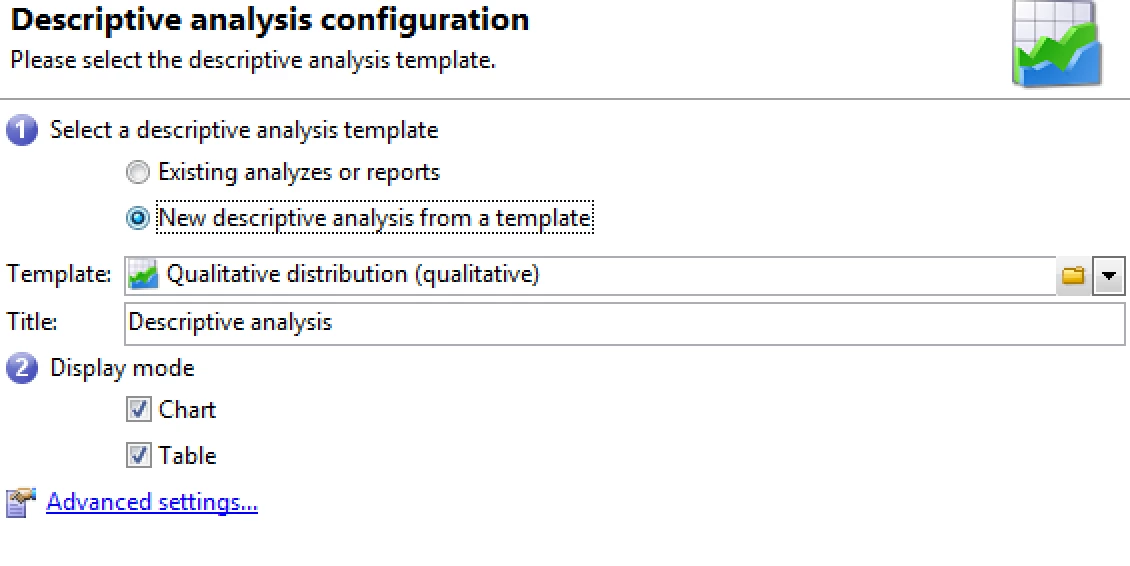
  2. A popup dialog box will open requesting the type of report to be created. Select the option "New descriptive analysis from a template".
  3. Default filtering dimension is Nms:recipient and for your scenario you will need to change it to nms:broadLogRcp. For doing so, click on Advanced settings...
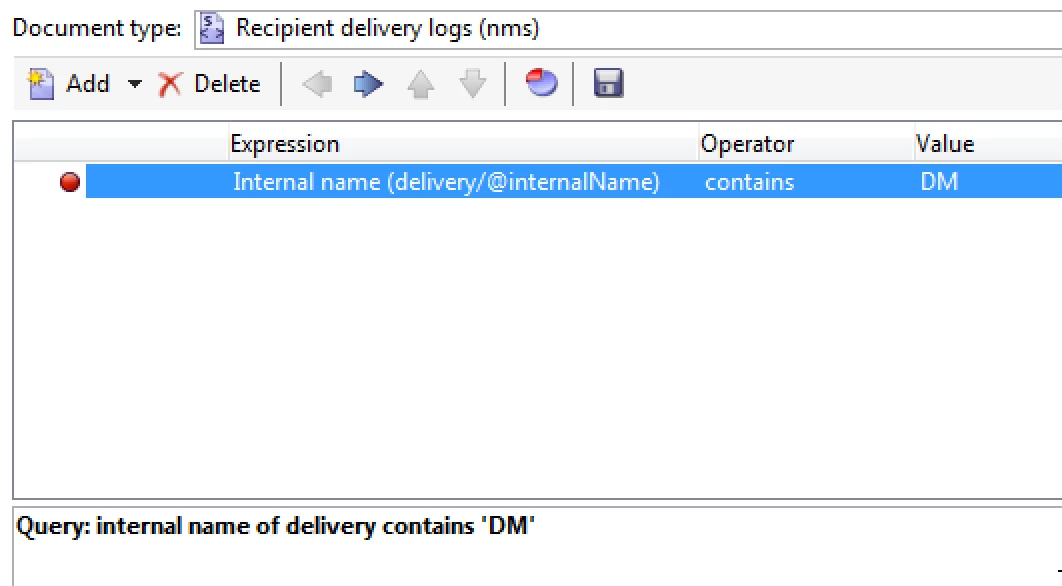
  4. Change the document type to Recipient Delivery Logs and provide a condition to select the broadLogs of your choice. I'm selecting all broadLogs that belong to deliveries with DM inside their internal name.
  5. Hit Ok to make the changes permanent and then click on Next button.
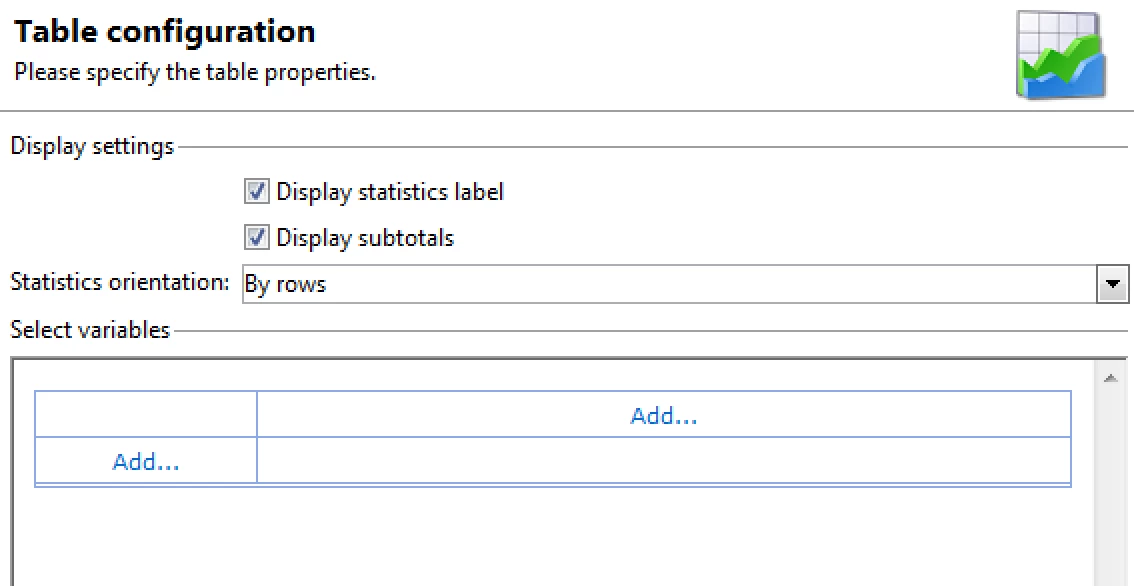
  6. It shows the settings like so
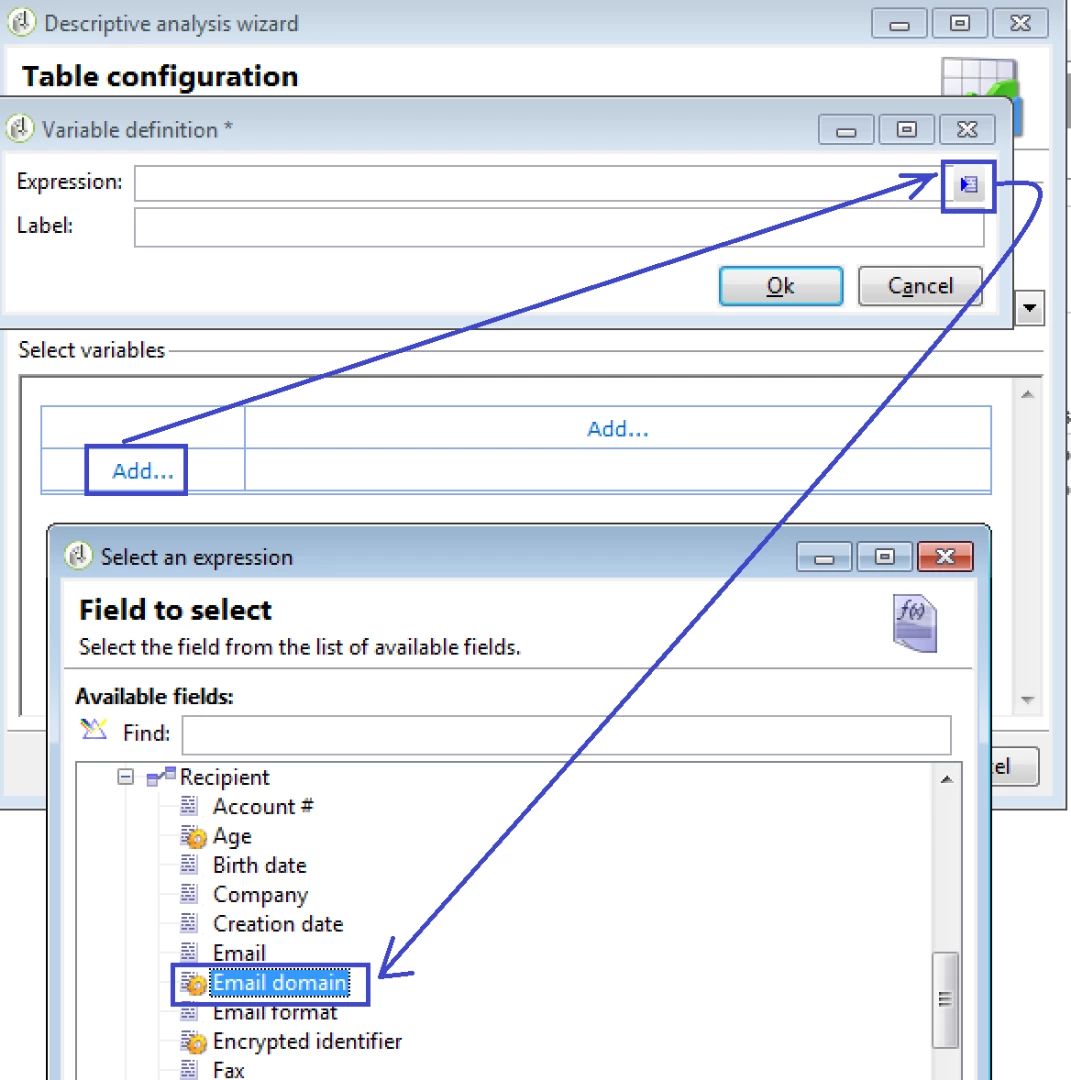
  7. Click on the Add button to select Recipient Email Domain on the rows side and on the column side select Status from broadLogRcp
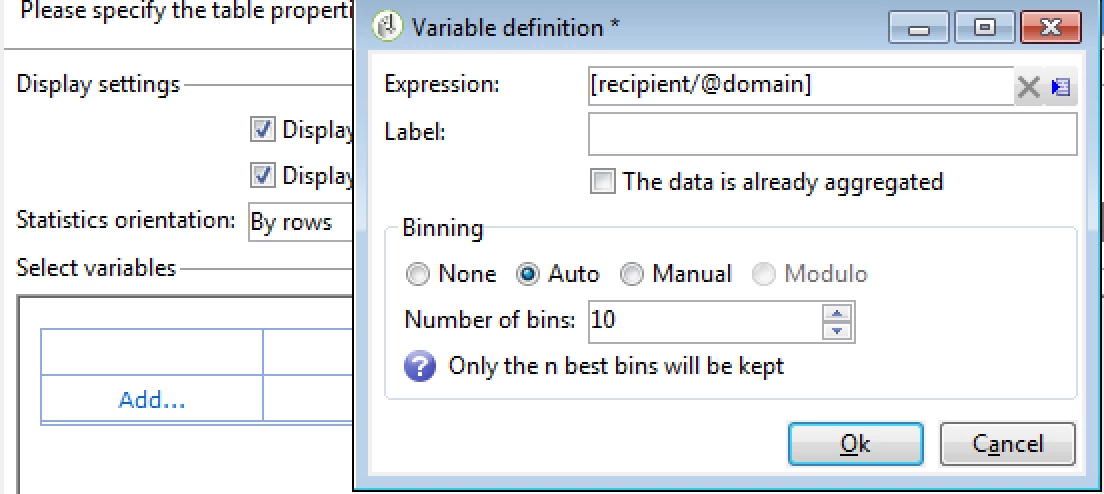
  8. Apply Binning. Default is up to 10 domains but you can increase
  9. Proceed clicking Next till a report is generated.
  10. You can save this report for re-use at a later stage.

Regards,
Vipul

5 replies

Adhiyan
Adobe Employee
Adobe Employee
September 22, 2017

Hi Krishna,

Did you check the OOTB reports available in Campaign . I believe there are reports which shows the breakdown of a delivery based on Domains.

Regards,

Adhiyan

vraghav
Adobe Employee
vraghavAdobe EmployeeAccepted solution
Adobe Employee
September 24, 2017

There is an OOTB report as Adhiyan suggested and it is called as Delivery Statistics. It gives you much more information than you need.

Still if you wish to have a report as the one you want follow these steps.

  1. Go to Tool> Descriptive Analysis...
  2. A popup dialog box will open requesting the type of report to be created. Select the option "New descriptive analysis from a template".
  3. Default filtering dimension is Nms:recipient and for your scenario you will need to change it to nms:broadLogRcp. For doing so, click on Advanced settings...
  4. Change the document type to Recipient Delivery Logs and provide a condition to select the broadLogs of your choice. I'm selecting all broadLogs that belong to deliveries with DM inside their internal name.
  5. Hit Ok to make the changes permanent and then click on Next button.
  6. It shows the settings like so
  7. Click on the Add button to select Recipient Email Domain on the rows side and on the column side select Status from broadLogRcp
  8. Apply Binning. Default is up to 10 domains but you can increase
  9. Proceed clicking Next till a report is generated.
  10. You can save this report for re-use at a later stage.

Regards,
Vipul

Level 2
September 25, 2017

Hi Vipul,

I have already tried this approach and was successful in generating and saving the report. My intention is to view this saved report in Reports Universe.

I was able to save a report created using cubes and it is visible in Reports Universe. But when I created using the above mentioned approach, it didn't work.

Please let me know if this is not possible.

Thanks,

Krishna

florentlb
Level 10
October 10, 2017

Hi Krishna,

Please have a look at the following documentation on how to make reports available: Configuring access to the report

Let me know if you managed to make it available,

Florent

Level 3
November 22, 2019

Hi Vapsy​, florentlb​, Adhiyan

How to generate / automate this report to specific contact at 10am daily?

Thanks,

Shama.