
How to change the default login page of the Thin Client in Adobe Campaign Classic | Adobe Higher Education
Skip to main content
mayank_singh
Level 2
July 20, 2021
Répondu

How to change the default login page of the Thin Client in Adobe Campaign Classic

Hello Everyone,


I need help with inputs to change the default user interface of the web form(Thin Client), where in it ask to login with credentials when "Enable Access Control" is checked in web form properties.


The screenshot of the Thin Client page has been attached for reference.
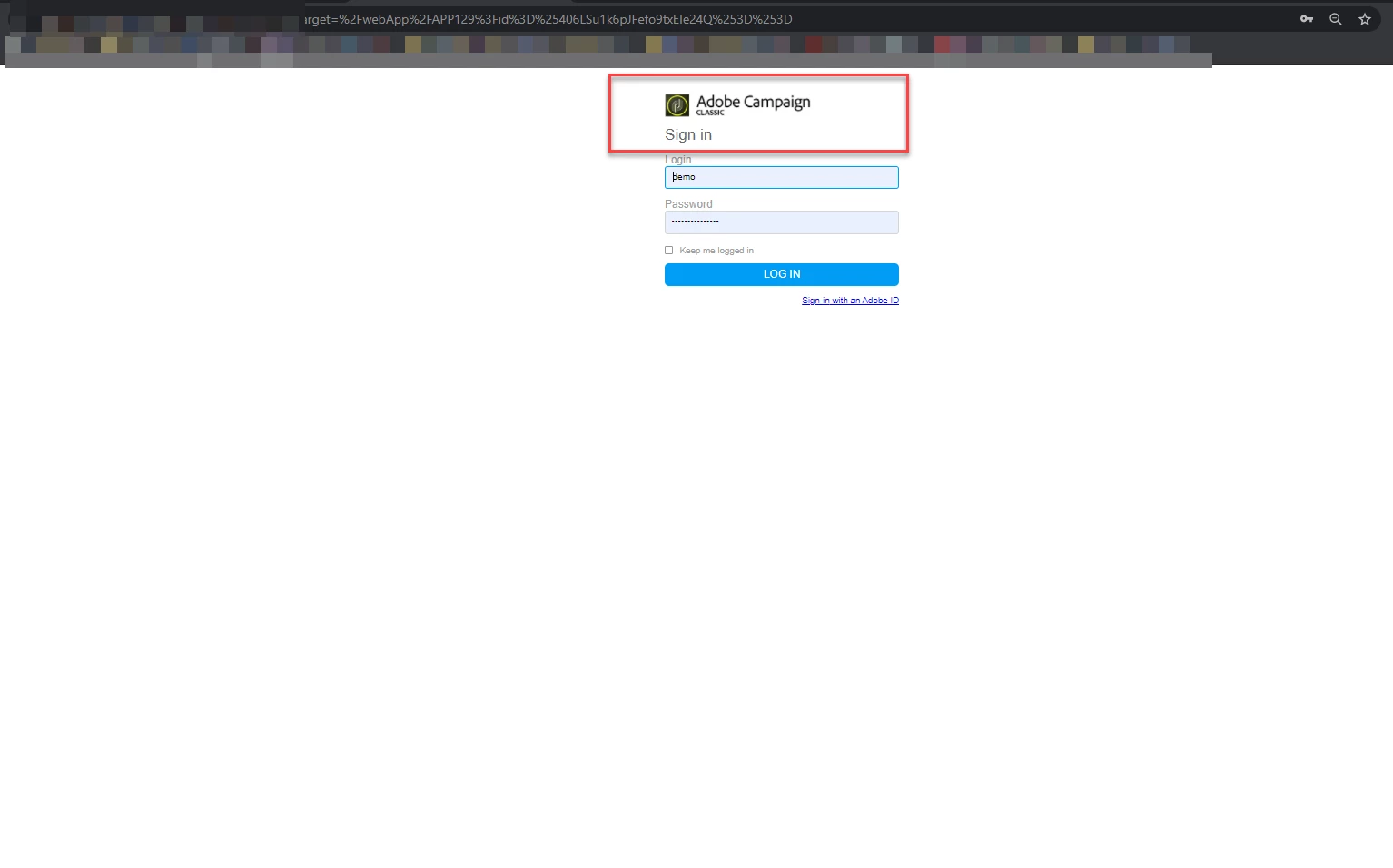


Any input is appreciated.


Thanks

Mayank


Ce sujet a été fermé aux réponses.
Meilleure réponse par Manoj_Kumar


Hello @mayank_singh 


You will have to edit the logon.jsp file available in your Adobe campaign server installation directory.

The Path is SERVER_INSTALLATION_FOLDER\datakit\nl\eng\jsp


Thanks,

Manoj


1 commentaire

Manoj_Kumar
Community Advisor
Manoj_KumarCommunity AdvisorRéponse
Community Advisor
July 20, 2021


Hello @mayank_singh 


You will have to edit the logon.jsp file available in your Adobe campaign server installation directory.

The Path is SERVER_INSTALLATION_FOLDER\datakit\nl\eng\jsp


Thanks,

Manoj


Manoj     Find me on LinkedIn
mayank_singh
Level 2
August 2, 2021
Thanks Manoj, the information was helpful