
How to add values in Custom tag 1 in web analytics properties | Adobe Higher Education
Skip to main content
pradeep_07
Level 4
July 10, 2020
Respondido

How to add values in Custom tag 1 in web analytics properties

  • July 10, 2020
  • 1 resposta
  • 2534 Visualizações

Hi ,

 I am trying to add value region and country value in custom tag section under Web analytics properties. In order to differentiate the report in Adobe analytics. I am not able to type anything inside the custom tag field. Is there anything I have to do with Data schema to get this values? How it can be dynamically called for each deliveries?



Este tópico foi fechado para respostas.
Melhor resposta por Manoj_Kumar

Hello @pradeep_07 ,


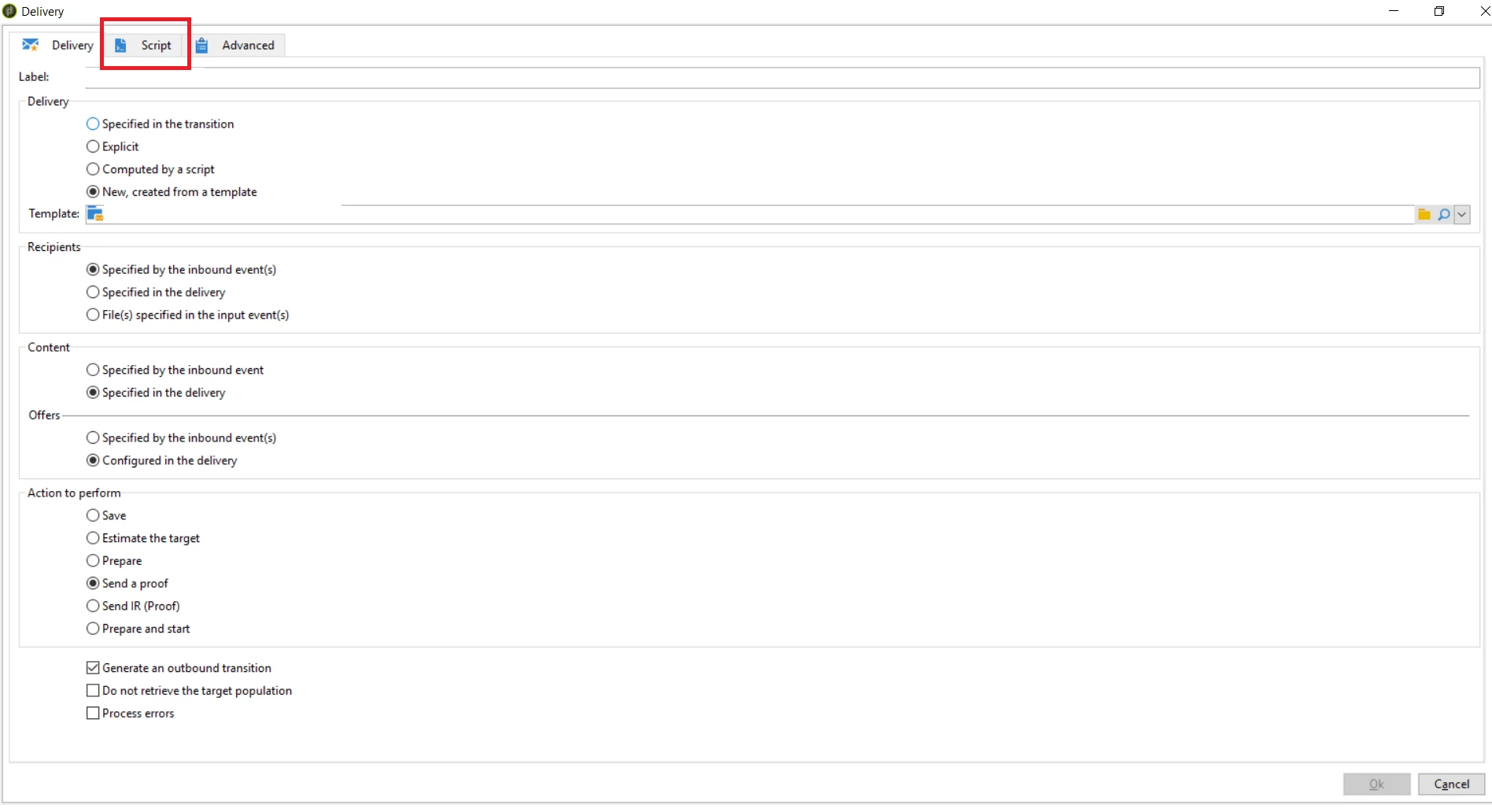
You can dynamically add these tag by adding a java script code to Script tab of the delivery activity.


The code will look like this.


delivery.webAnalytics.tag1="TAG_1_VALUE"; delivery.webAnalytics.tag2="TAG_2_VALUE"; delivery.webAnalytics.tag3="TAG_3_VALUE";


Let me know if that helps.


1 Resposta

Manoj_Kumar
Community Advisor
Manoj_KumarCommunity AdvisorResposta
Community Advisor
July 10, 2020

Hello @pradeep_07 ,


You can dynamically add these tag by adding a java script code to Script tab of the delivery activity.


The code will look like this.


delivery.webAnalytics.tag1="TAG_1_VALUE"; delivery.webAnalytics.tag2="TAG_2_VALUE"; delivery.webAnalytics.tag3="TAG_3_VALUE";


Let me know if that helps.


Manoj     Find me on LinkedIn
pradeep_07
Level 4
July 10, 2020
Thanks This really helps. But when you say script tab in delivery activity. where is it exactly? I am not able to locate it