How can I send a proof of a delivery that is using targetData? | Community
Skip to main content
romana_lungbarrow
June 1, 2023
Solved

How can I send a proof of a delivery that is using targetData?

  • June 1, 2023
  • 3 replies
  • 1497 views

I have already created seeds with all the targetData defined in the 'additional section' area of the recipients' data. I know there is no issue with data being missing because I can preview the delivery using a no template version of the seed, with no errors. When I come to send a proof of the same delivery, I am getting the error saying target.Data is not defined - but it is defined because it previews.


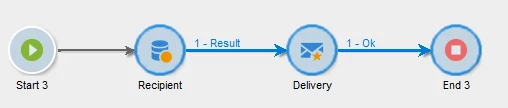
I read somewhere that I might need to add a query into the workflow to match the target.Data, but I don't understand this at all as the target.Data is defined on the seeds already. If that is the case, can someone explain step-by-step how to do this and what my workflow should look like?


This post is no longer active and is closed to new replies. Need help? Start a new post to ask your question.
Best answer by ParthaSarathy

Hi @romana_lungbarrow ,

Create a workflow


Query:

Fetch recipients you want to target.

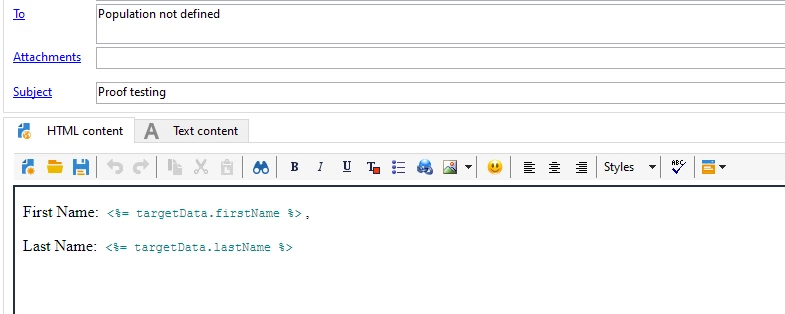
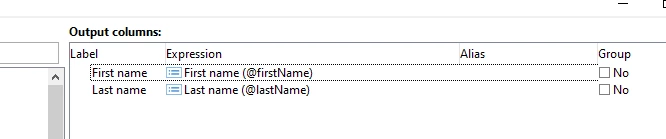
In Add data, add all the fields which you're going to call in delivery as targetData.fieldnames

(assuming, you're going to call firstName and lastName as target data fields in delivery)


Delivery Template:


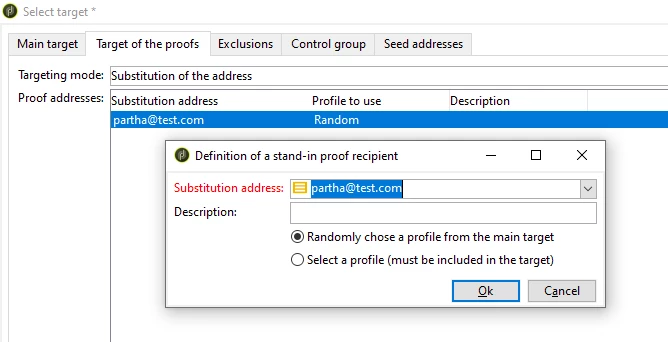
To > Targets of the proof (tab) > Add > 

Targeting mode: select substitution of the address

Proof address: give the proof mail id and select random


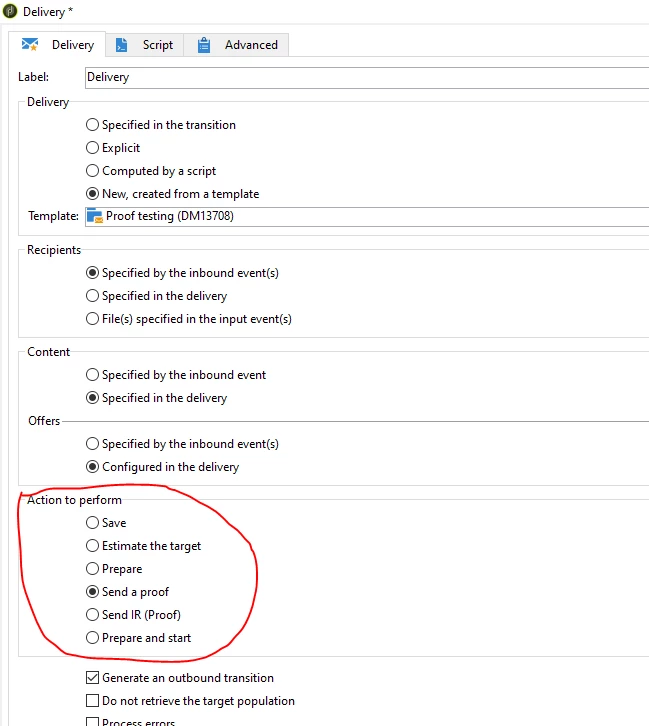
In delivery activity, Select send a proof option


And start the workflow.


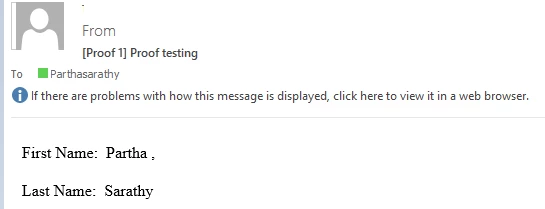
You will receive email,


3 replies

ParthaSarathy
Community Advisor
ParthaSarathyCommunity AdvisorAccepted solution
Community Advisor
June 1, 2023

Hi @romana_lungbarrow ,

Create a workflow


Query:

Fetch recipients you want to target.

In Add data, add all the fields which you're going to call in delivery as targetData.fieldnames

(assuming, you're going to call firstName and lastName as target data fields in delivery)


Delivery Template:


To > Targets of the proof (tab) > Add > 

Targeting mode: select substitution of the address

Proof address: give the proof mail id and select random


In delivery activity, Select send a proof option


And start the workflow.


You will receive email,


~  ParthaSarathy S~  Click here to join ADOBE CAMPAIGN USER GROUP for Quarterly In-person | Hybrid | Virtual Meetups
Marcel_Szimonisz
Community Advisor
Community Advisor
June 4, 2023

Hello @romana_lungbarrow ,

you want to send proofs using seeds? I have experienced the  same issue. You need to have query activity infront of the delivery that uses seeds to send proofs. You do not need to select anybody from actual recipient table and query condition can look like "1=0" so it selects nobody 🙂 Seeds have to have additional data defined just as you use them in you delivery template.

Marcel

Sukrity_Wadhwa
Community Manager
Community Manager
June 22, 2023

Hi @romana_lungbarrow,

Were you able to resolve this query with the help of the given solutions or do you still need more help here? Do let us know. In case the given solutions were helpful, then kindly choose the one that helped you the most as the 'Correct Reply'.
Thanks!

Sukrity Wadhwa