Hello, is it possible for Adobe Campaign access external database views instead of extrenal database tables. Currently I'm getting an error. | Community
Skip to main content
tristanr1339829
Level 2
February 2, 2017
Solved

Hello, is it possible for Adobe Campaign access external database views instead of extrenal database tables. Currently I'm getting an error.

  • February 2, 2017
  • 2 replies
  • 2698 views

Hello,

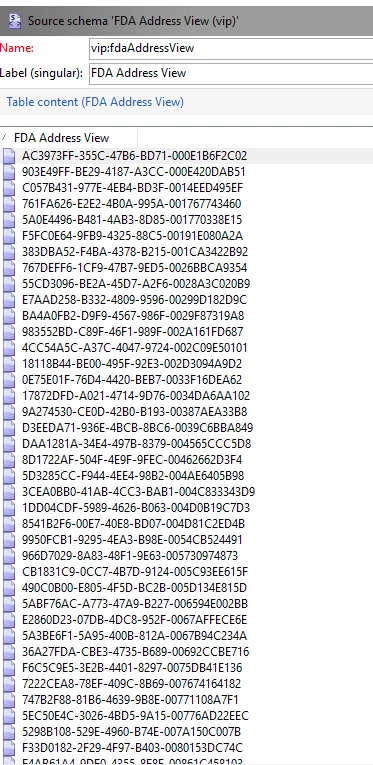
Is it possible to get access to external views of a database by FDA instead of tables ?

Currently I'm getting an error.
This post is no longer active and is closed to new replies. Need help? Start a new post to ask your question.
Best answer by vraghav

Hi tristanr13398296,

Keeping your requirement in mind we performed a simple test and here are our findings.

  1. Our local campaign instance is using PostgreSQL as database and the FDA is SQL Server with the version as SQL Server 2012.
  2. We attached a test database on SQL Server, the very famous AdventureWorks DB.
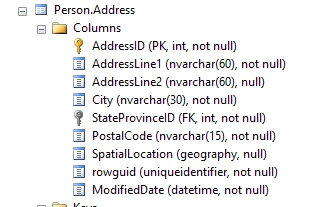
  3. For our test, we chose the table Person.Address. It has following columns.
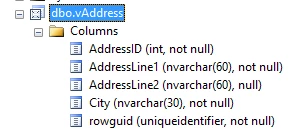
  4. Created a View on top of it and named it dbo.vAddress. Its structure looks like as shown here:
  5. As you can see we have picked a subset of columns for our purpose.
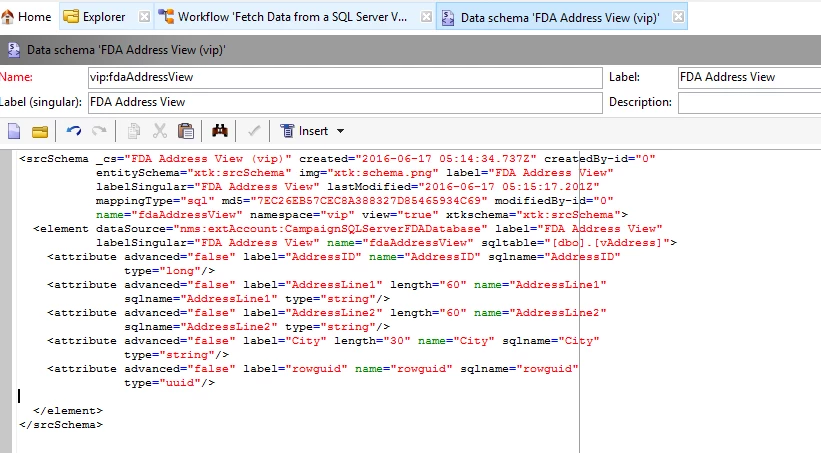
  6. Using the FDA connection inside Adobe Campaign, we deployed a new schema based on the new view just created.
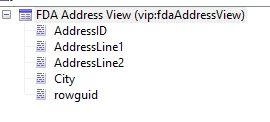
  7. Now, if we take a look at the structure tab it shows only the columns we had in the database view.
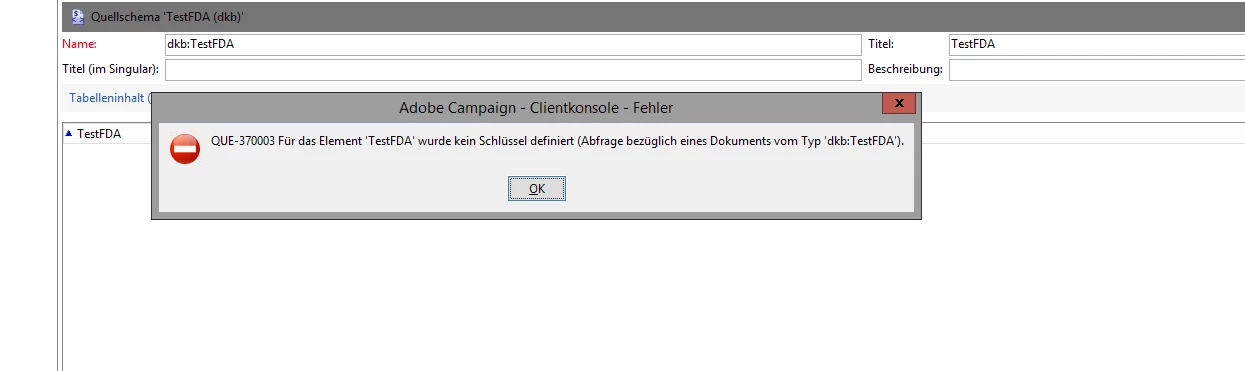
  8. As soon as we switch to Data tab to see if the data is being extracted or not we get the following error.

    The reason for this error is that Campaign assumes a view to being a table and hence it is requesting for a Primary key to be defined on it. Inside SQL Server, a view is not supposed to have a PK.
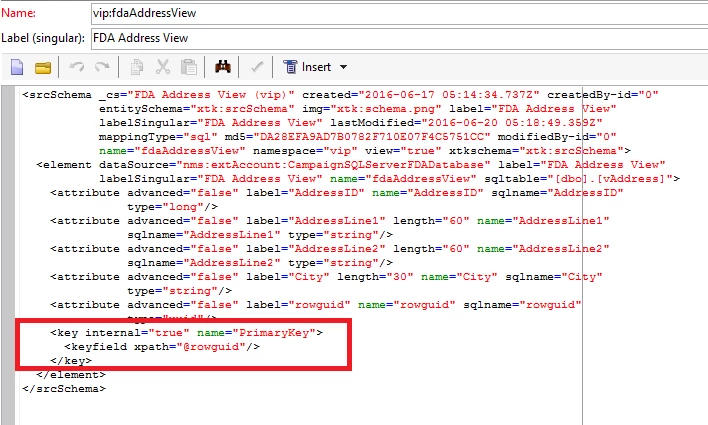
  9. To resolve this issue, we will perform a small hack. We will make campaign believe that there is a PK involved. To do so, in our view we have a column rowguid that is the primary key and hence inside schema we will make it be primary key of this view. Please mind, that we will make modification only on the campaign schema and not on the actual database view.
  10. Logout from the instance and log back in. This time if you preview the data the problem will be resolved.

Hope this answers your query.

Regards,

Vipul

2 replies

vraghav
Adobe Employee
vraghavAdobe EmployeeAccepted solution
Adobe Employee
February 2, 2017

Hi tristanr13398296,

Keeping your requirement in mind we performed a simple test and here are our findings.

  1. Our local campaign instance is using PostgreSQL as database and the FDA is SQL Server with the version as SQL Server 2012.
  2. We attached a test database on SQL Server, the very famous AdventureWorks DB.
  3. For our test, we chose the table Person.Address. It has following columns.
  4. Created a View on top of it and named it dbo.vAddress. Its structure looks like as shown here:
  5. As you can see we have picked a subset of columns for our purpose.
  6. Using the FDA connection inside Adobe Campaign, we deployed a new schema based on the new view just created.
  7. Now, if we take a look at the structure tab it shows only the columns we had in the database view.
  8. As soon as we switch to Data tab to see if the data is being extracted or not we get the following error.

    The reason for this error is that Campaign assumes a view to being a table and hence it is requesting for a Primary key to be defined on it. Inside SQL Server, a view is not supposed to have a PK.
  9. To resolve this issue, we will perform a small hack. We will make campaign believe that there is a PK involved. To do so, in our view we have a column rowguid that is the primary key and hence inside schema we will make it be primary key of this view. Please mind, that we will make modification only on the campaign schema and not on the actual database view.
  10. Logout from the instance and log back in. This time if you preview the data the problem will be resolved.

Hope this answers your query.

Regards,

Vipul

tristanr1339829
Level 2
February 7, 2017

Thanks you very much, it has worked for my issue.

Cheers

Tristan