Getting the label of a split subset per delivery in data extraction | Community
Skip to main content
New Member
June 4, 2020
Solved

Getting the label of a split subset per delivery in data extraction

  • June 4, 2020
  • 2 replies
  • 3442 views

Hi everyone,

I'm working on an automated report and one of the fields I'm trying to pull is the label of the split subset the delivery is attached to. This is what I have right now in the Data Extraction activity: 
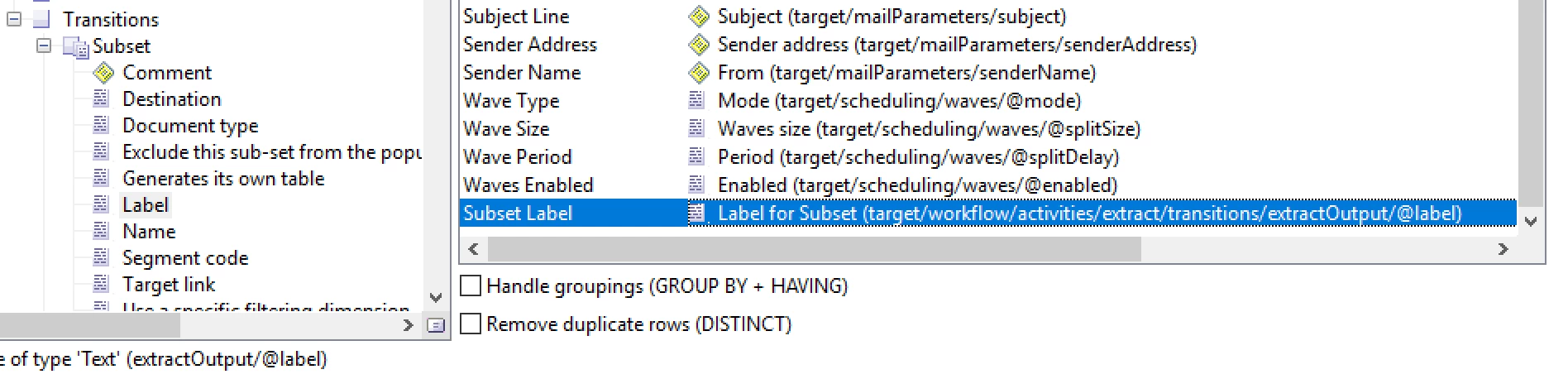
In the picture below for example, I would be trying to get the values 'Engaged' and 'LowEngaged' for Delivery 1 and Delivery 2.
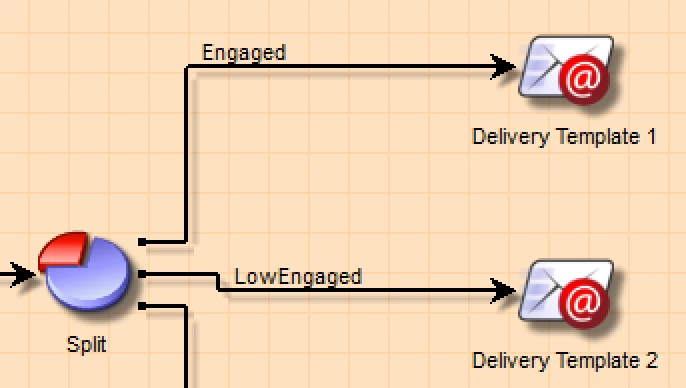

The expression above that I'm currently using just returns the label of first subset for every delivery. I've tested this on other campaigns with more than 2 subsets and they all just return the same label.


What I'm getting:

Delivery LabelSubset Label
Delivery Template 1Engaged
Delivery Template 2Engaged

What I want to get:

Delivery LabelSubset Label
Delivery Template 1Engaged
Delivery Template 2LowEngaged

Is there an expression I can use to achieve this or is this going to require a JS solution? Any help is appreciated.

Bonus Question:

Can this technique be applied to cases where there's more than 1 split?
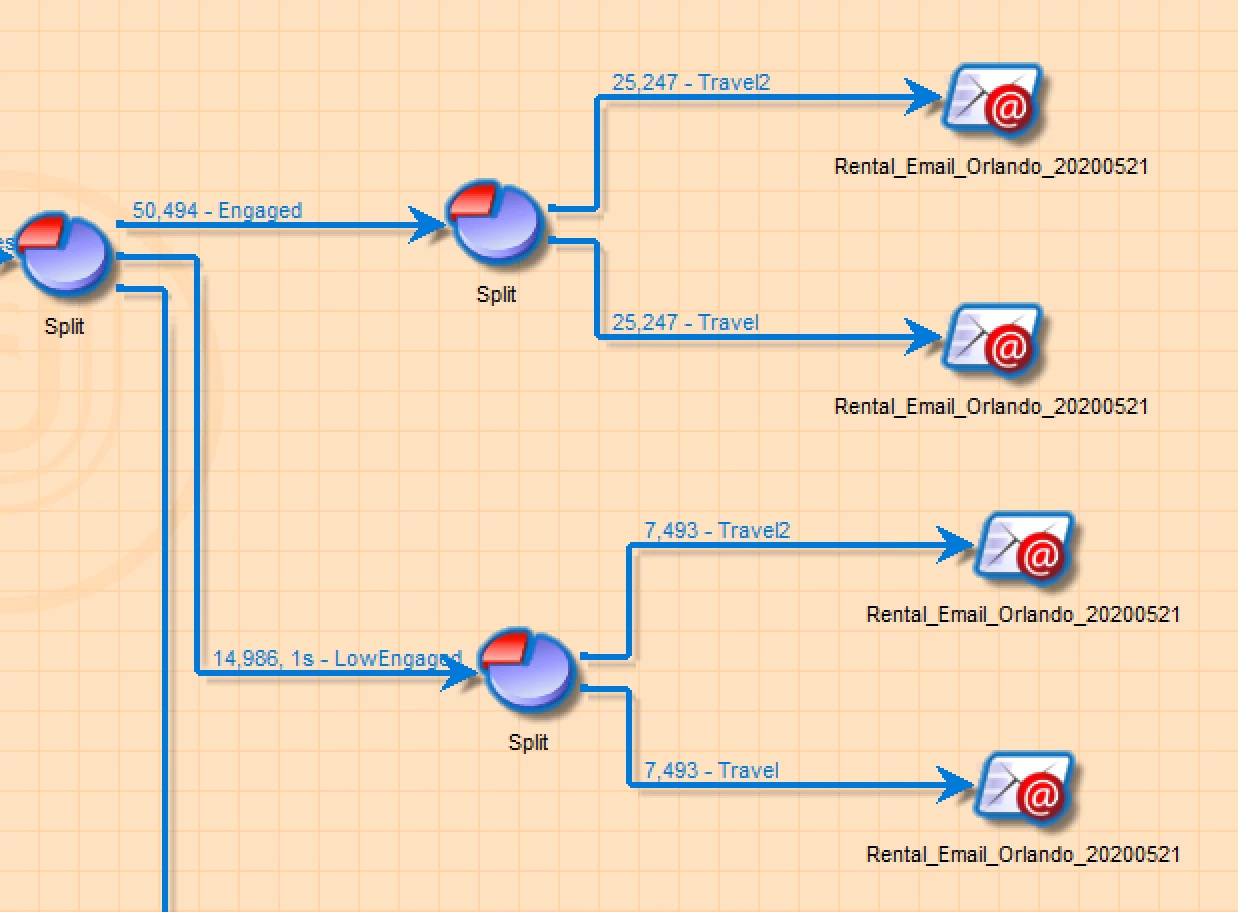
In this case is there a way to return something like:

  • "Engaged, Travel2"
  • "Engaged, Travel"
  • "LowEngaged, Travel2"
  • "LowEngaged, Travel"

Again, any help is much appreciated.

Thanks.

This post is no longer active and is closed to new replies. Need help? Start a new post to ask your question.
Best answer by Jonathon_wodnicki

Hi,


The answer to both questions is to use js; get the workflow's data clob then parse it for transitions, i.e.:


for each (var extract in workflow.activities.extract) { for each (var transition in extract.transitions.*) { // make use of transition.@label, transition.@target } }


Thanks,

-Jon

2 replies

Jonathon_wodnicki
Community Advisor
Jonathon_wodnickiCommunity AdvisorAccepted solution
Community Advisor
June 4, 2020

Hi,


The answer to both questions is to use js; get the workflow's data clob then parse it for transitions, i.e.:


for each (var extract in workflow.activities.extract) { for each (var transition in extract.transitions.*) { // make use of transition.@label, transition.@target } }


Thanks,

-Jon

New Member
June 5, 2020

Thanks Jon, apologies for bothering you but I'm not super familiar working with javascript in the context of pulling values from Campaign. Is there a resource I reference or some sample code? I tried figuring it out on my own and haven't had much luck. Thanks again for your help!

Jyoti_Yadav
Level 8
June 4, 2020

Hi,

If your split is one time configuration, you can do JS variables in Advanced tab of split.

Js you can use:

vars.split1="Engaged"

vars.split2="Low Engaged"


And then you can use these variables in your delivery as: <%=vars.split1%>


Thanks.