Get the data from Rich Text input field and send it in API | Community
Skip to main content
Level 2
March 12, 2024
Question

Get the data from Rich Text input field and send it in API

  • March 12, 2024
  • 1 reply
  • 1209 views

Hello, we have built a custom workflow node called "Digital Channel", which basically is a new custom channel that the user can add content and then send it to customers and it will end up on their "My pages" via an API. We are struggling abit with the rich text input field as we need to send it with html code to the API. When we are trying to get the data from the input field we only recieve a empty string in the javascript code:
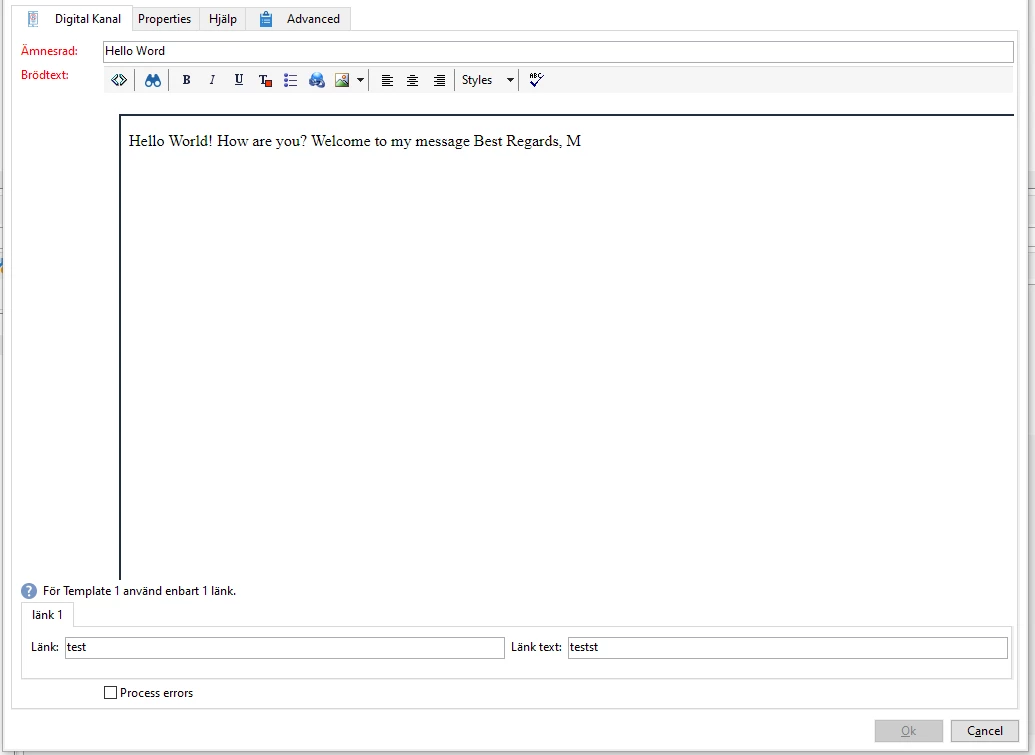
The other input fields we are able to get, and we have tried doing the rich text field as a ordinary textfield with strings, but then we are not able to save with the correct tags.


Any idea on how to get the data from the rich text field activity?


Best Regards,

Martin


This post is no longer active and is closed to new replies. Need help? Start a new post to ask your question.

1 reply

isahore
Community Advisor
Community Advisor
March 12, 2024

Hi @marting66652718,


What is the data type of the field where you are storing this rich text? Usually, delivery content (html or text, or even sms) is stored in the delivery schema in a CDATA type field. You should be able to forward the CDATA text to the custom connector.

Let me know if that gives you a direction to move forward.


BR,

Ishan

Level 2
March 12, 2024

Hi, currently we have it in the extension of the workflow schema as this:

We currently don't save it otherwhere then in here.

isahore
Community Advisor
Community Advisor
March 13, 2024

Hi @marting66652718,

If you are going to send this text as content in a custom channel, then you should ideally be using a delivery object to save this info. You should extend the delivery form and create a custom channel where this content be set in the delivery.


Anyways, the way you are doing it - how are you trying to fetch this in your workflow? I guess you are doing it in a js code activity. Can you share that code as well? Also, when you save your workflow after entering the rich text, are you able to see that text in the workflow xml? (Right click inside the workflow -> edit xml source.)


BR,

Ishan