File present in vars.filename but Data Loading activity says it is not present? | Community
Skip to main content
Level 6
September 23, 2024
Solved

File present in vars.filename but Data Loading activity says it is not present?

  • September 23, 2024
  • 1 reply
  • 650 views


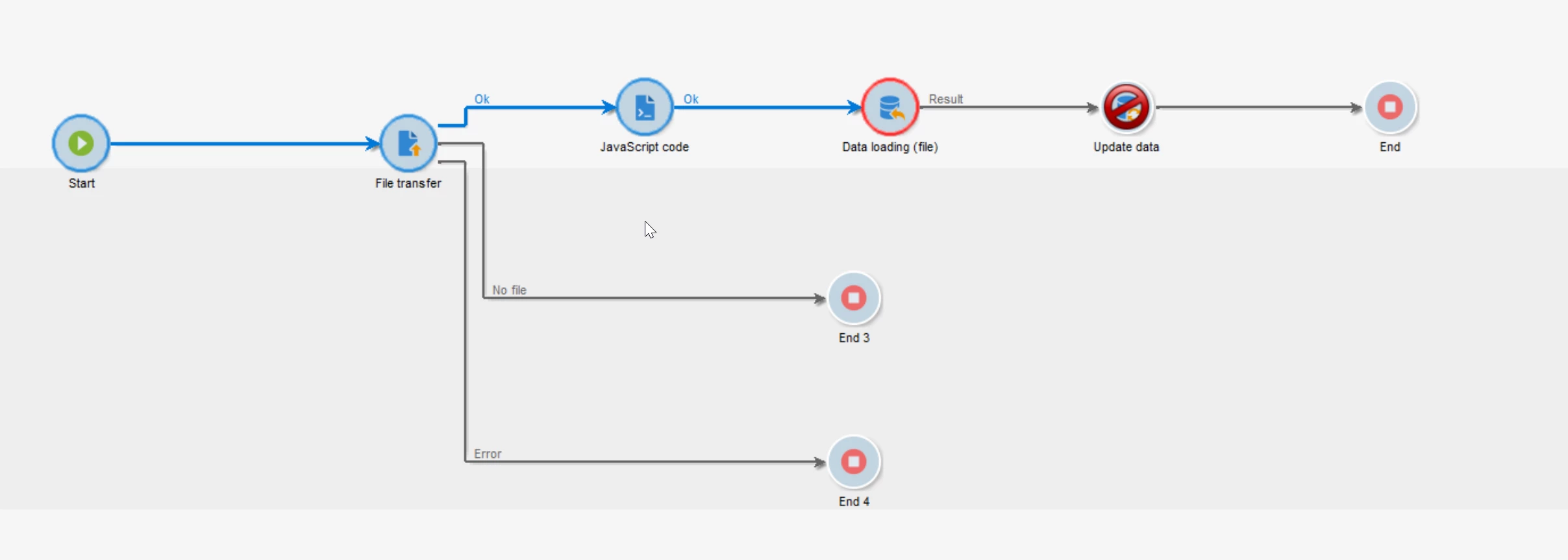
I'm using regular expression to find the present file: XXX_CENTRAL_DIF.csv.gz or XXX_TOP_DIF.csv.gz. File transfer should find any of this and then Data Loading should load the data so later an Update Activity can ingest it into the schema.

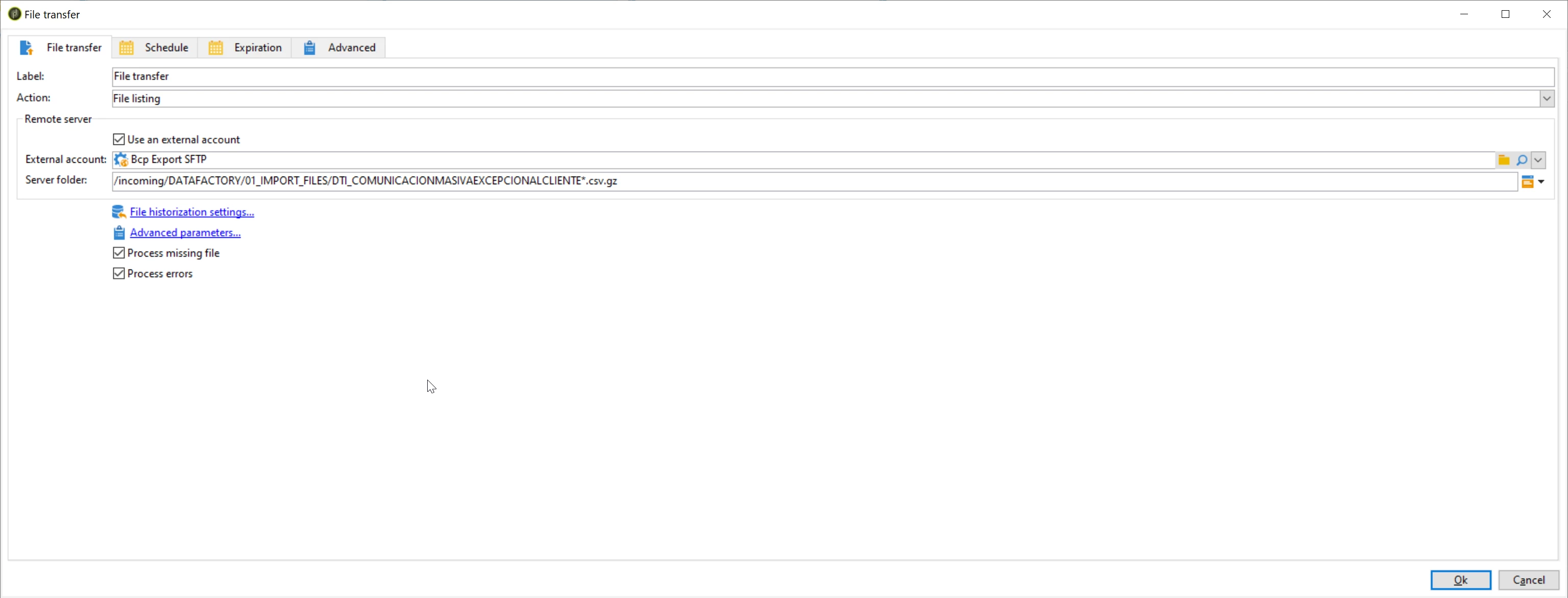
In the server folder, I'm using (regex) : 01_IMPORT_FILES/DTI_COMUNICACIONMASIVAEXCEPCIONALCLIENTE*.csv.gz

As expected, vars.filename logs: file name is: 01_IMPORT_FILES/DTI_COMUNICACIONMASIVAEXCEPCIONALCLIENTE_CENTRAL_DIF.csv.gz

Which is good. So far so good.

However, DataLoading shows error. Even when I can log the name of the file found by the Transfer Activity.

JS after Transfer Activity logs:

09/23/2024 3:57:47 PM file name is: 01_IMPORT_FILES/DTI_COMUNICACIONMASIVAEXCEPCIONALCLIENTE_CENTRAL_DIF.csv.gz

DataLoading activity:

09/23/2024 3:39:20 PM BAS-010014 Cannot open file '01_IMPORT_FILES/DTI_XXX_CENTRAL_DIF.csv.gz' with read access (errno=2, No such file or directory)


Javascript:

instance.vars.filename = vars.filename

logInfo("file name is: " + instance.vars.filename);

 

This post is no longer active and is closed to new replies. Need help? Start a new post to ask your question.
Best answer by DavidKangni

Hi @god_prophet ,


In your file transfer activity, you're just doing a file listing. Hence, the data loading is erroring as it doesn't have access to the file. You may need to download the file as I'm assuming the path is in an external account and not on your ACC server.


Thanks,

David

1 reply

DavidKangni
Community Advisor
DavidKangniCommunity AdvisorAccepted solution
Community Advisor
September 24, 2024

Hi @god_prophet ,


In your file transfer activity, you're just doing a file listing. Hence, the data loading is erroring as it doesn't have access to the file. You may need to download the file as I'm assuming the path is in an external account and not on your ACC server.


Thanks,

David

David Kangni
Level 6
September 24, 2024

Correct, Thank you David. 

I was doing some testings before and forgot to change from File Listing to File Download in the File Transfer Activity.