Emoji Not Showing Up in Email Proof (🛠) | Community
Skip to main content
June 6, 2023
Solved

Emoji Not Showing Up in Email Proof (🛠)

  • June 6, 2023
  • 1 reply
  • 1348 views

Hi everyone - 


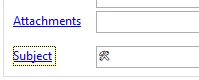
I'm working on an email proof with the emoji "🛠️" and when I plug in the UTF8 code, it's not showing up as the emoji in the subject line. Any thoughts? 

I've used the following:

=?UTF-8?Q?=F0=9F=9B=A0?=


But, during proofing, I just get the same sequence and not the proof. Any thoughts to this? Thanks!

Joe

This post is no longer active and is closed to new replies. Need help? Start a new post to ask your question.
Best answer by ParthaSarathy

Hi @joe_tv_ ,

If you use UTF8 code in subject line box, it will consider it as a string and in inbox it displays as it is the entire UTF8 code provided in the subject line.

To add emoji in subject line you can try two ways,

Either the 1st way is, copy the emoji 🛠️️ and paste it in subject line


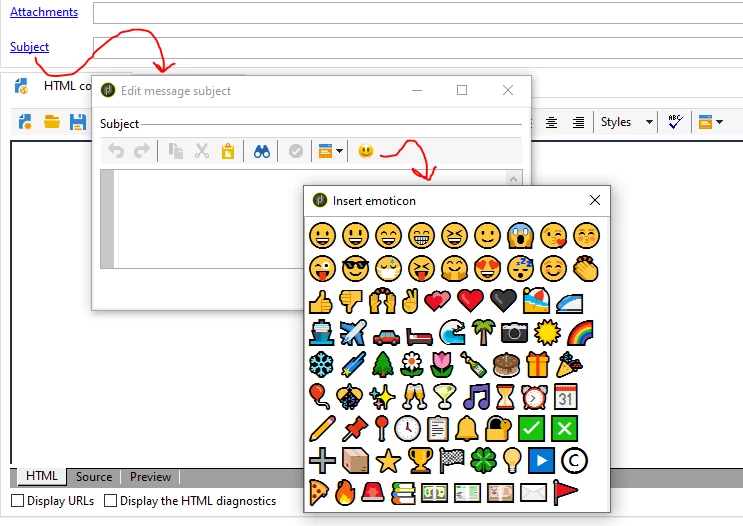
or 2nd way is to create your Emoji in 'Emoticon list' which you can directly call in subject line.


To create Emoji in this dropdown, go to Administration > Platform > Enumerations and click the Emoticon list and follow the steps mentioned in this document - Click here

1 reply

ParthaSarathy
Community Advisor
ParthaSarathyCommunity AdvisorAccepted solution
Community Advisor
June 6, 2023

Hi @joe_tv_ ,

If you use UTF8 code in subject line box, it will consider it as a string and in inbox it displays as it is the entire UTF8 code provided in the subject line.

To add emoji in subject line you can try two ways,

Either the 1st way is, copy the emoji 🛠️️ and paste it in subject line


or 2nd way is to create your Emoji in 'Emoticon list' which you can directly call in subject line.


To create Emoji in this dropdown, go to Administration > Platform > Enumerations and click the Emoticon list and follow the steps mentioned in this document - Click here

~  ParthaSarathy S~  Click here to join ADOBE CAMPAIGN USER GROUP for Quarterly In-person | Hybrid | Virtual Meetups
Joe_TV_Author
June 6, 2023

Thank you! This was entirely informative and helpful. 


Joe.