Delivery weight arbitration in prepared deliveries | Adobe Higher Education
Skip to main content
Level 4
May 5, 2021
Risolto

Delivery weight arbitration in prepared deliveries

  • May 5, 2021
  • 2 risposte
  • 2264 visualizzazioni

Hi,

I'm testing delivery weight arbitration in a Campaign workflow with prepared deliveries:
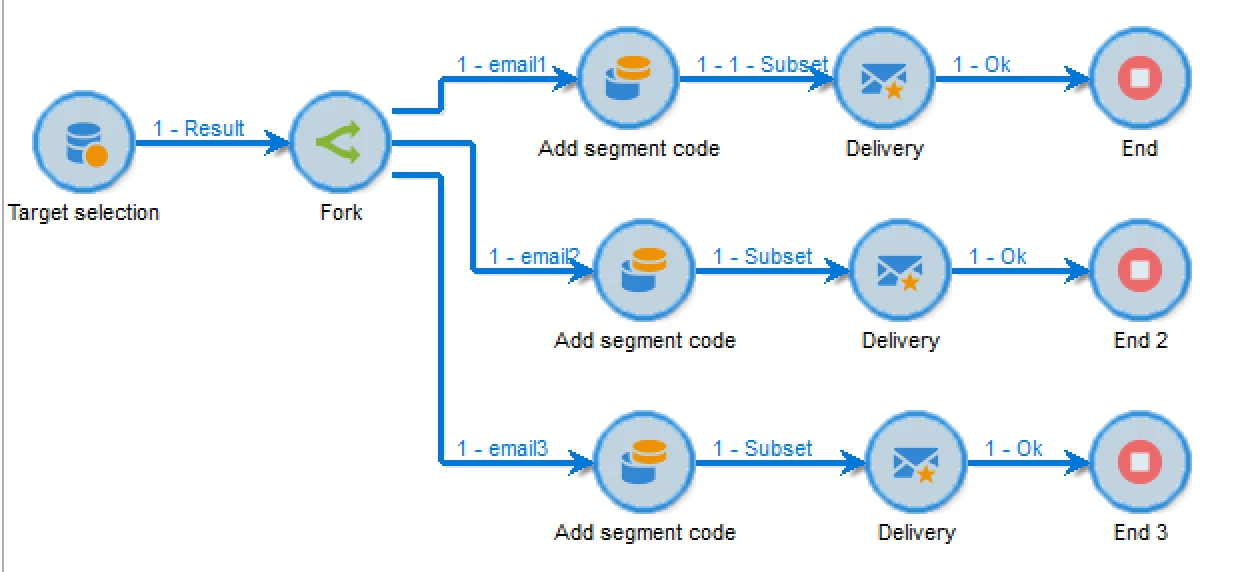
 

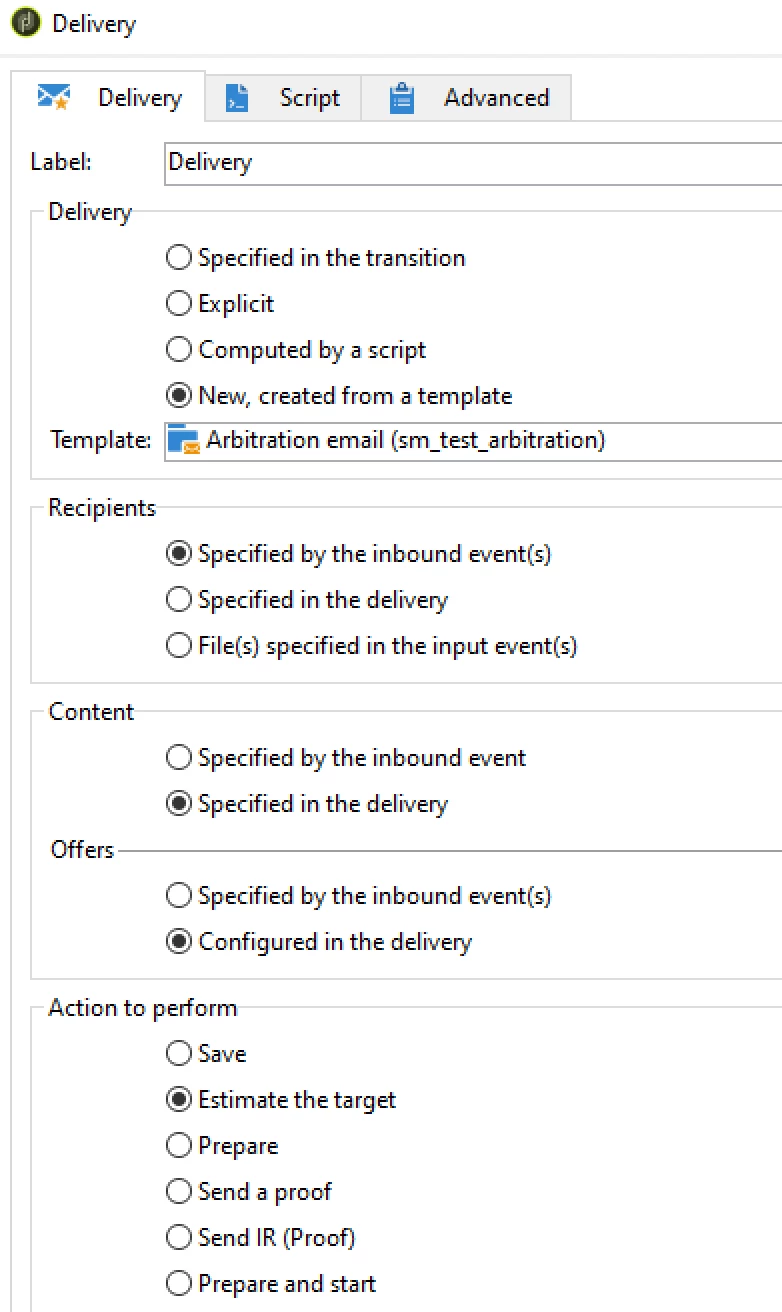
Contact date and weight are set in the "script" part of the delivery:

delivery.scheduling.contactDate = "2021-05-05 09:00:00"
delivery.scheduling.extracted = "2021-05-05 07:00:00"
delivery.forecast.weight = "20" // each of the 3 deliveries get a different weight (20, 30 and 40).


Contact date and extraction date are +12h and the deliveries are left on "Estimate Target" in order to have the re-evaluation being applied. No approvals on the Campaign and the schedule on the delivery template is set to "Automated", so no approvals should apply.


Running the flow and waiting till next day, demonstrates that the re-evaluation took place, and only the highest weight is chosen for delivery. But still I do not get beyond the "Confirm delivery" state...
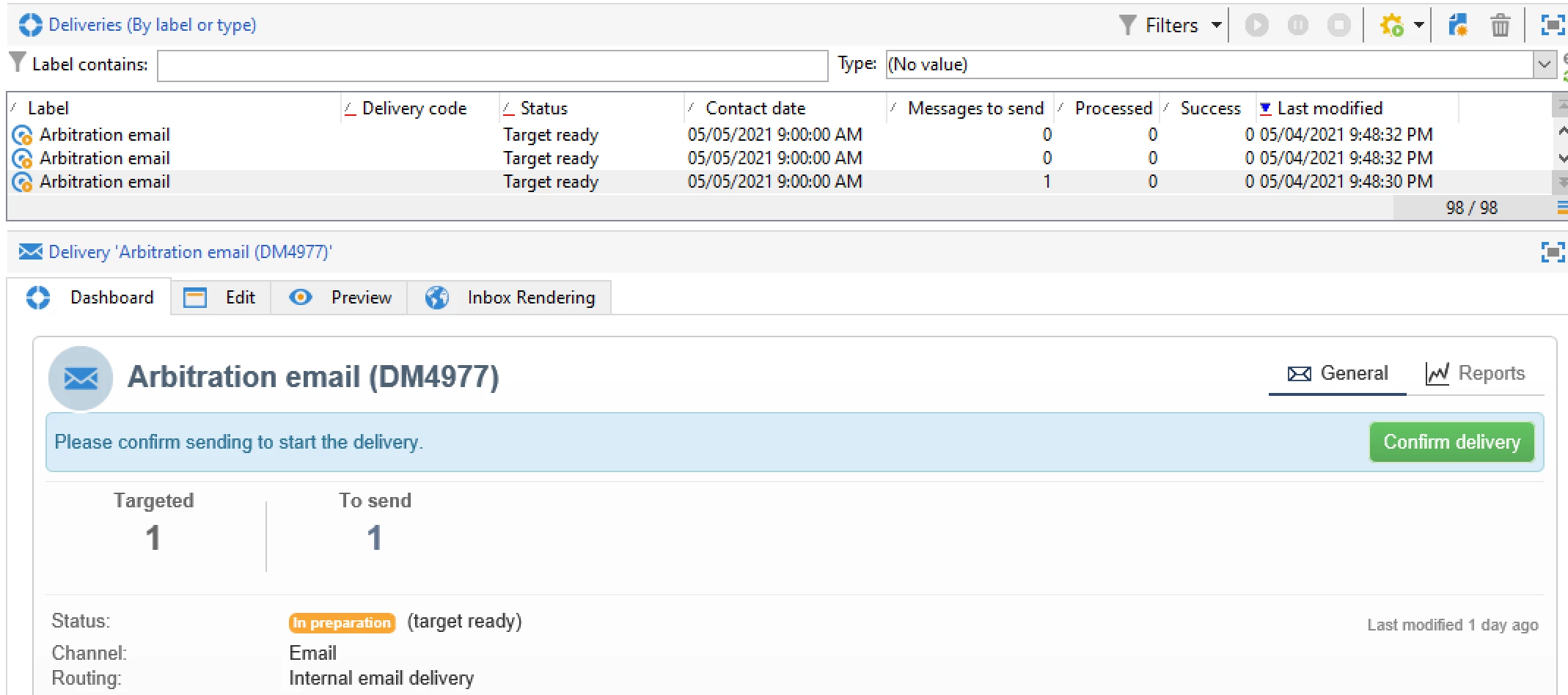


Is there a way to enforce the delivery on the contact date? because this scenario should be an automated campaign.


Thanks


Stefan


Questo argomento è stato chiuso alle risposte.
Migliore risposta di CedricRey

Hello Stefan,


You can look at the properties pannel of the delivery, the second tab "Analyse", you should find a "Validation" part. In this part, a field "Validation mode" is available, and this one must be set to "Automatic" (or somtehing like that) but not "manual".

If it was in manual mode, it could be the reason why the delivery didn't send.


Cedric

2 risposte

CedricRey
CedricReyRisposta
Level 5
May 5, 2021

Hello Stefan,


You can look at the properties pannel of the delivery, the second tab "Analyse", you should find a "Validation" part. In this part, a field "Validation mode" is available, and this one must be set to "Automatic" (or somtehing like that) but not "manual".

If it was in manual mode, it could be the reason why the delivery didn't send.


Cedric

Level 4
May 5, 2021

Hi Cedric,


in the template used for the preparation, the Approval mode was set to "Automatic", but it seems that in the actual generated email the Approval mode was reset to Manual.
So now I do enforce in the delivery script also the automatic mode, and just started a new test...

delivery.scheduling.validationMode = "auto"

this results in the actual delivery that the mode is correctly set.


Although the interface is still asking for the confirm...
Just rerunning the test, and wait till tomorrow for the result...


Stefan

Sukrity_Wadhwa
Community Manager
Community Manager
May 17, 2021

Hi @stefanm38281801,

Were you able to resolve this query or do you still need more help here? Do let us know.

Thanks!

Sukrity Wadhwa