customise pop-up message | Community
Skip to main content
May 5, 2023
Solved

customise pop-up message

  • May 5, 2023
  • 1 reply
  • 649 views

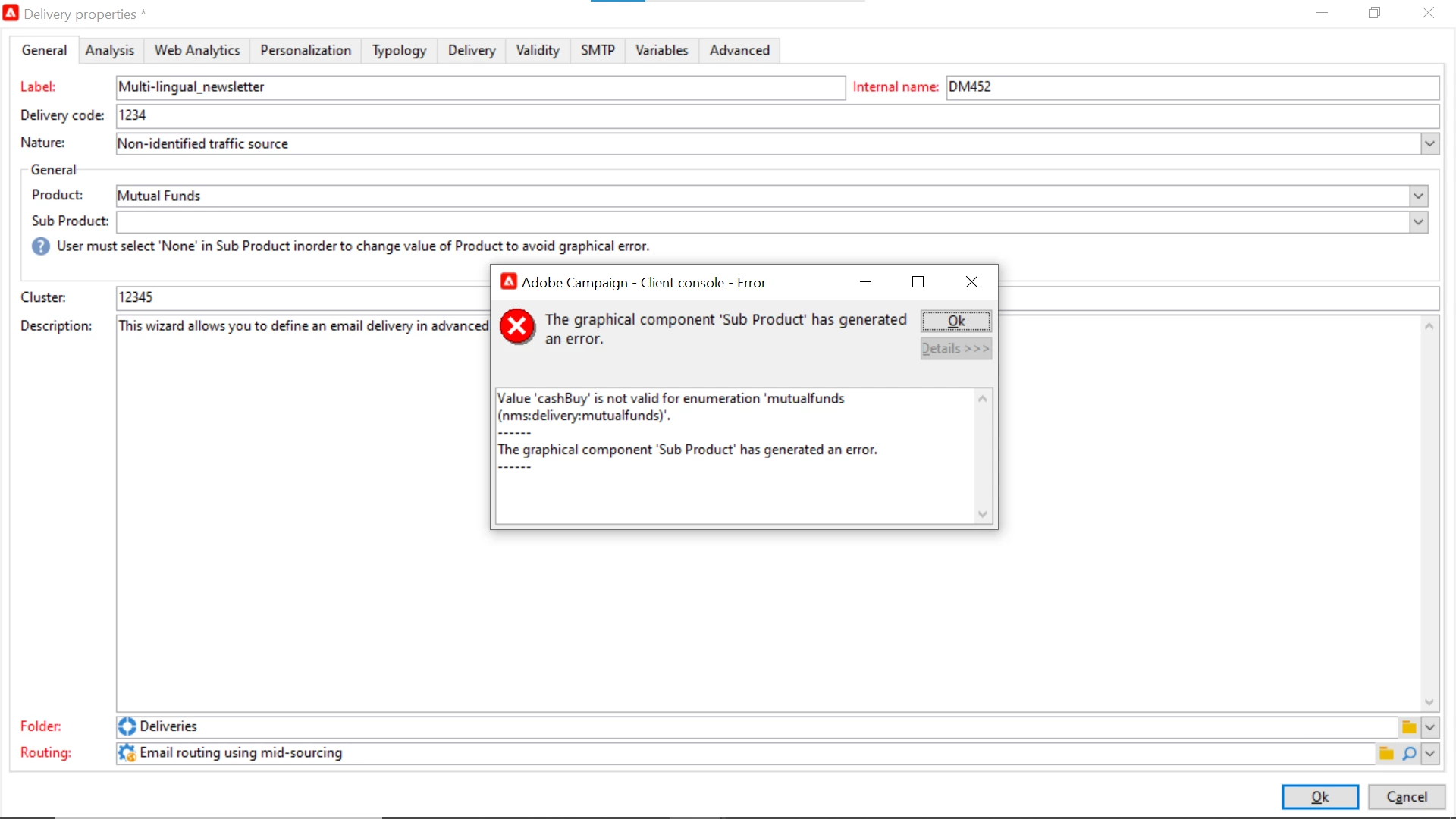
So, i was told to add 2 new fields as product and subproduct and values of subproduct field must be visible according to selection in product field and that too i got through (reset xpath) but now can i somehow change/customize this popped-up error according to my wish. if there is anything you know then do help me out. thanks, in advance!

This post is no longer active and is closed to new replies. Need help? Start a new post to ask your question.
Best answer by ParthaSarathy

Hi @him2 ,

You can utilize <check> <error> tags for customized error popup

<input xpath="@email" required="true"/> <leave> <check expr="@email!=''"> <error>The email address is required.</error> </check> </leave>

The above script will throw error popup on input form, if Email ID is empty.


Similar way, you can make expression in <check> based on your requirement with product and sub-product, and can customize the error popup.

For more details on this, Refer this document


1 reply

ParthaSarathy
Community Advisor
ParthaSarathyCommunity AdvisorAccepted solution
Community Advisor
May 5, 2023

Hi @him2 ,

You can utilize <check> <error> tags for customized error popup

<input xpath="@email" required="true"/> <leave> <check expr="@email!=''"> <error>The email address is required.</error> </check> </leave>

The above script will throw error popup on input form, if Email ID is empty.


Similar way, you can make expression in <check> based on your requirement with product and sub-product, and can customize the error popup.

For more details on this, Refer this document


~  ParthaSarathy S~  Click here to join ADOBE CAMPAIGN USER GROUP for Quarterly In-person | Hybrid | Virtual Meetups