Can the spawnWithParameters method activate the same workflow twice at the same time? | Community
Skip to main content
Level 2
December 13, 2023
Solved

Can the spawnWithParameters method activate the same workflow twice at the same time?

  • December 13, 2023
  • 1 reply
  • 1170 views

Hello everybody, I am currently analyzing a request and all the impacts it could have but before touching anything, I would like to know if the spawnWithParameters or startWithParameters method could execute the same workflow at the same time without it Is there any error?


Let me explain, I have several workflows which run at the same time and which finish their processing almost at the same time. At the end of these workflows I would like to use one of two methods to launch a single generic workflow with parameters.


I think that startWithParameters is better than spawnWithParameters because the latter risks creating a lot of instances in the long term (unless it is deleted at the end of their processing) Thank you in advance for those who take the time to respond to me

This post is no longer active and is closed to new replies. Need help? Start a new post to ask your question.
Best answer by Amine_Abedour

Hello @ragsthenos,

The 'StartWithParameters' method can only be executed on a workflow being edited or finished.

The 'SpawnWithParameters' can do the trick, but as you said, it'll create lot of instances in the long term.

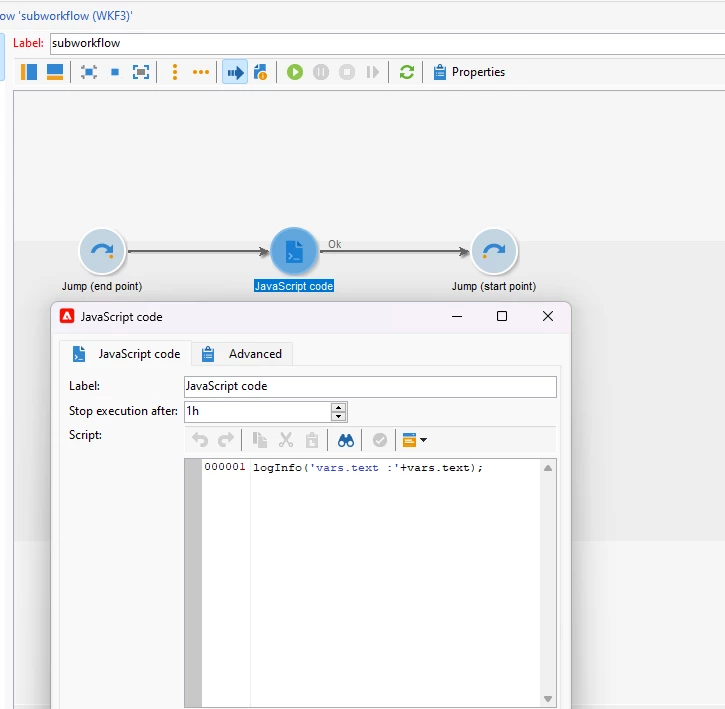
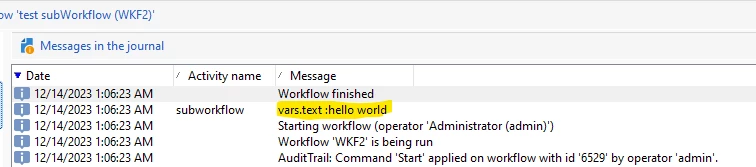
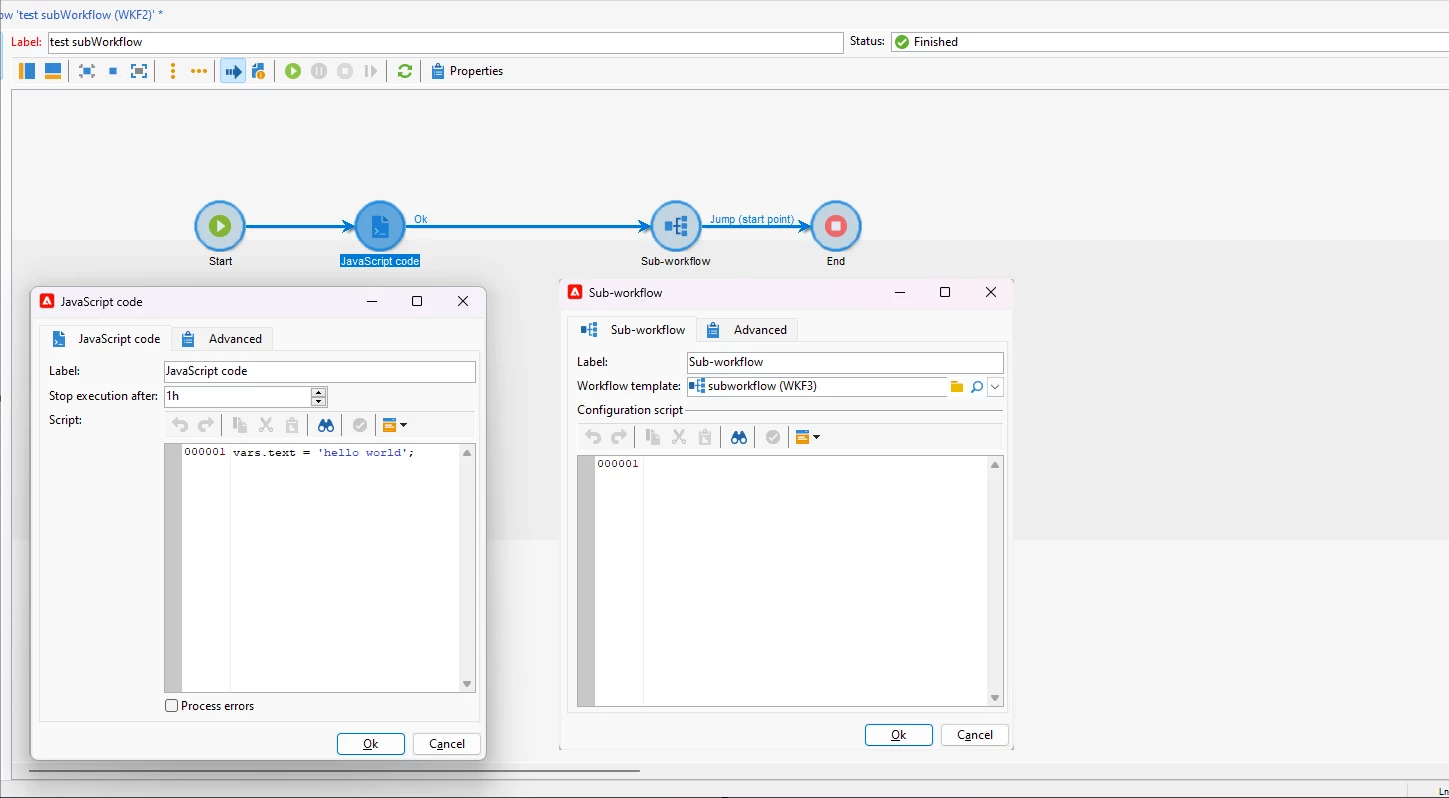
One good alternative is to use Sub-workflow activity. You can make your generic workflow as a sub-workflow, and use sub-workflow acitvity in other workflows to call it. I've just tested it, variables are passed from main workflow to sub-workflow.

main workflow :

sub-workflow :

result in main workflow :


Br,

Amine


1 reply

Amine_Abedour
Community Advisor
Amine_AbedourCommunity AdvisorAccepted solution
Community Advisor
December 14, 2023

Hello @ragsthenos,

The 'StartWithParameters' method can only be executed on a workflow being edited or finished.

The 'SpawnWithParameters' can do the trick, but as you said, it'll create lot of instances in the long term.

One good alternative is to use Sub-workflow activity. You can make your generic workflow as a sub-workflow, and use sub-workflow acitvity in other workflows to call it. I've just tested it, variables are passed from main workflow to sub-workflow.

main workflow :

sub-workflow :

result in main workflow :


Br,

Amine


Amine ABEDOUR
Manoj_Kumar
Community Advisor
Community Advisor
December 14, 2023

Hello, @amine_abedour  The sub-workflow also creates a new instance on every run.


@ragsthenos 

One of the solution could be to save the data from workflows in Options and then use the generic workflow to read the Options created by the main workflows

Manoj  | https://themartech.pro
Amine_Abedour
Community Advisor
Community Advisor
December 14, 2023

Hello @_manoj_kumar_ 


Indeed, the sub-workflow creates an instance at each execution, but it destroys it immediately after the execution.


Br,

Amine 

Amine ABEDOUR