Campaign Classic - Restrict WebApp Access to internal IP without login | Adobe Higher Education
Skip to main content
New Member
August 11, 2021
Répondu

Campaign Classic - Restrict WebApp Access to internal IP without login

Hi,


I have created a WebApp in Campaign Classic which is currently accessible to anyone. I would like to restrict it to internal use only (either manually via IP ranges or using the whitelisted IPs setup via the control panel) but not have users need to log in.


Data will be captured on the WebApp and stored in the Campaign Classic DB.


Any help would be appreciated.


Thanks,


Patrick

Ce sujet a été fermé aux réponses.
Meilleure réponse par david--garcia

Use the following example as a basis to get started, should be enough.


<% //step 1: get remote ip and store it in webapp variable ctx.vars.myip = request.getRemoteAddr(); %> <html> <head></head> <body> <p>This is a test</p> <script type="text/javascript"> // < ![CDATA[window.addEventListener('load', function() { //step 2: assign ip to local variable or sessionstorage for validation var ip = document.controller.getValue('/ctx/vars/myip'); sessionStorage.setItem("myip", ip); // stores ip to browser sessionStorage alert(ip); }) // ]]> </script> </body> </html>


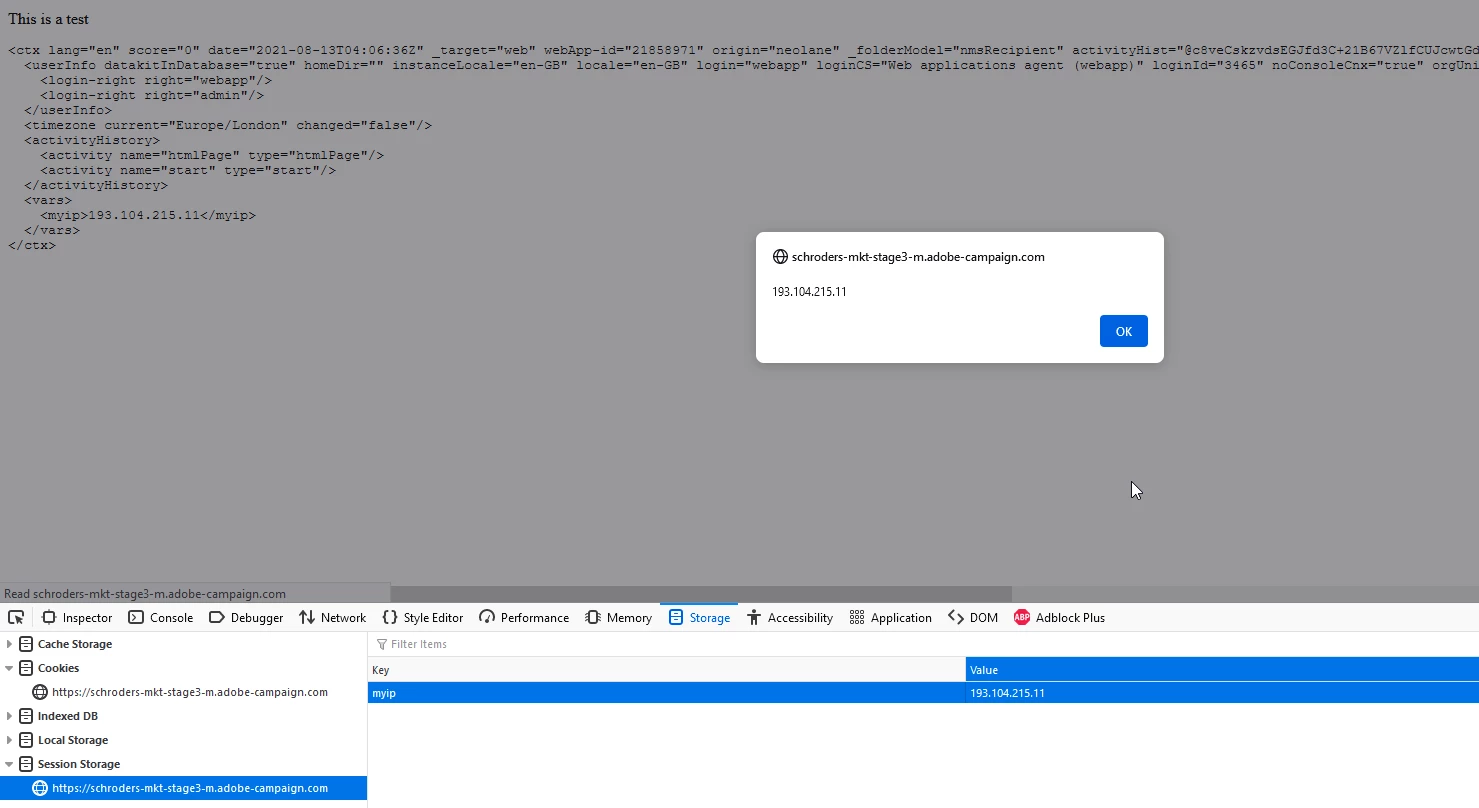
Below you can see we have stored the ip in ctx.vars.myip as well as sessionStorage so that you can do whatever validation you may require.


You may also add `ctx.vars.myip = request.getRemoteAddr();` inside a js activity in your webapp (must be first activity) then add a test activity to check for ranges such as if myip begins with xxx.xx. range then send them to another page or whatever.


1 commentaire

david--garcia
Level 10
August 13, 2021

Use the following example as a basis to get started, should be enough.


<% //step 1: get remote ip and store it in webapp variable ctx.vars.myip = request.getRemoteAddr(); %> <html> <head></head> <body> <p>This is a test</p> <script type="text/javascript"> // < ![CDATA[window.addEventListener('load', function() { //step 2: assign ip to local variable or sessionstorage for validation var ip = document.controller.getValue('/ctx/vars/myip'); sessionStorage.setItem("myip", ip); // stores ip to browser sessionStorage alert(ip); }) // ]]> </script> </body> </html>


Below you can see we have stored the ip in ctx.vars.myip as well as sessionStorage so that you can do whatever validation you may require.


You may also add `ctx.vars.myip = request.getRemoteAddr();` inside a js activity in your webapp (must be first activity) then add a test activity to check for ranges such as if myip begins with xxx.xx. range then send them to another page or whatever.